Compressor
26 Square ONE Dynamics
De-essing
De-essing is an important compression technique that uses the side chain for reducing sibilance, de-popping
or removing specific resonances from instruments for programmed material.
Many singers have high level sibilants, that is, the "s", "sh" or "ch" sounds in vocals, which detract from their
performance. Equalising the signal will reduce the sibilants, but also make the overall vocal sound dull.
However, by compressing only when there is an excessive level of high frequencies the sibilants can be
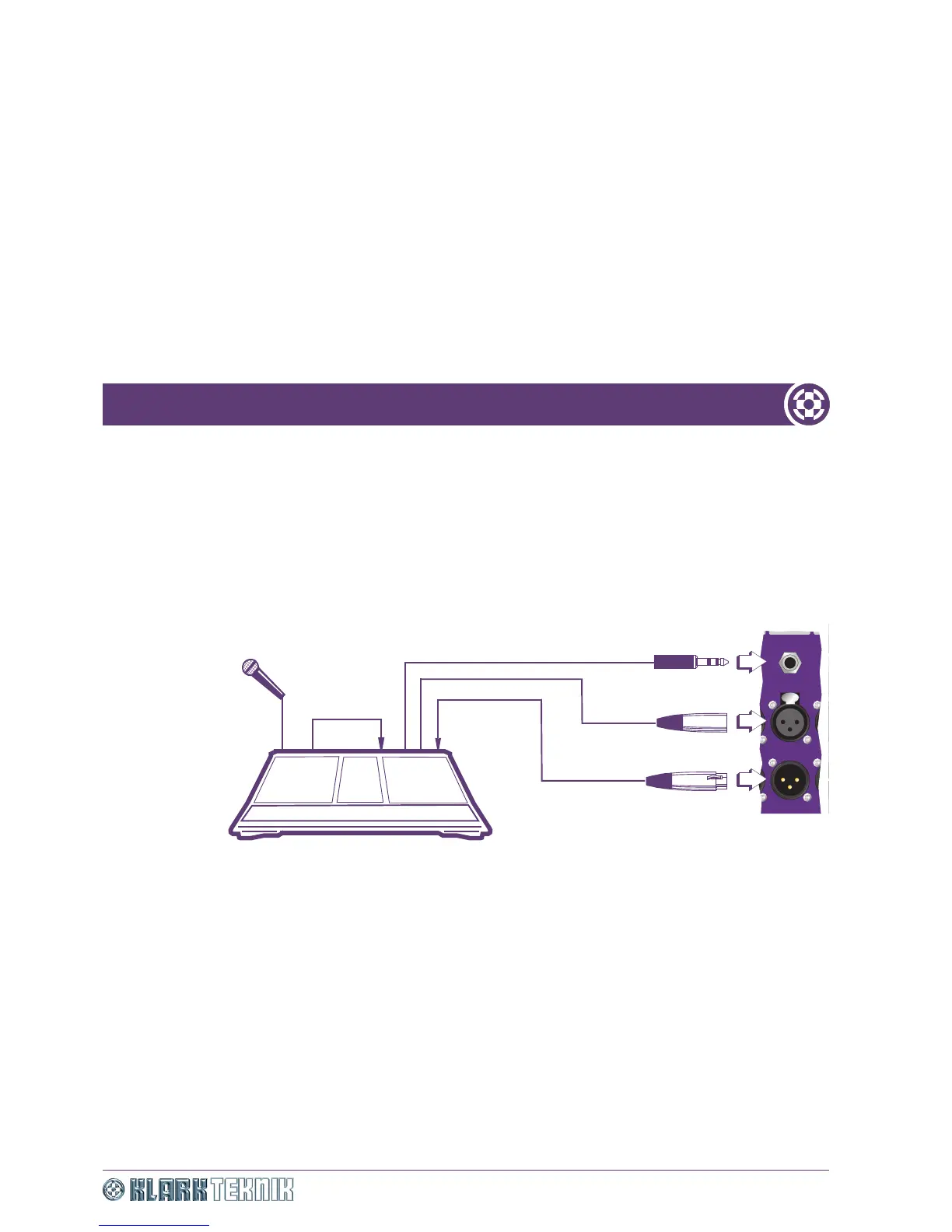
removed selectively. A typical set up is shown in Figure 14 “De-essing connections diagram”. In this case
the compressor will react whenever there is a sibilant, thereby reducing the gain for the duration of the
sibilant and cleaning up the vocal sound.
Figure 14: De-essing connections diagram
De-popping is the removal of the burst of sound at the start of vocals when the mic is held too close to the
singer’s mouth. The de-essing compression technique can be used to remove these sounds and also to
compensate for a boomy bass, or other situations where a band of frequencies is occasionally obtrusive.
For de-essing, we recommend that you set the side chain frequency to about 10kHz. While, towards the
other end of the frequency range, an initial setting of 100Hz would be a good starting point for
de-popping. As the filter operates between 40Hz and 16kHz, there are numerous creative styles of
frequency-conscious compression available where the compression threshold has a higher sensitivity to audio
in the selected bandwidth. From the initial settings you can use your judgement and experience to adjust the
side chain filter frequency to obtain the best results according to the source of audio.
Mic input
(channel
routed to
groups)
Insert send
(channel 1)
Line in
(channel 2)
Send
Return
Send
Output
Channel insert point
Input
Mic
Console
OUTPUT OUTPUT


 To Next Page