Gate
30 Square ONE Dynamics
Interfacing with the console
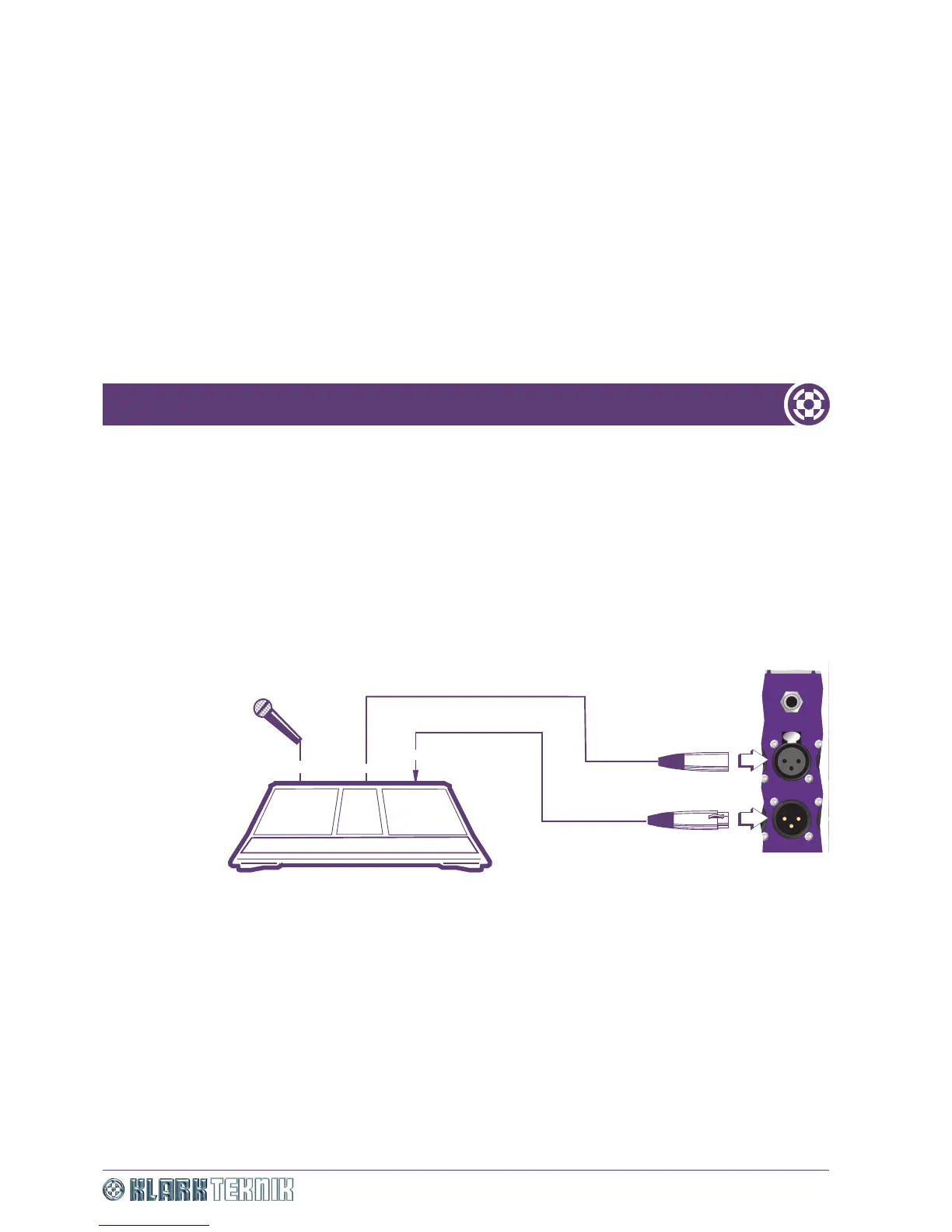
The Square ONE Dynamics is optimised for use at line level, therefore to gate a microphone, the input to the
Square ONE Dynamics has to be taken from the console, preferably from the channel insert point send. The
output from the Square ONE Dynamics comes back to the channel insert return. By connecting the Square
ONE Dynamics at this position in the signal chain, its operation is unaffected by the use of any of the console
controls, except Input Gain.
The Square ONE Dynamics may, if desired, be connected via an auxiliary send and return, but if the aux send
on your console is post-EQ, then operation of the EQ will alter the overall signal level and the Threshold level
of the Square ONE Dynamics will probably need adjustment.
Another alternative is connection to the group insert point of the console. This is useful when many inputs
are mixed down to a smaller number of outputs. A given number of gates can achieve a greater coverage.
Figure 17: Effects of noise gate on each microphone
Mic input
Send
Return
Input
Output
Channel insert point
Console
OUTPUT OUTPUT


 To Next Page