10
Minnesota | Poll Pad Guide
OPENING PROCEDURES | POLL PAD SETUP
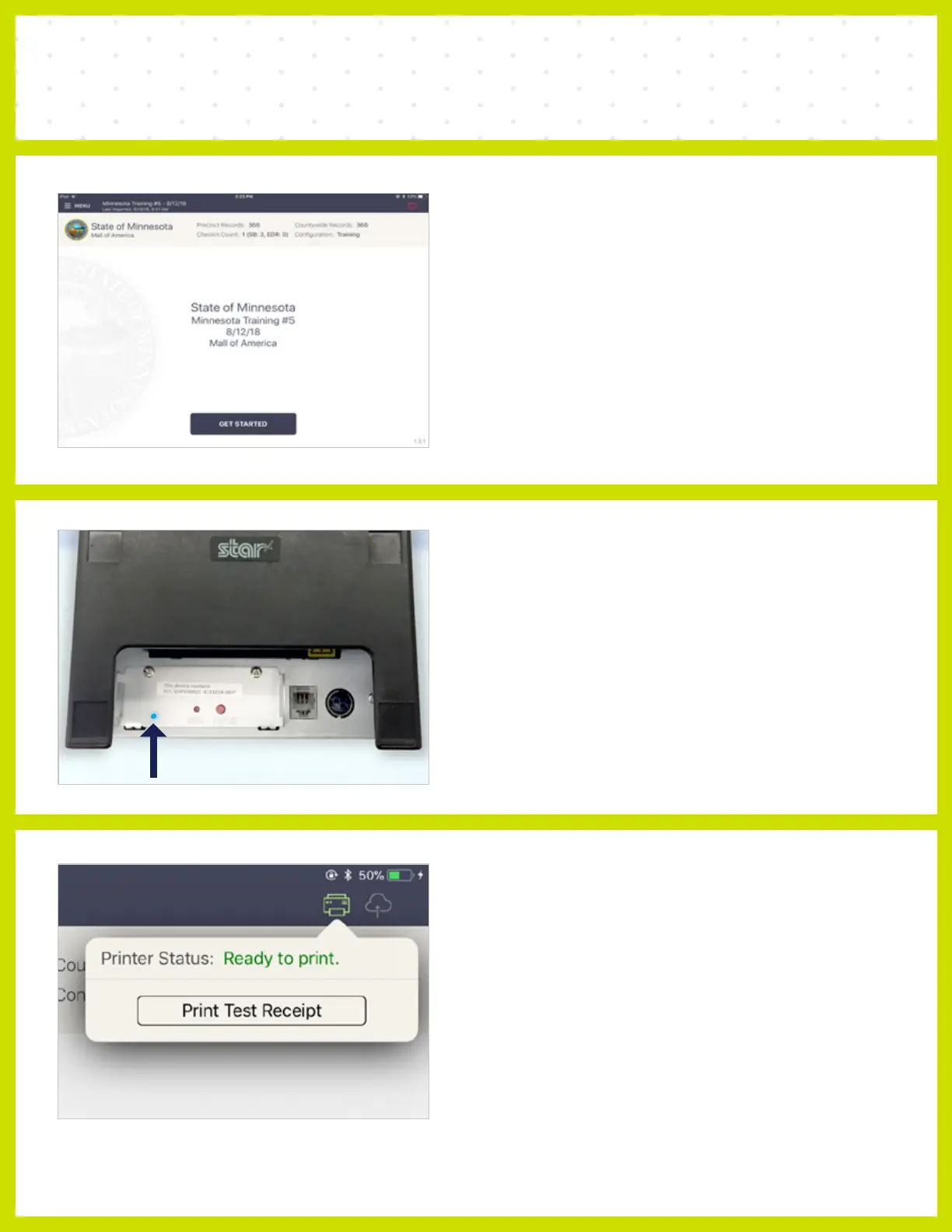
❼ HOME SCREEN CHECKLIST
• Name of Jurisdiction
• Election Name and Date
• Polling Place Location is Correct
(Most Important)
• Check-in Count = 0
• Battery Life is Close to Full (90% or greater)
❾ CONNECT & TEST PRINT
A green printer icon on the Poll Pad means
you are connected to the printer.
Press the green printer icon and select ‘Print
Test Receipt’ and a sample receipt will print.
You are now ready to sign in and process voters.
❽ CONFIRM CONNECTION
Look for blue light on the back of the printer
to confirm the wireless printing connection is
successful.



 To Next Page