62
Minnesota | Poll Pad Guide
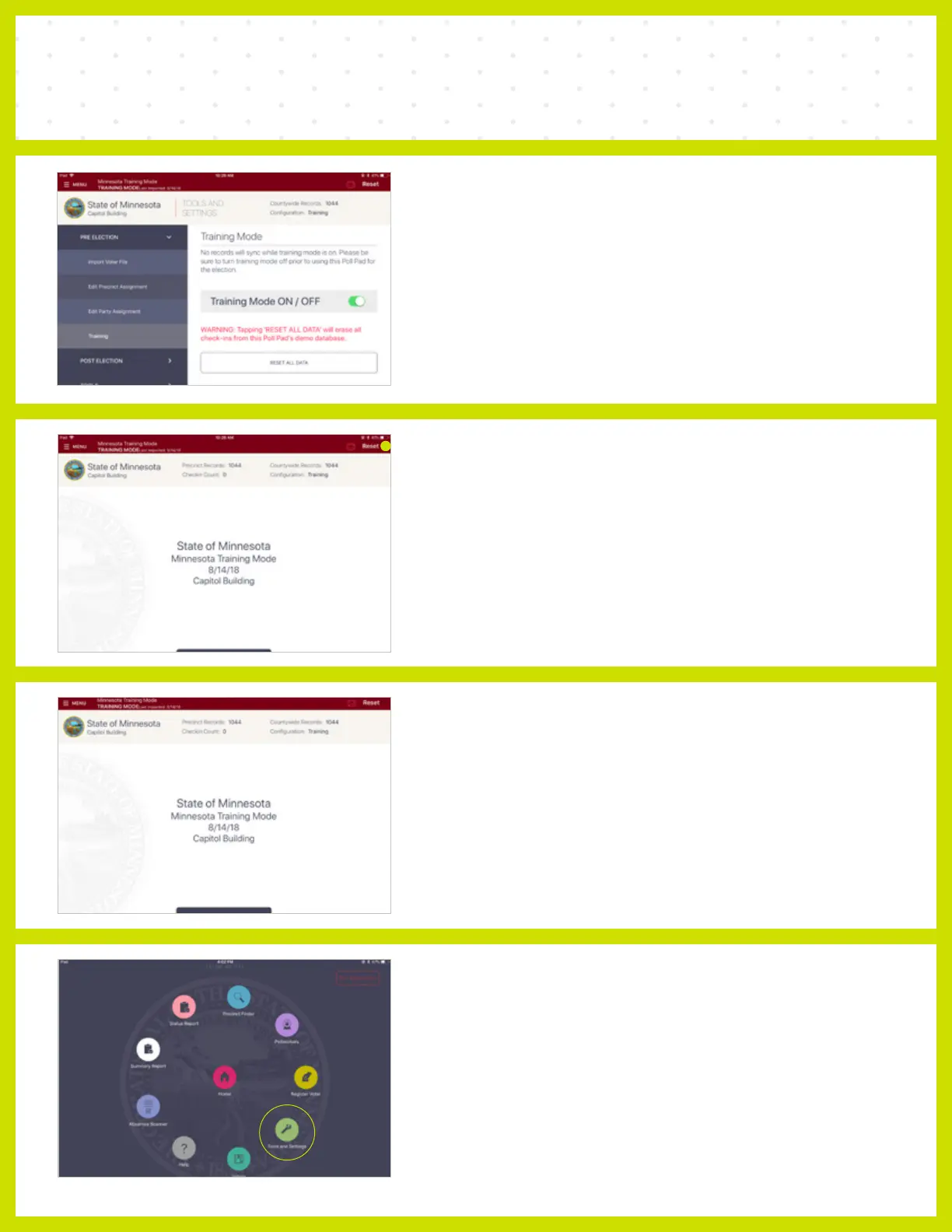
TRAINING MODE
❶ TOGGLE ON
Toggle on Training Mode.
NOTE When Training Mode is toggled on, a red banner will appear
at the top of the Poll Pad indicating Training Mode.
❷ RESET
At the conclusion of each training session, press
the “Reset” button in the upper right corner of the
screen to reset the iPad for the next training class.
❸ EXIT TRAINING MODE
Select the Menu button in the upper left corner.
❹ TOOLS & SETTINGS
Select the Green Tools and Settings circle.



 To Next Page