63
Minnesota | Poll Pad Guide
TRAINING MODE
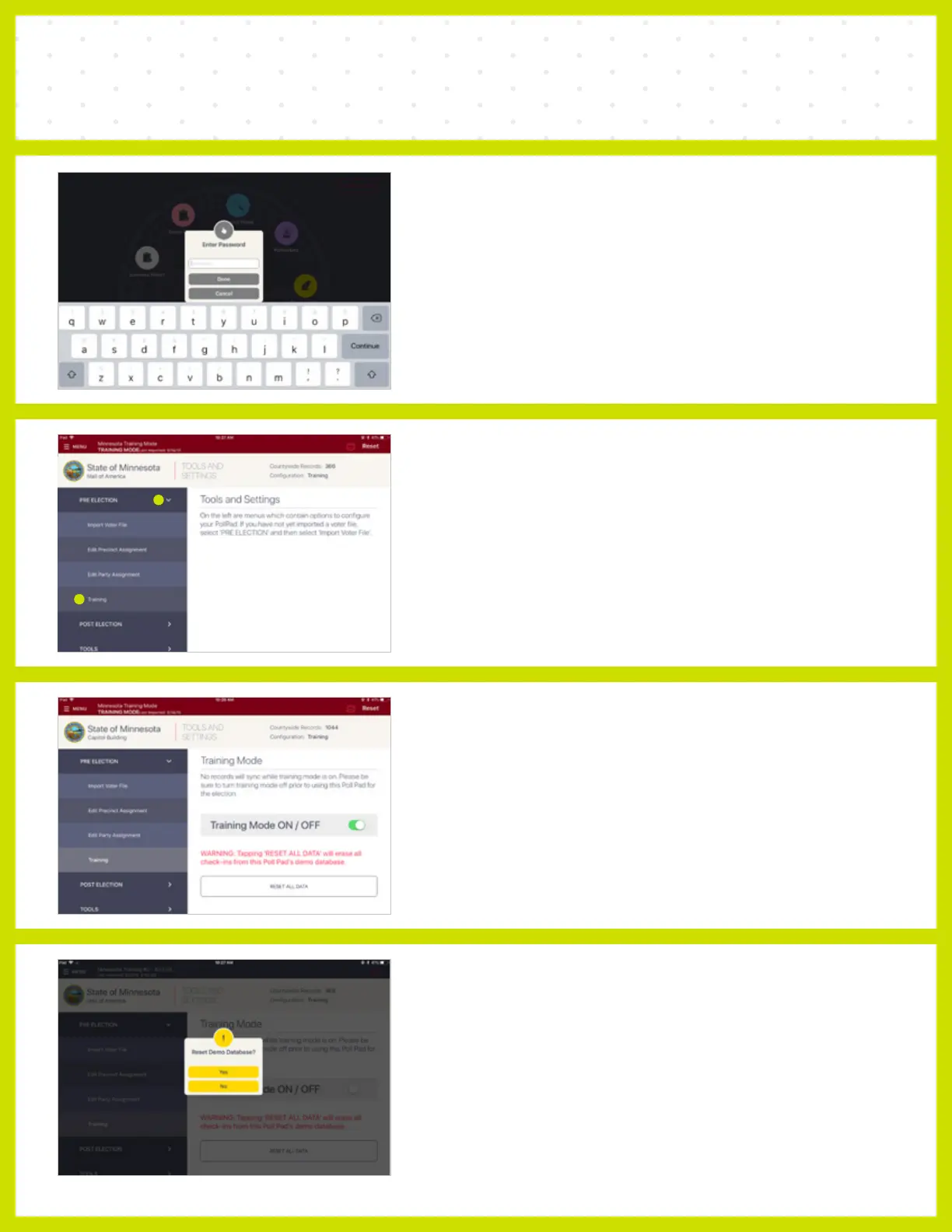
❺ ENTER PASSWORD
Enter the Extra Functions Password (password
will be provided to you.)
❻ PRE-ELECTION
Select the PRE ELECTION option on the left side
of the screen.
Then select Training under the PRE ELECTION
drop down menu.
❼ TOGGLE OFF
Toggle off Training Mode.
NOTE When Training Mode is toggled on, a red banner will appear
at the top of the Poll Pad indicating Training Mode.
❽ RESET DATABASE
Press Yes on the "Reset Demo Database?" prompt.
NOTE When Training Mode is toggled of, the red banner at the top of
the Poll Pad will return to the standard blue color to indicate that the Poll
Pad is no longer in training mode.



 To Next Page