3-4
Calibrating the Printer
8. Click Next.
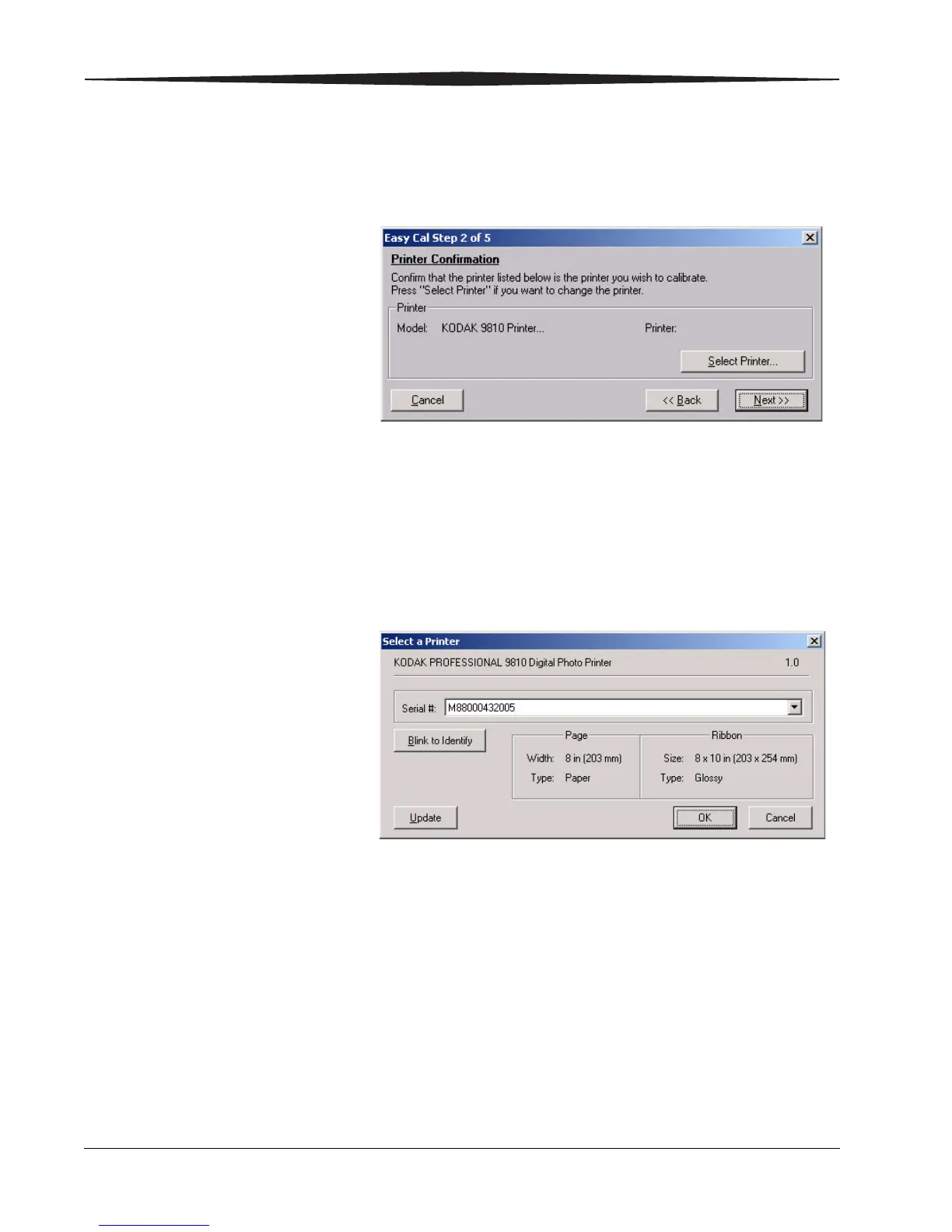
The following dialog box appears.
9. Confirm that the printer model listed is the printer you want to calibrate.
• If the printer you want to calibrate is listed, go to Step 13.
• If you want to calibrate a different printer than the one that is listed,
continue with Step 10.
10. Click Select Printer.
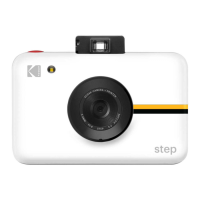
The following dialog box appears.
NOTE: The appearance of this dialog box may vary, depending on your
printer setup and the media file you selected.
11. From the Serial #: list, select your printer’s serial number.
NOTE: Click Blink to Identify to locate a specific printer if you have more
than one printer. The Ready light on the operator panel of the printer
will blink five times.
Click Update if you want to update the printer information on the
dialog box.
12. Click OK to close the dialog box.





 To Next Page