
 To Next Page
L
Lisa RobinsonAug 14, 2025
What to do if my Kodak Super 8 Film Camera will not turn on?
- CCrystal LongAug 14, 2025
If your Kodak Film Camera won't turn on, make sure the battery is properly inserted and charged.

What to do if my Kodak Super 8 Film Camera will not turn on?
If your Kodak Film Camera won't turn on, make sure the battery is properly inserted and charged.
What to do if the battery is empty on my Kodak Super 8?
If the battery of your Kodak Film Camera is empty, charge it.
What to do if the battery is almost empty on my Kodak Film Camera?
If the battery of your Kodak Film Camera is almost empty, charge it.
What to do if the SD card is full in my Kodak Super 8?
If the SD card in your Kodak Film Camera is full, transfer files to your computer. Then, either delete files from the SD card or insert a new SD card.
What to do if the SD card is almost full in my Kodak Super 8?
If the SD card in your Kodak Film Camera is almost full, transfer files to your computer, and then delete files from the SD card, or insert a new SD card.
How to fix blurry LCD viewfinder view on Kodak Film Camera?
To resolve a blurry LCD viewfinder view on your Kodak Film Camera, ensure the lens is correctly focused, clean, and that the subject is within the appropriate focal distance.
How to adjust film exposure that doesn't look right on Kodak Super 8 Film Camera?
If the film exposure on your Kodak Film Camera doesn't look right, select the correct exposure setup (aperture & FPS) based on the correct film type selection and indicated exposure control. Use the exposure control on the display or an external lightmeter to get correct aperture settings. Critical light situations will probably need individual exposure offsets.
How to improve LCD visibility on Kodak Super 8 Film Camera?
If the LCD is difficult to see on your Kodak Film Camera, try adjusting the screen brightness.
Why does the LCD viewfinder not display on an external monitor for my Kodak Super 8?
If the LCD viewfinder of your Kodak Film Camera does not display on an external monitor, ensure that an HDMI Cable is properly connected directly to the monitor input and that the monitor settings are correct for an HDMI connection.
Follow safety procedures. Do not disassemble. Avoid liquid, moisture, and extreme temperatures.
Use only approved batteries, keep away from children, and handle with care to avoid fire or explosion.
Avoid immersion in water, heat, short-circuiting, piercing, or mixing with other battery types.
Details the one-year warranty, coverage terms, exclusions, and conditions for service.
Explains how to return the product for repair or replacement and required documentation.
Details compliance with FCC Part 15 rules for digital devices and instructions for interference.
Information on proper disposal of product and batteries according to WEEE and Battery Directives.
Warns against unauthorized recording of copyrighted materials and infringement of copyright laws.
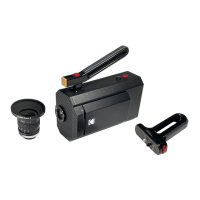
Lists all the components included with the KODAK Super 8 Camera upon purchase.
Provides a detailed explanation of the camera's main body, controls, and features.
Details the ports and connections available on the back panel of the camera.
Step-by-step instructions for installing and charging the camera's battery.
Instructions for attaching lenses, using filters, and installing the pistol grip accessory.
Guide to turning the camera on/off and performing initial setup like setting the language.
Steps for loading film cartridges and setting the film type for accurate exposure.
Configure primary and alternative frame rates for recording and special effects.
Learn to use the function button for frame rate changes and set camera run and auto-off modes.
Details the integrated viewfinder system and how it displays the image and camera information.
Explains the meaning of each element like film counter, frame rate, battery, and light meter.
Utilize viewfinder overlays to simulate Super 8 gate and set aspect ratios for composition.
Instructions on connecting an external monitor via Micro HDMI for live view and control.
Connect an external trigger or button via the 2.5mm jack for remote camera control.
Using the light meter, aperture ring, and focus ring for optimal image quality.
How to start/stop recording, create scenes, and apply shooting tips for best results.
Safely unload film cartridges and find information on film processing labs.
How to record audio using external devices, including file naming conventions.
Steps for inserting and formatting an SD card for camera use.
Guide to plugging in external microphones or audio devices into the camera's inputs.
Understand how audio files are managed, named, and organized on the SD card.
Steps for transferring audio files from the SD card to your computer for synchronization.
Solutions for issues related to the camera not turning on or battery status.
Troubleshooting for SD card full errors and issues with LCD or external display.
Guidance on resolving incorrect film exposure or viewfinder focus issues.
Guidelines for cleaning the camera body, lens, LCD, and film gate for optimal performance.
Advice on storing the camera, including battery removal for long-term storage.
Recommendations for storing exposed and unexposed film under various conditions.
Details on configuring audio settings like volume, input type, and managing audio logs.
Options for managing film cartridges, setting film types, and viewing cartridge logs.
Configuration options for run button, frame rate, auto-off, and screen brightness.
Settings for view gate, light meter, film counter, scene counter, and aspect ratio overlay.
Configuration options for language, SD card, and camera information.
Guide on how to update the camera's firmware using an SD card.
 General
| Film Format | Super 8 |
|---|---|
| Lens Mount | Fixed |
| Viewfinder | Optical |
| Power Source | Battery |
| Film Type | Super 8 Cartridge |
| Frame Rate | 18 fps |
| Exposure Control | Automatic |
| Battery | AA |