Chapter 4 CVS-833/833C
Installation
4.6 Display installation
The display unit is designed for table mount and flush mount. For detail, refer to the following
paragraphs.
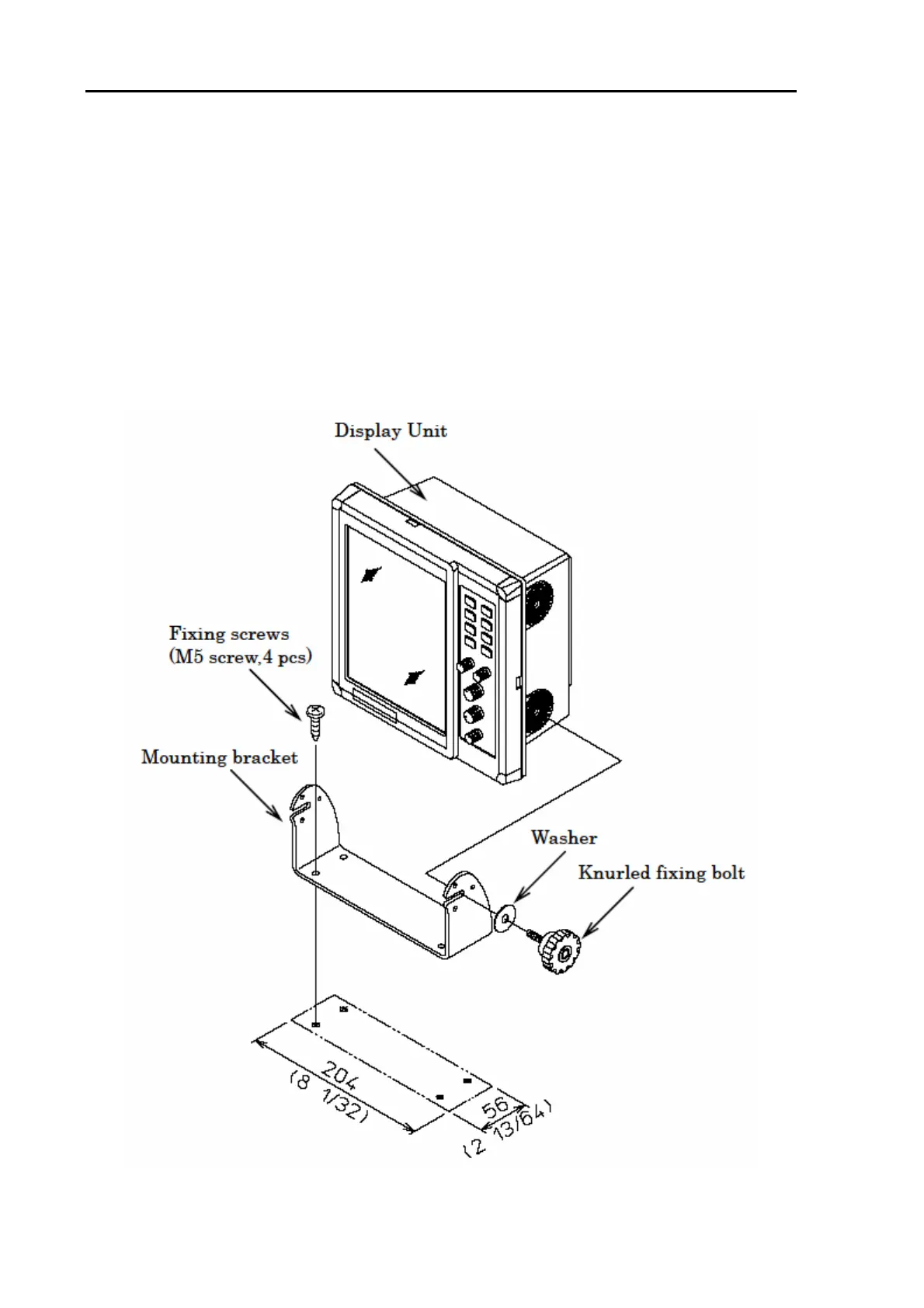
4.6.1 Table mounting
(1) Remove the two fixing knobs that fix the display unit to the mounting bracket.
(2) Remove the display unit from the bracket and place it on a flat and safe area.
(3) Place the mounting bracket to the place where the display unit is to be installed, and fix the bracket
with four (4) tapping screws.
(4) Reset the display unit on to the bracket and fix it using the two screws that were removed in step (1).
Figure 4.1 Fitting the display unit in the table mounting mode
4-2 93132902-01



 To Next Page