Chapter 6 CVS-833/833C
Menu Using the
6-16
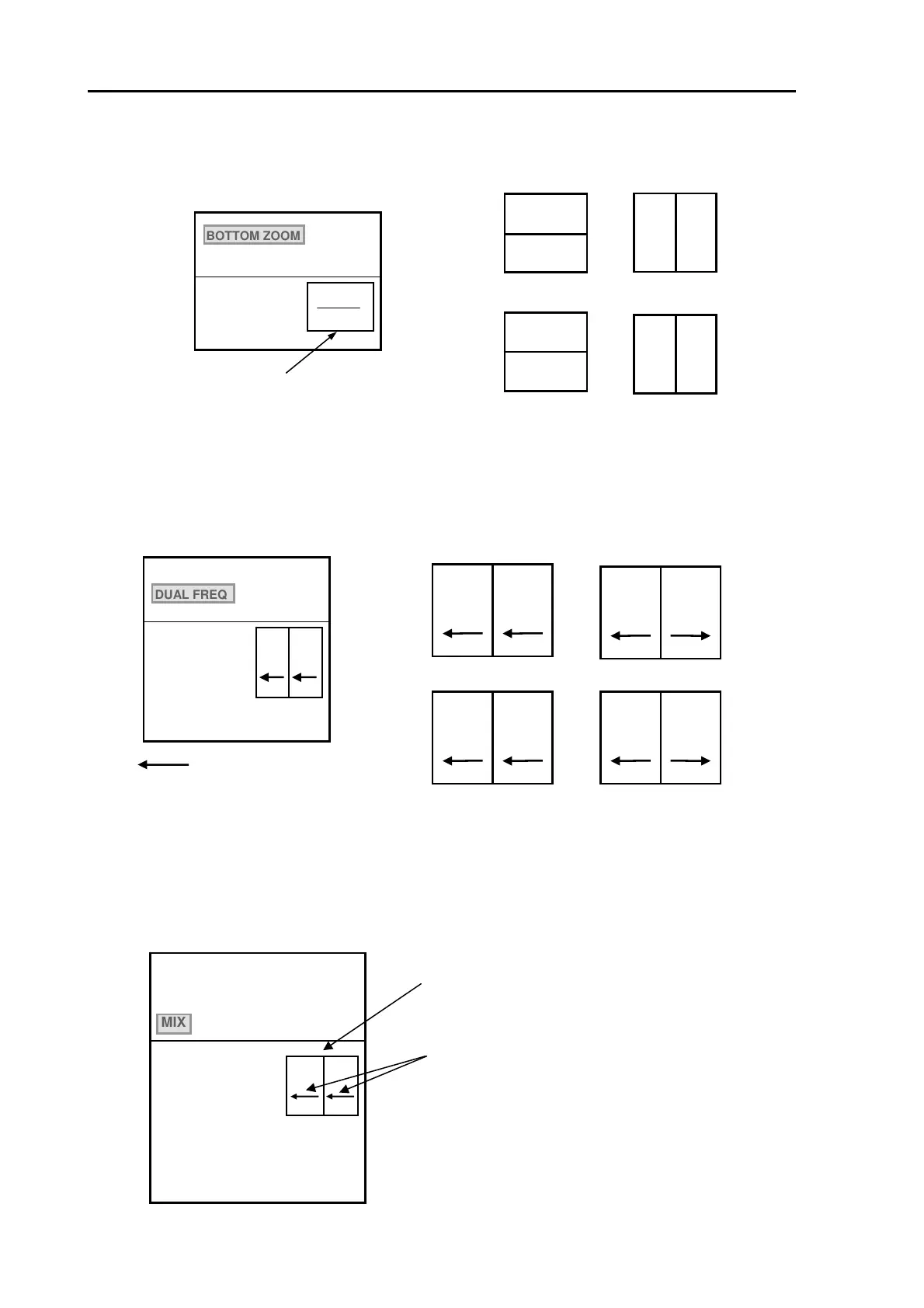
6.11.3.1 NORM/BOTTOM (Selecting split screen type)
This function selects a split screen type in Normal / Bottom mode. The available types are as follows:
6.11.3.2 DUAL FREQ (Selecting image feed type in Dual Frequency mode)
In the DUAL FREQ mode, you can select a best-suited split screen (High/Low Frequencies) type and
screen feed direction among the selection in the sub menu.
6.11.3.3 MIX (Selecting image feed type in Image Mix)
In MIX mode, you can select a mix mode split screen type with various combinations of the
transmission frequencies, as well as the screen feed direction among the selections in the sub menu.
NORM
ZOOM
Selected mode dia
ram is shown here
NORM / ZOOM
ZOOM | NORM
ZOOM / NORM
NORM | ZOOM
3 IMAGE MODE SETTING
BOTTOM ZOOM
DUAL FREQ
MIX
NORM/ZOOM
ZOOM
NORMAL
NORM/BOTTOM
ZOOM
NORMAL
ZOOM|NORM
NORMAL
ZOOM
ZOOM
NORMAL
NORM|ZOOM
Figure 6.21 NORM/BOTTOM menu and available display mode
: Image feed direction
H | L
< H | L >
L | H
< L | H >
H L
3 IMAGE MODE SETTING
BOTTOM ZOOM
DUAL FREQ
MIX
LOW
HIGH
HIGH LOW
L|H
H|L
<L|H>
<H|L>
LOW
LOW
HIGH
HIGH
Figure 6.22 DUAL FREQ menu and available display mode
Selected mode display
3 IMAGE MODE SETTING
BOTTOM ZOOM
DUAL FREQ
MIX
MIX|H
<MIX|H>
H|MIX
<H|MIX>
MIX|L
<MIX|L>
L|MIX
<L|MIX>
M
H
Image feed direction
Figure 6.23 MIX menu display
93132902-00



 To Next Page