CVS-833/833C Chapter 6
Using the Menu
6.4.2 Zoom Start
Using this sub menu, you can select the zoom starting depth of a zoomed image. To select:
1. Move the cursor to the right using the RIGHT arrow key and select Zoom Start depth using the UP
or DOWN key.
2. Move the cursor to the left or right using the LEFT or RIGHT key to select your desired zoom depth.
The initial setting and selectable depths are as follows:
Initial setting: 0 ft / m / J.fm / fm / l.fm
Selective depth:
CVS-833: 0〜2000ft or 0〜 600 m / J.fm / fm / l.fm
CVS-833C: 0〜4000ft or 0〜1200 m / J.fm / fm / l.fm
6.4.3 Intrf Rejection (Interference Rejection)
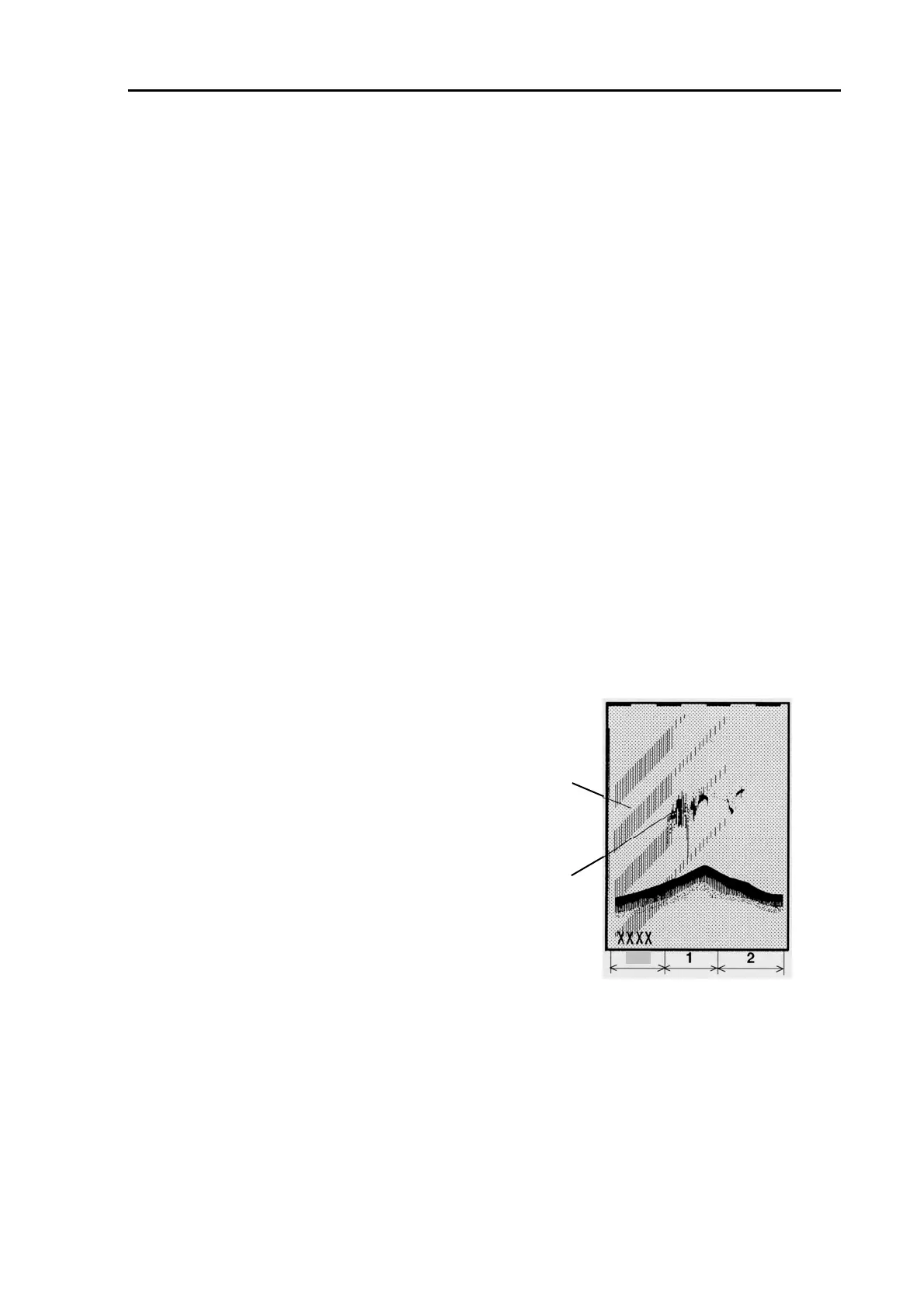
When other fishing vessel is working near your ship, your sounder image may be covered with noise
like image. This is caused by interference from other sounder units that operate on the same frequency
and rate of transmission. To reduce such an interference:
1. Move the cursor to the right using the RIGHT arrow and select
Noise Rejection using the UP or DOWN key.
2. Move the cursor to the left or right using the LEFT or RIGHT key
to select your desired intensity.
The initial setting and selectable intensity of rejection are as follows:
Initial setting: OFF
Selective intensity: OFF、1、2
6.4.4 Noise Rejection
This sub menu is used to reject low level boat noise.
Interference from
other shi
FF
School of fish
To set:
1. Move the cursor to the right using the RIGHT arrow and select
Noise Rejection using the UP or DOWN key.
2. Move the cursor to the left or right using the LEFT or RIGHT key
to select your desired zoom depth.
The initial setting and selectable rejection intensity are as follows:
Initial setting: 0
Settable range: 0 - 9
93132902-00 6-3



 To Next Page