CVS-833/833C Chapter 6
Using the Menu
6.10.3 Color Rejection (Reducing the image color)
Acoustic noise caused by the bubbles or other oceanic factors may be displayed on the screen in a
weaker color like white, pale green, etc. Certain types of fish school such as squid and baby anchovy
may also be displayed in similar colors. In such a case, reduce the number of colors on the color palette
to better discern the school of fish and noise.
Initial setting: 14/14 (all colors used)
Setting range: 1/14 to 1/14 (14 steps)
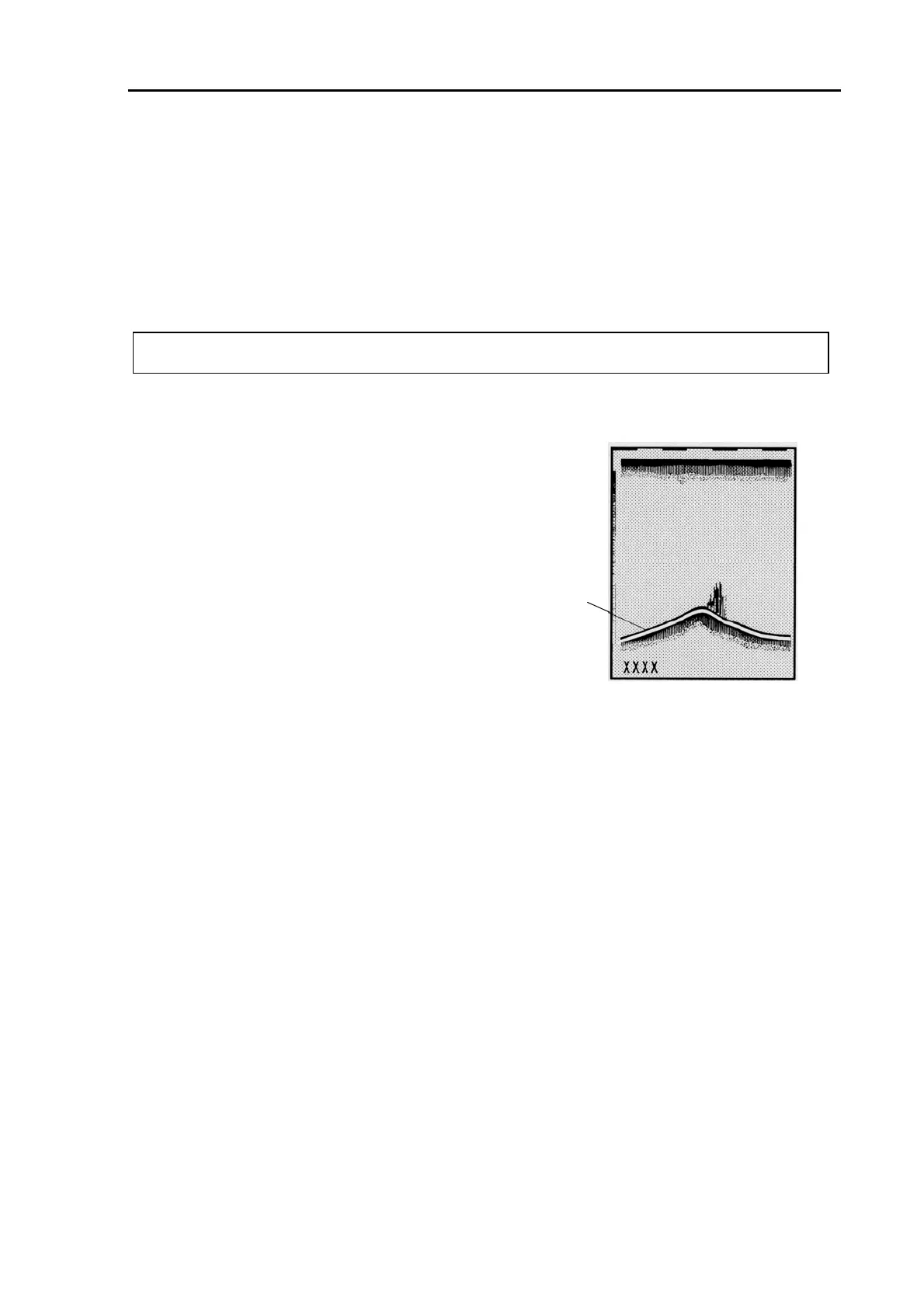
6.10.4 White Line (Displaying the white line on the bottom surface)
The white line feature allows you to discern between the bottom
and a school of fish, i.e. the bottom profile is drawn in black and
white line and the school of fish is displayed in a variety of colors
without any effect.
Initial setting: OFF
Available setting: OFF and ON
6.10.5 Pulse Width (Changing the output pulse width)
According to your requirement, you can change the transmission pulse width in 3 steps.
S (Short): The definition of fish echoes improves, however, the detection capability lessens.
M (Medium): The fish echo detection capability improves; yet the image definition is maintained.
L (Long): The fish echo detection capability increases, however, the image definition will lessen.
Initial setting: M
Available settings: S, M and L
NOTE: An alarm beeps when attempting to erase the last remaining color.
White line
Figure 6.17 White line display
93132902-00 6-13



 To Next Page