30
Ground yourself to your Notebook with
professional
metal surface on the inside of your Notebook to discharge
Replacing the memory
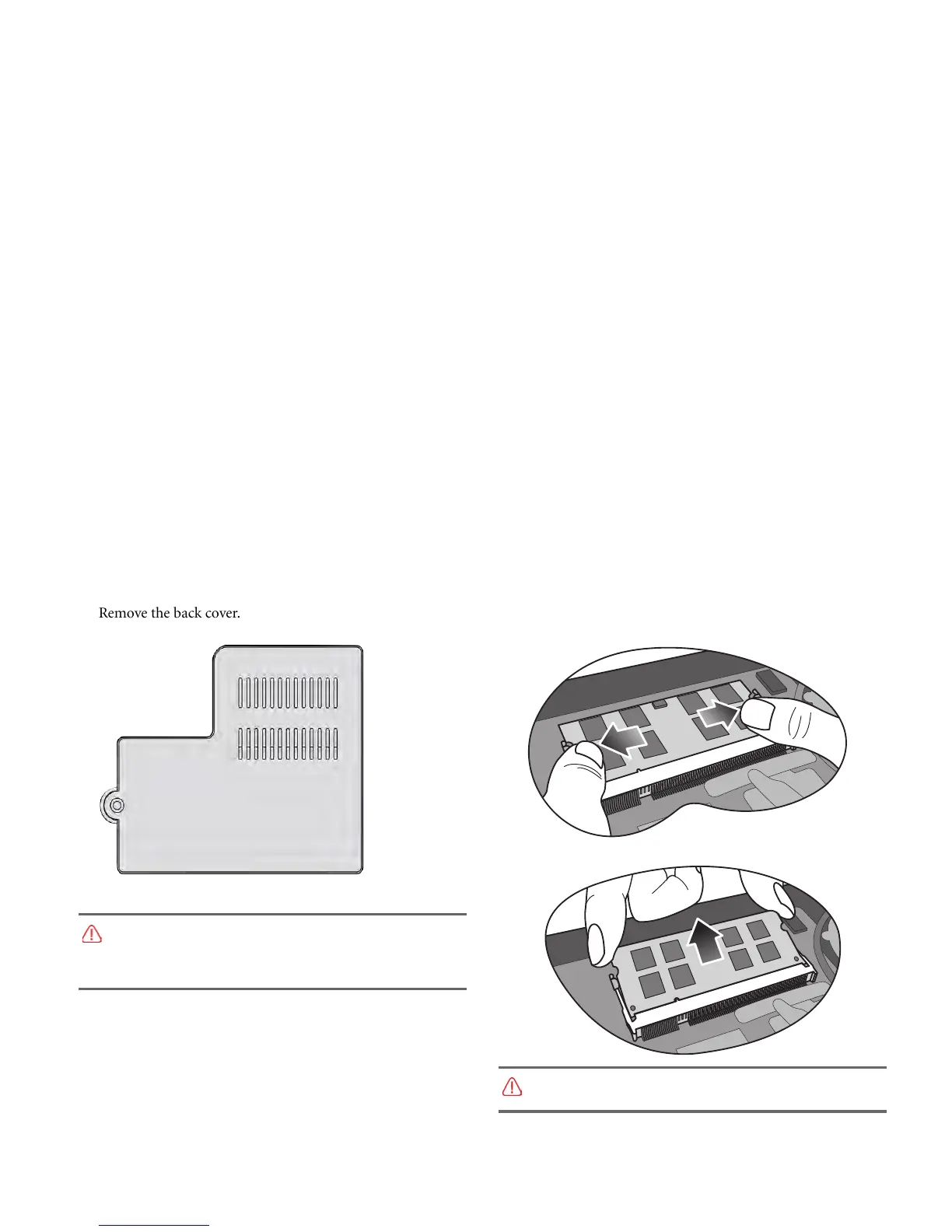
5. R
emove the back cover. 6. Release the existing memory module by pushing aside the
memory holders, and remove the memory.
7. Remove the memory.
grounding
equipment like an anti-static wristband, or touch the
any static electricity.
Handle the memo
ry module by its edge and avoid touching the
contacts.



 To Next Page