KONE Maintenance Method
MX10 / MX20 MCP Procedures - ASME A17.1-2013 / CSA B44-13
© 2014 KONE Corporation PSK8-604-MX10/MX20
All rights reserved.
101 (-) 2014-12-15
2) Capture elevator and load test weights equal
to 100% load.
3) Disable hall calls and car calls by sliding
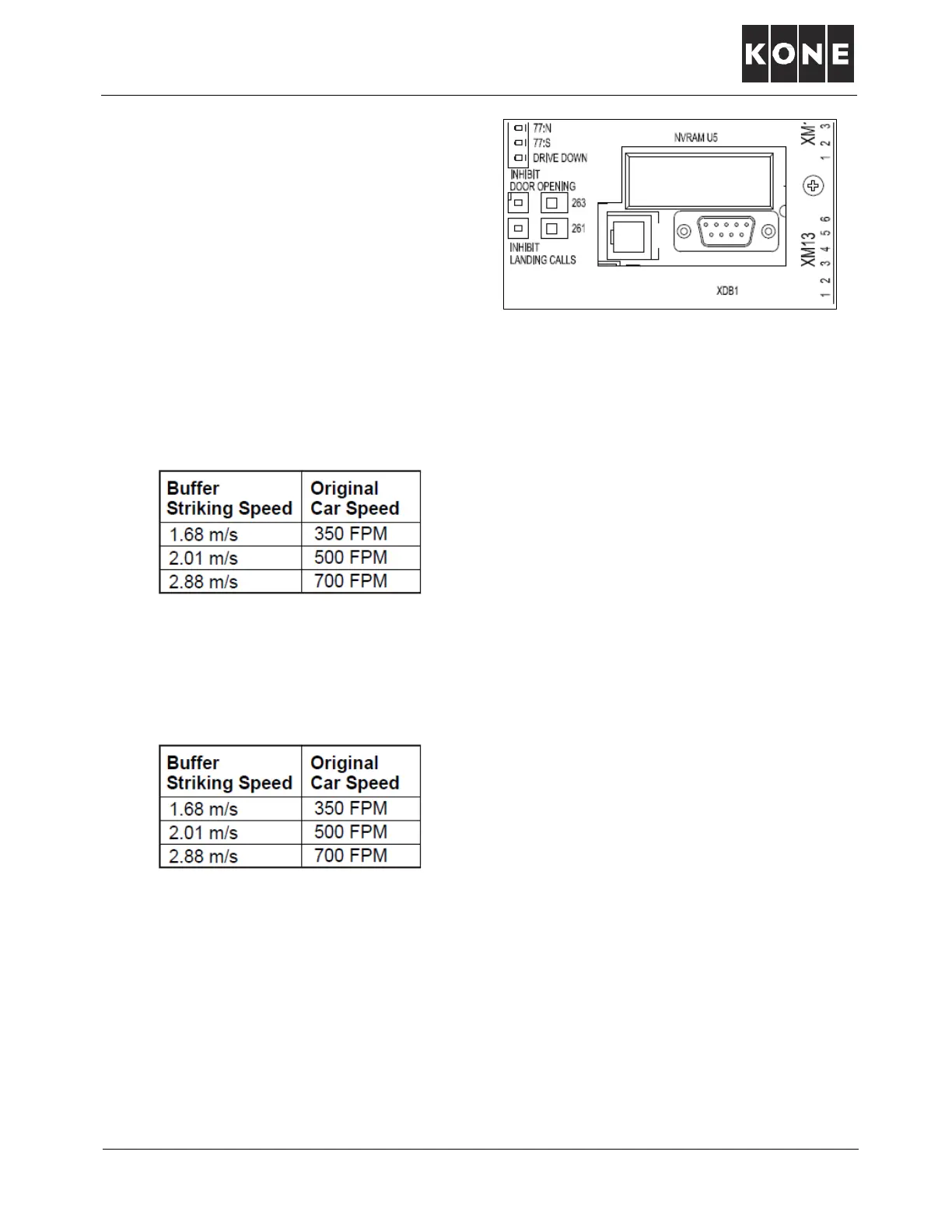
LCECPU switches 263 and 261 to left.
Note: Ensure no passengers are in the car.
4) Drive elevator to top terminal floor.
5) Reduce elevator speed to buffer striking speed.
• Put elevator on machine room inspection by setting switch 270 DOWN.
• Access menu 6-3 and set to buffer striking speed:
Sets car speed to buffer striking speed.
• Access menu 6-99 and select 1 to save.
6) Back out of menu 6 and return car to automatic.
7) Press Select/Accept button twice to show car speed.
• Run elevator on long runs and see that elevator is running at buffer striking speed:
• After verifying car speed is at buffer striking speed, press menu button once to turn off car
speed.
8) Return elevator to top floor
9) When elevator arrives at top floor, put car on machine room inspection by putting switch 270
DOWN.
10) Temporarily remove the XME and XCT connectors from ETSL board 1, so that the ETSL boards
do not see the car (OSG) encoder or the motor encoder signals. Note: Overrides ETSL.
11) Activate Car Buffer Test:
• Set UI menu 6-72-4. Note: Overrides normal stopping means.
Sets car speed to buffer striking speed.
Buffer striking speed is listed on buffer
data plate. Verify buffer striking speed.
Buffer striking speed is listed on buffer data plate.
Always verify buffer striking speed.



 To Next Page