KONE Maintenance Method
MX10 / MX20 MCP Procedures - ASME A17.1-2013 / CSA B44-13
© 2014 KONE Corporation PSK8-604-MX10/MX20
All rights reserved.
34 (-) 2014-12-15
Adjust brake switch, fine adjustment: MX10 and MX20
Procedure Note
NOTE! If using electrical brake release (EBR), manual brake release cable is not required.
1. Remove cover on brake switch box.
2. Pick brake electrically using MX electrical
brake opening tool.
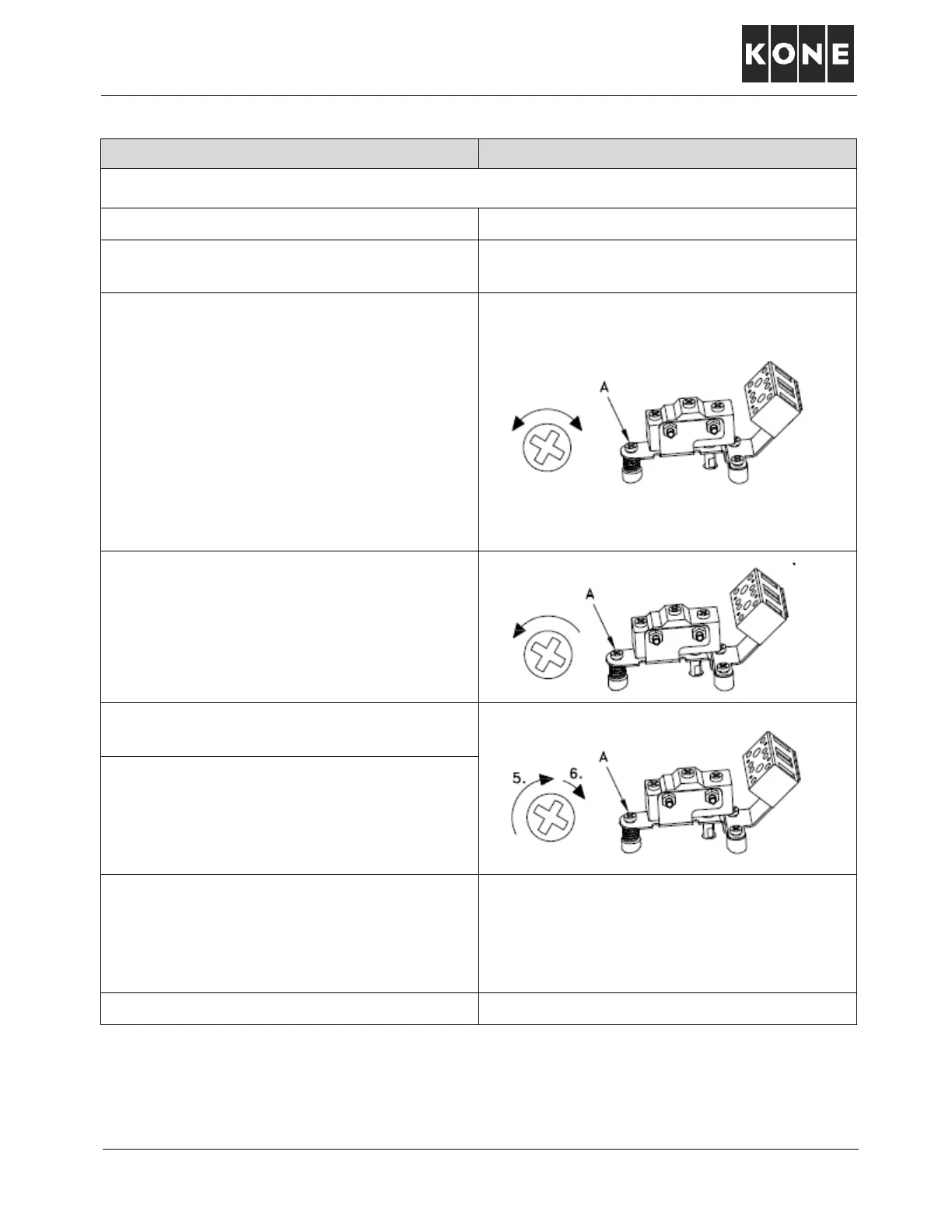
3. Loosen lock nut (if present) and turn screw
A clockwise until you hear a click
NOTE! If switch appears to already be tripped,
turn screw A counterclockwise and listen for
click. If switch clicks, turn adjustment screw
clockwise until it clicks again. Proceed to
next step.
NOTE! If screw A bottoms before you hear a
click, follow procedure found in section
titled: ADJUST BRAKE SWITCH,
COARSE ADJUSTMENT: MX10.
4. Turn screw A counterclockwise and stop
when you hear a click.
5. Turn screw A clockwise and stop when you
hear a click.
6. Fine tune the setting by turning screw A
clockwise an additional one-eighth turn.
Test for reliability by turning the brake tool
on and off several times to exercise the
switch.
7. Secure adjustment screw A with lock nut if
present, or if not, seal head of screw to
metal switch bracket utilizing chemical
sealant such as fingernail hardener, paint or
commercial sealant.
8. Install cover on brake switch box.



 To Next Page