26.03.1996 • KHH SEENXL13A
•For Authorized KCI Service Agents Only•
KCI Hoists Corporation reserves the right to alter or amend the above information without notice
Page 15
XL
Service Manual
CU1
KCI KONECRANES GROUP
KCI HOISTS CORPORATION
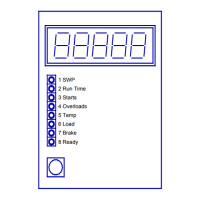
a) Change the CU1 into the programming and controlling mode by pressing the
blue push-button until the 'PAUSE'-message appears. Release the push-button.
Note:
Note:Note:
Note:
The CU1 asks for the first password, but DO NOT give any passwords at this
The CU1 asks for the first password, but DO NOT give any passwords at thisThe CU1 asks for the first password, but DO NOT give any passwords at this
The CU1 asks for the first password, but DO NOT give any passwords at this
point (you are not going to setup the CU1 but just testing that it operates
point (you are not going to setup the CU1 but just testing that it operatespoint (you are not going to setup the CU1 but just testing that it operates
point (you are not going to setup the CU1 but just testing that it operates
correctly).
correctly).correctly).
correctly).
b) Try to lift and check that the CU1 prevents hoisting. Check also that lowering is
possible.
c) Enter value 1-000 at password_1 to exit the programming and controlling
mode.
(Select each password digit by pressing the blue push-button when the correct number
is flashing.)
4.2 Load test
When the crane is overloaded during the (over)load test, it is possible to bypass CU1's
safety functions by entering value 1-125 at password_1.
Note:
Note:Note:
Note:
When CU1 is bypassed all safety features are bypassed as well. (The
When CU1 is bypassed all safety features are bypassed as well. (TheWhen CU1 is bypassed all safety features are bypassed as well. (The
When CU1 is bypassed all safety features are bypassed as well. (The
overheating protection and detecting of brake wearing are also omitted
overheating protection and detecting of brake wearing are also omittedoverheating protection and detecting of brake wearing are also omitted
overheating protection and detecting of brake wearing are also omitted
during the (over)load test if the program version is earlier than P2.12).
during the (over)load test if the program version is earlier than P2.12).during the (over)load test if the program version is earlier than P2.12).
during the (over)load test if the program version is earlier than P2.12).
Note:
Note:Note:
Note:
The hoist can also be equipped with an electro mechanical overload
The hoist can also be equipped with an electro mechanical overloadThe hoist can also be equipped with an electro mechanical overload
The hoist can also be equipped with an electro mechanical overload
limit switch. Normally, it is adjusted to stop the hoisting motion at loads
limit switch. Normally, it is adjusted to stop the hoisting motion at loadslimit switch. Normally, it is adjusted to stop the hoisting motion at loads
limit switch. Normally, it is adjusted to stop the hoisting motion at loads
above 125
above 125above 125
above 125 % and thus, there is no need to bypass it.
% and thus, there is no need to bypass it. % and thus, there is no need to bypass it.
% and thus, there is no need to bypass it.
1 Change the CU1 into the bypass mode and carry out the (over)load test
a) Change the CU1 into the bypass mode by entering the value 1-125 at
password_1.
During the bypass mode the 'CLOSE'-message is shown on the display.
b) Carry out the (over)load test of the crane.
c) Exit the bypass mode by pressing once the blue push-button. The bypass
mode is also automatically aborted after 30 minutes or when the power is
switched off.


 To Next Page