26.03.1996 • KHH SEENXL13A
•For Authorized KCI Service Agents Only•
KCI Hoists Corporation reserves the right to alter or amend the above information without notice
Page 32
XL
Service Manual
CU1
KCI KONECRANES GROUP
KCI HOISTS CORPORATION
APPENDIX 3a:
APPENDIX 3a:APPENDIX 3a:
APPENDIX 3a: How to replace a CU1
How to replace a CU1How to replace a CU1
How to replace a CU1
In this appendix, it is described how to replace a CU1-unit by a new one, and how
to enter existing supervisory values into the new unit. The new CU1-unit is calibrated
with a test load.
1 Fill in the CU1 control page (see appendix 8).
2 Switch the power off and replace the CU1 with a new one.
3 Switch the power on and carry out the setup routine.
4 Carry out the normal startup routine to check that the setup routine was
carried out correctly.
5 Measure the load sensor voltages between CU1:2 and CU1:3 with the 0 %
and 100 % loads and write down the load sensor voltages on the CU1 control
page.
6 Update the old supervisory values from the old CU1 into the new one:
a) Change the CU1 into the beginning of the programming and
controlling mode by entering value 1-630 as password_1.
b) Enter value 2-000 as password_2.
c) Enter value 3-511 as password_3 and select function SUP5.
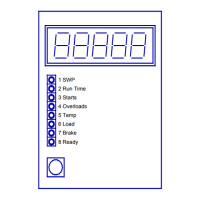
d) Enter the SWP, Runtime, Starts and Overloads supervisory values into the
new CU1.
7 Check that the supervisory values were updated correctly.


 To Next Page