Ch.3 Operation
< 42 >
DRYPRO Vstage MODEL 793 Operation Manual Ver.1.01 2005.1
3-6 Changing the Film Size and Film Type
It is not necessary to change these in normal operation, however, for the case where it become necessary depending
on the alteration of the work flow, etc., how to change the film size or type that is printed on the DRYPRO 793 is
detailed below.
2 Set up the film size, type following the Mainte-
nance Mode / Film Setup /"Film Setup".
Film size/film type can be changed only when no film is left in the Supply Tray as well
as no print job is registered. You need a phillips screw driver to perform these
changes. So prepare the appropriate one in advance.
p.80 FILM SETUP
Do not change the film count setting.
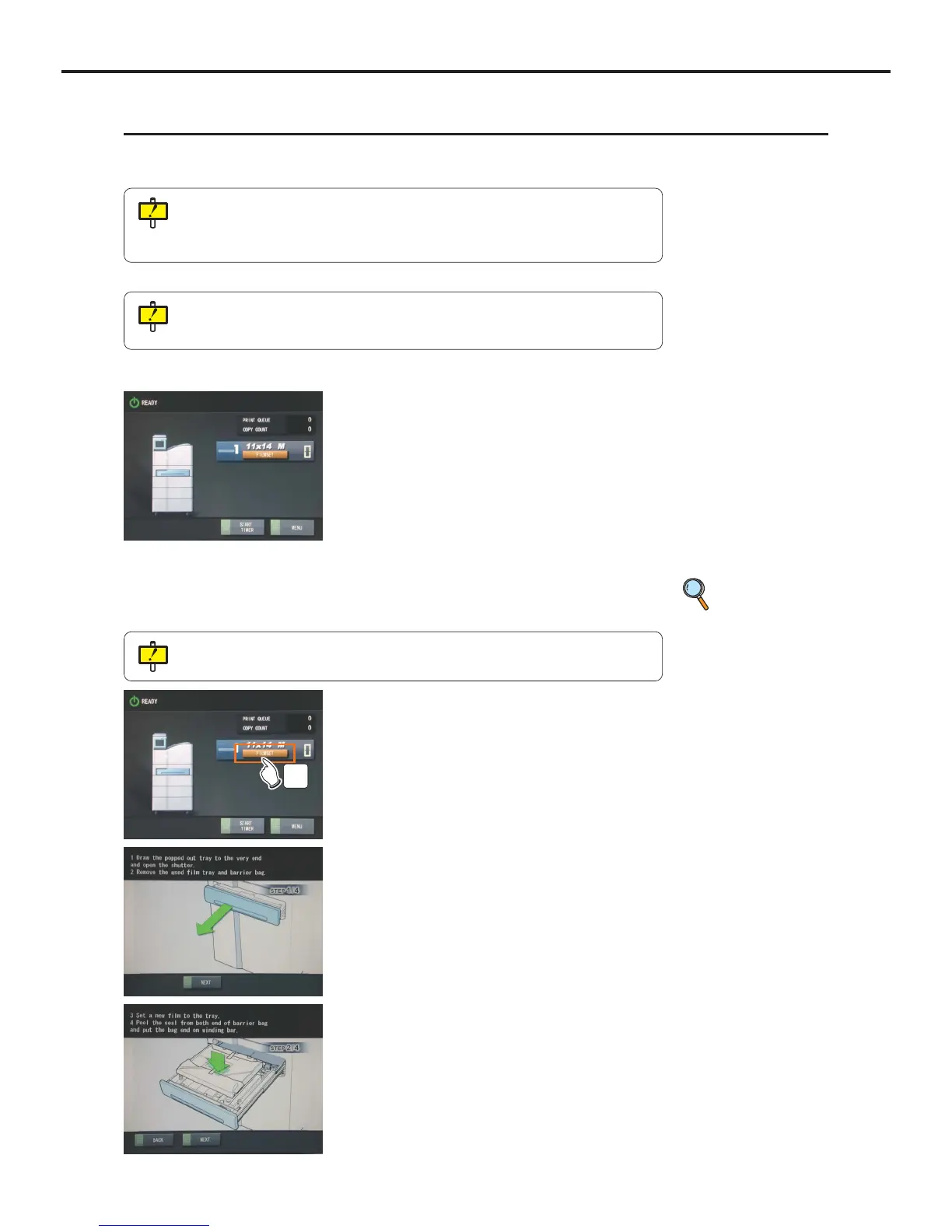
1 Empty the film in the Supply Tray.
- [Film Set] button will be displayed because there is not film
left in the Supply Tray.
3 Exit the Maintenance Mode, and touch the
[FILMSET] button.
- A message indicating "Pulling out the Supply Tray" will
be displayed.
- Then an animation illustrating the procedure for film
loading.
- Supply Tray pops out a few centimeters, and a mes-
sage prompting the film loading will be displayed.
3
Three Supply Trays, that are 8"x10" exclusive, 10"x12" exclusive and 14" exclusive
(11"x14"/ 14"x14"/ 14"x17") are available. Size can be changed only with this 14"
exclusive tray. Contact your technical representative when other size than listed here
is required.



 To Next Page