Ch.4 Maintenance Mode
< 84 >
DRYPRO Vstage MODEL 793 Operation Manual Ver.1.01 2005.1
4-4-12 TIME SET <TIMER SETUP>
Allows to set the current time (year, month, day, hour, minute) of the internal clock.
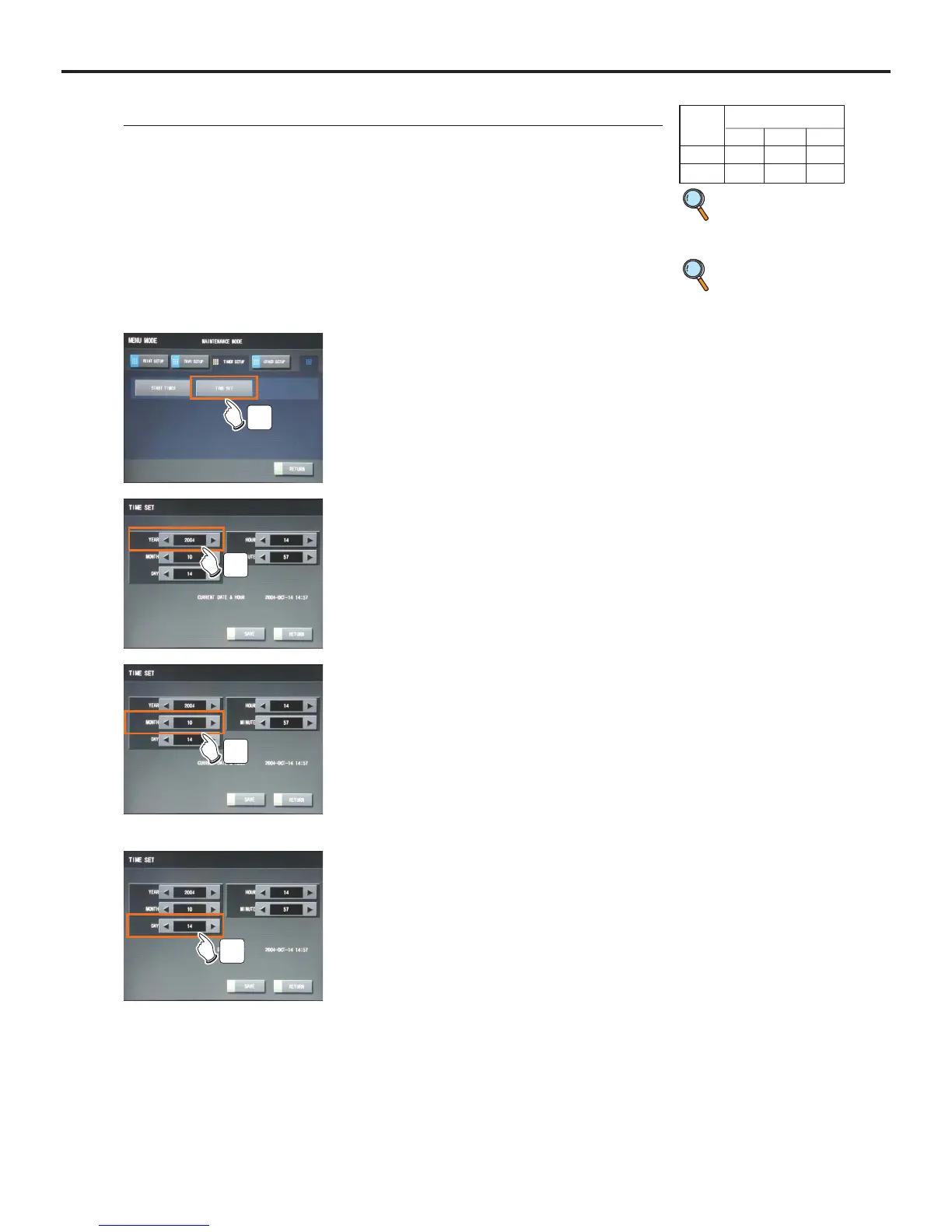
2 Touch the [TIMER SETUP] button on the "Main-
tenance" screen.
3 Touch the [TIME SET] button.
- "TIME SET" screen will be displayed.
- Touching the [RETURN] button will shut down the
"Maintenance Mode" and return to the Normal screen.
3
1 Switch to the Maintenance Mode.
p.52 Switching to
the Mainte-
nance Mode
4 Touch the arrow buttons [t], [s] to select the
the "YEAR".
- Touching the right arrow [t] decrements the value by one.
- Touching the right arrow [s] increments the value by
one.
4
p.51 Shutdown
using the
Start Timer
5 Touch the arrow buttons [t], [s] to select the
the "MONTH".
- Touching the right arrow [t] decrements the value by one.
- Touching the right arrow [s] increments the value by
one.
- "MONTH" can be set in the range of "1" through "12". (in
character representation, "JAN" through "DEC")
5
6 Touch the arrow buttons [t], [s] to select the
the "DAY".
- Touching the right arrow [t] decrements the value by one.
- Touching the right arrow [s] increments the value by
one.
- "DAY" can be set in the range of "1" through "31".
6
User Level
123
Disp ●●●
Ope ●



 To Next Page