Ch.4 Maintenance Mode
< 50 >
DRYPRO Vstage MODEL 793 Operation Manual Ver.1.01 2005.1
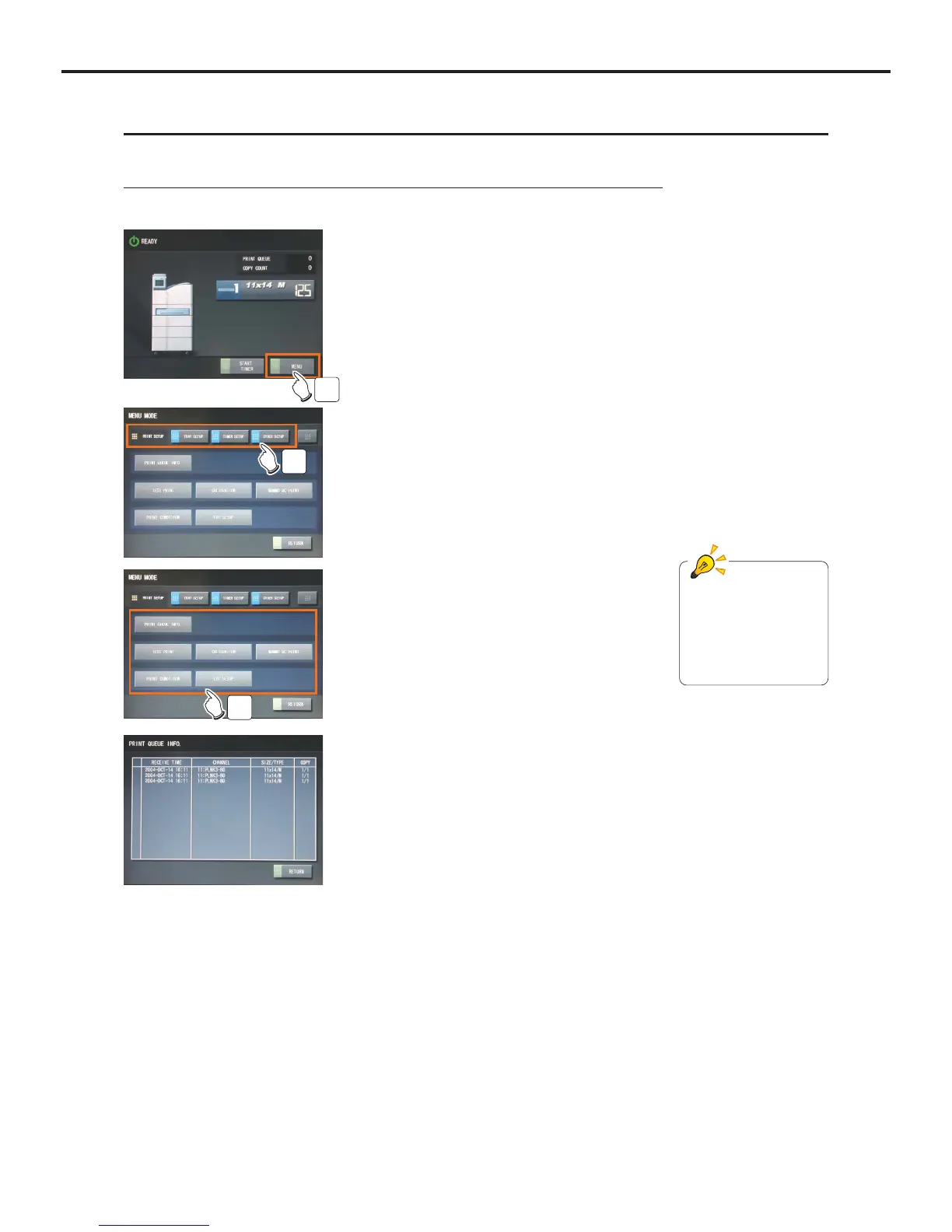
4-2-1 Switching to and Operating the Menu Mode
How to switch to the Menu Mode and its operation are detailed below.
1
1 Touch the [Menu] button.
- "Menu Mode" screen will be displayed.
2
2 Touch the button for the menu that should be
view.
- Item button of the selected menu item will be displayed.
3
3 Touch the item button to be viewed.
- Setting of the selected item will be displayed.
Ex) A screen when "PRINT QUEUE
INFO" selected
Refer to the explanation
of each Maintenance
Mode for the contents
displayed in the Menu
Mode.
4-2 Switching to the Menu Mode
How to switch to the Menu Mode is detailed below.



 To Next Page