About the Control Panel30
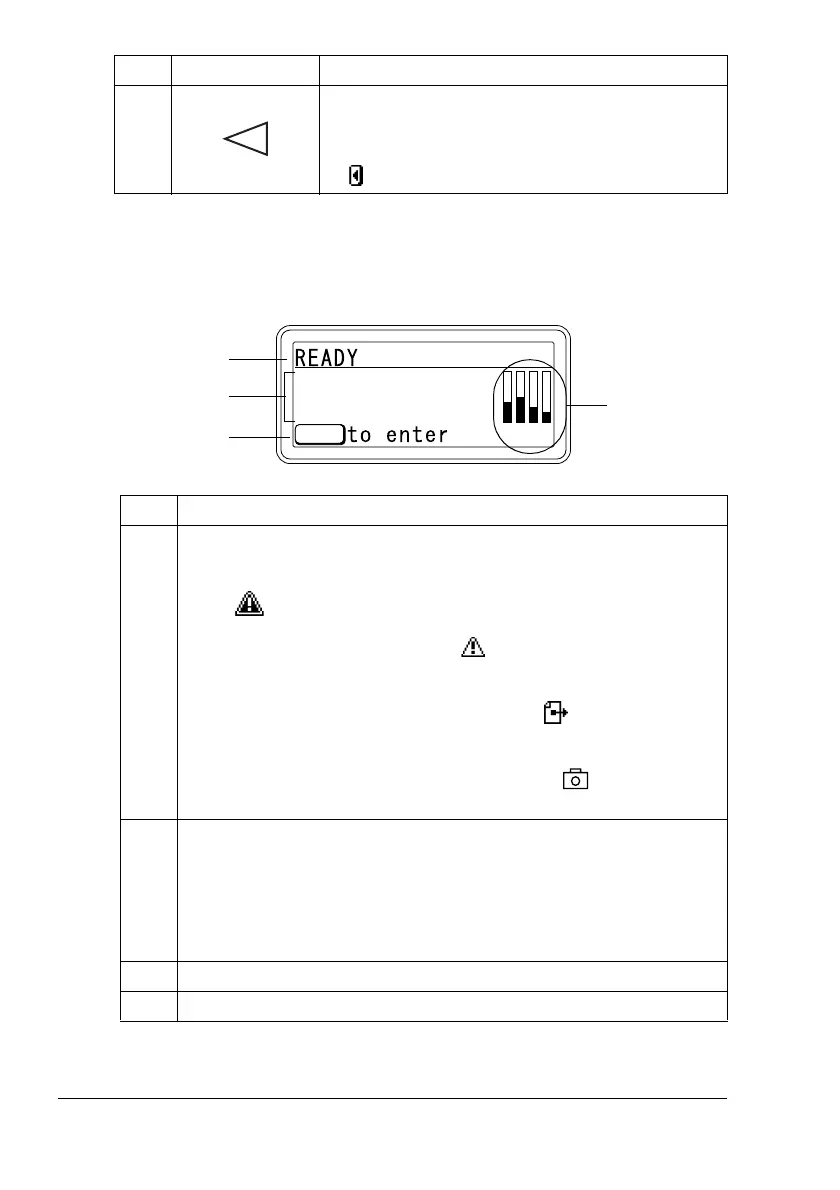
Message Window
The current status of the printer, the amount of toner remaining, and any error
messages can be viewed from the message window.
8 # Moves the cursor to the left
# Displays the previous help screen
# appears in the message window
No. Details
1 The current status of the printer is displayed.
# If the operator or service representative must be called, the sym-
bol and the error status are displayed.
# If a warning occurs, the symbol appears on the right side of
the window.
# If a print job is being received, the symbol appears on the
right side of the window.
# If a digital camera is connected, the symbol appears on the
right side of the window.
2 # Error messages are displayed.
# While a print job is being received, the user name and the print
progress are displayed.
# While updating the firmware, the type of firmware being updated
and the update progress are displayed.
3 Key information is displayed.
4 The approximate amount of toner remaining is displayed.
No. Key Function
YMCK
MENU
1
3
2
4















 To Next Page