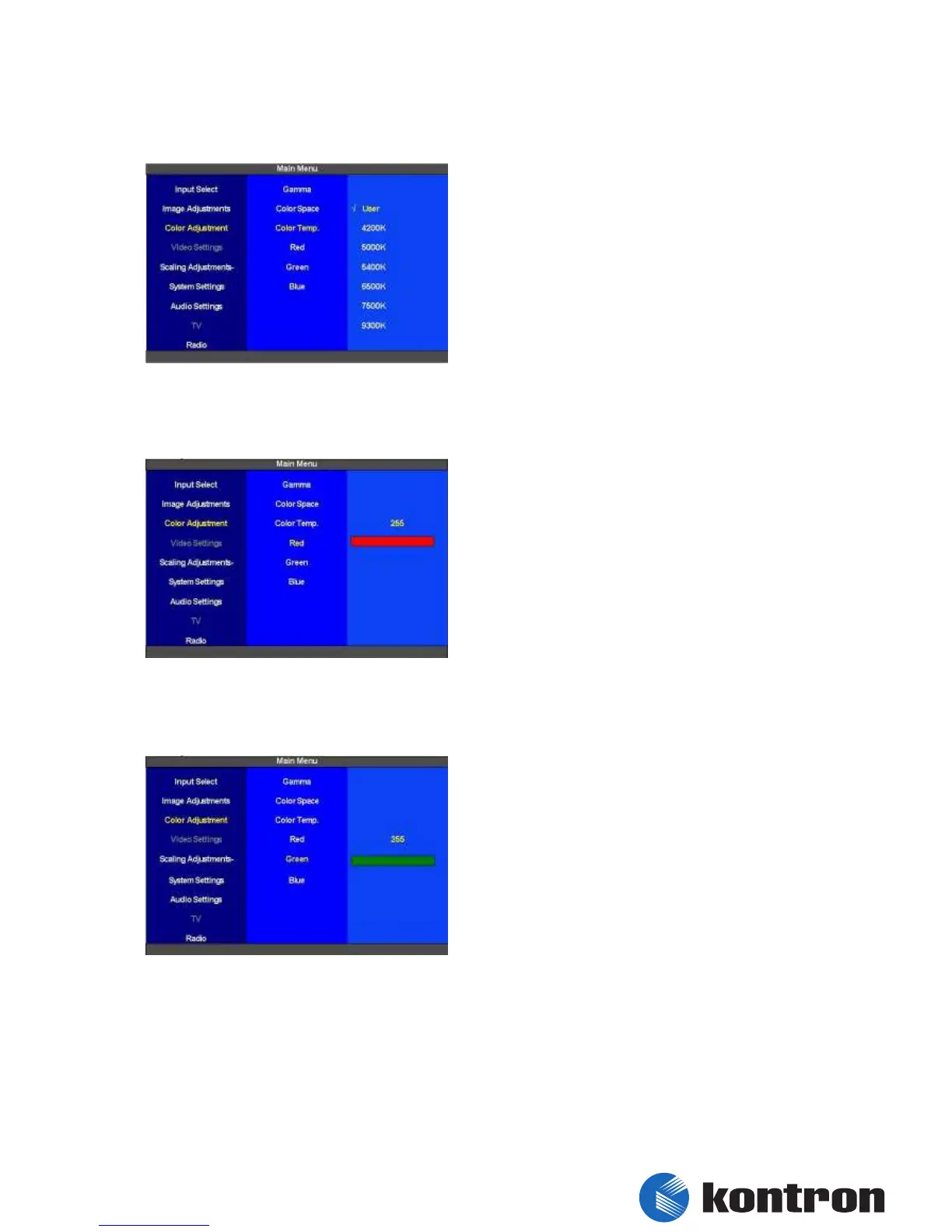
5.5.3 Color Adjustment – Advanced – Color Temp.
To adjust the “Color Temperature” 6 different
values can be selected for the “Main Picture
Channel”(4200K, 5000K, 5400K, 6500K, 7500K,
9300K). When the “Color Temperature” is set to
“User” the color temperature is adjusted by the 3
fundamental colors.
figure 26: Color Adjustment – Advanced – Color Temp.
5.5.4 Color Adjustment – Advanced – Red
The rate of red for the “Main Picture Channel” is
set here. The range of adjustment is 0 to 255. The
default value is 255.
figure 27: Color Adjustment – Advanced - Red
5.5.5 Color Adjustment – Advanced – Green
The rate of green for the “Main Picture Channel” is
set here. The range of adjustment is 0 to 255. The
default value is 255.
figure 28: Color Adjustment – Advanced - Green


 To Next Page