Shenzhen Anycubic Technology Co., Ltd.
22
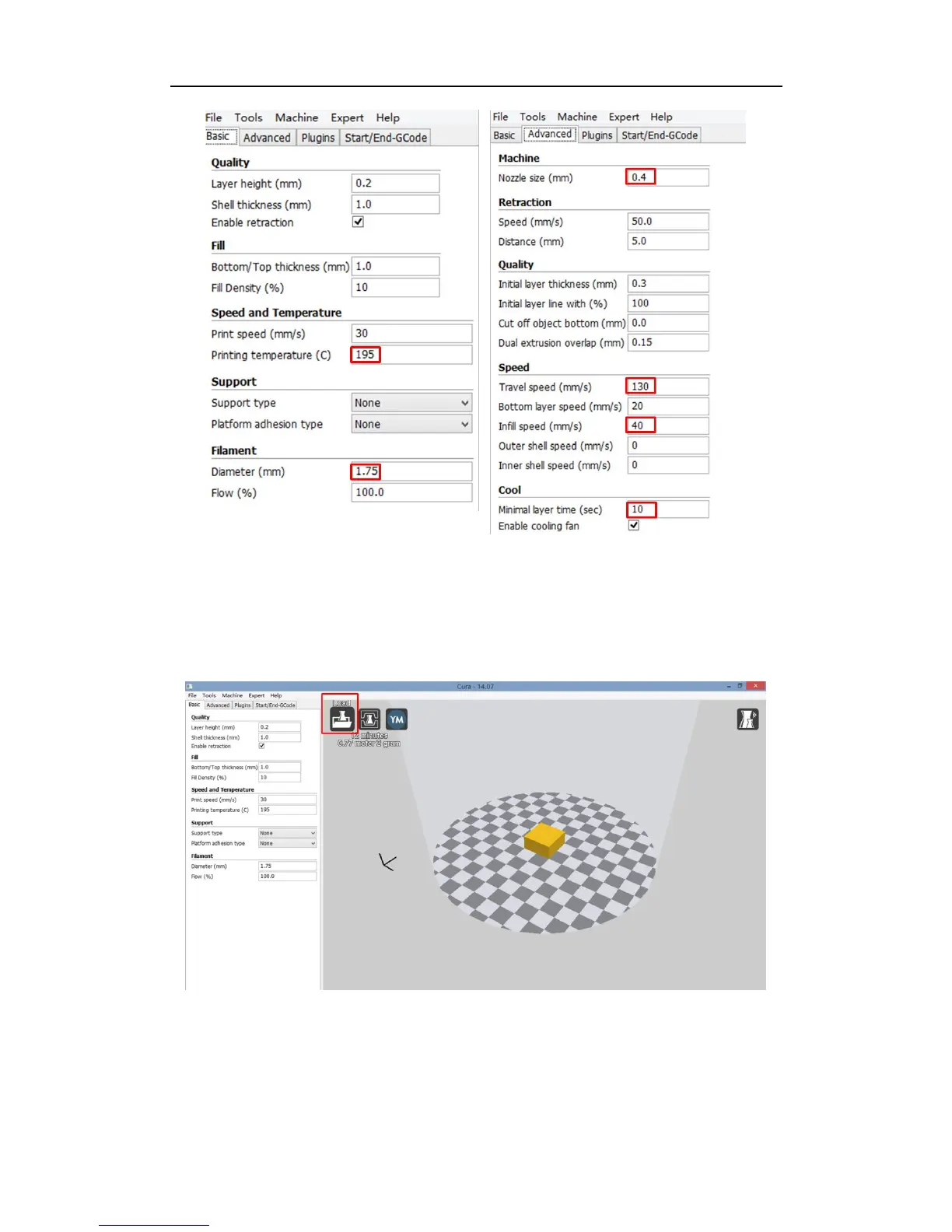
Fig. 42
Step 4. Print. To experience the very first print, please load the test model „20× 20× 10‟ and
then click the „Print with USB‟ icon on top, as shown in Fig. 43. In order to minimize the
instability from the PC and USB port, it is suggested to save the model in Cura as Gcode file
into a SD card and insert the SD card to 3D printer to print offline.
Fig. 43



 To Next Page