Page | 41
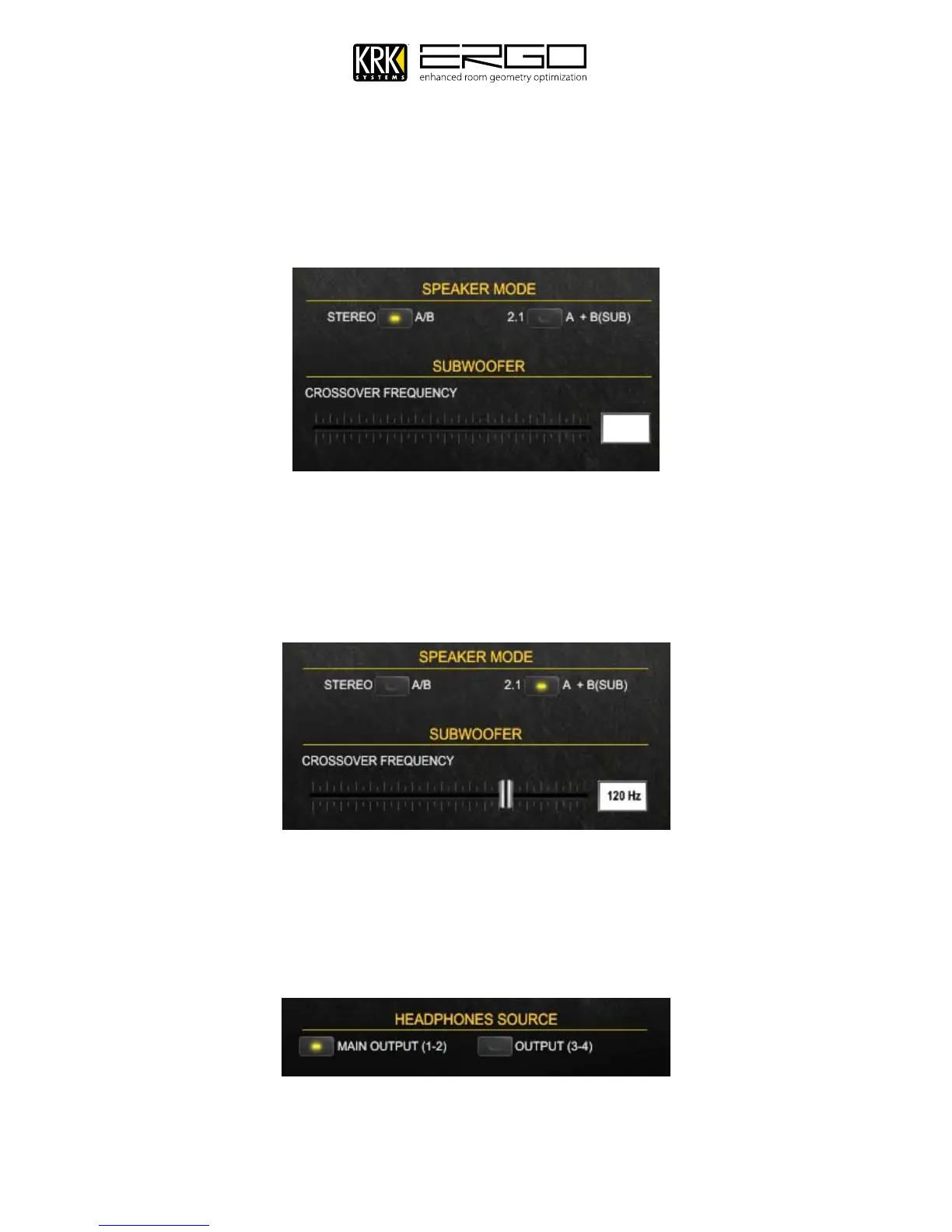
Speaker Mode
B.
Allows you to select to use dual “STEREO A/B” or “2.1 A+B(SUB)” id using a system augmented with a
subwoofer. Note: If in “STEREO A/B” mode no crossover fader or value will be shown
If selecting 2.1 Mode, as shown below, a fader will appear along with a value for the crossover frequency. Use
the fader to adjust your crossover settings, please see the section on setting levels, or your systems guidance for
subwoofer crossover frequencies. Remember that in a speaker crossover network, the crossover frequency is the
frequency point that represents the upper or lower range limits of a given speaker driver. In a two-way speaker
system, the crossover frequency would be the point where the low frequency driver begins to roll off and the
high frequency driver starts to cut in.
Headphone Source
C.
The headphone output can be selected from two options:
1. The headphones follow the main output 1-2 (normal mixing mode for engineer),
2. The headphones become an independent output 3-4 (allowing a dedicated monitoring feed for an artist).



 To Next Page