Page | 42
Input Select
D.
Note: Input select requires revision 1.23 (or higher) firmware, please ensure you have this firmware in your
unit, if not please go to www.krksys.com and download the firmware updater from the ERGO page.
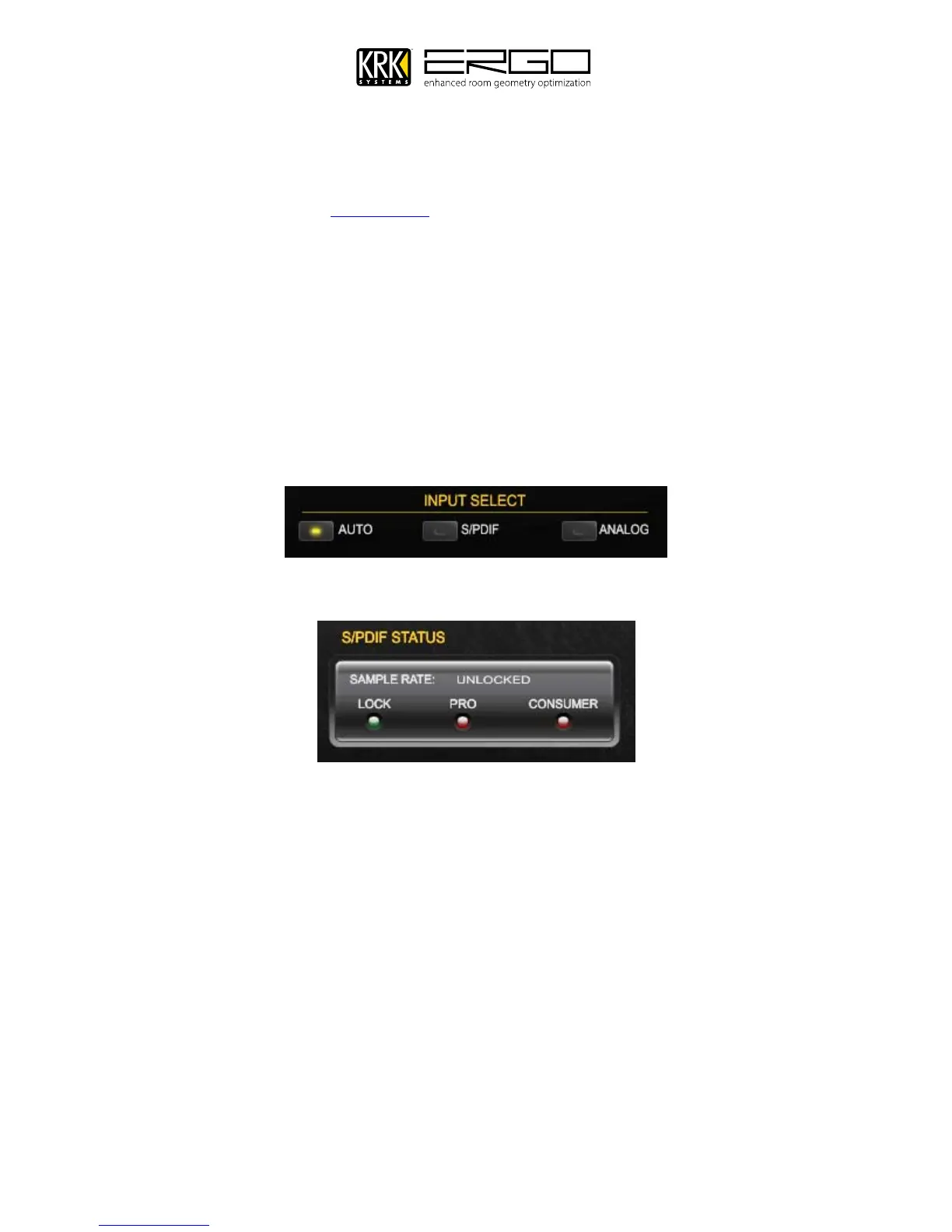
Input select allows you to switch the input source for “KRK ERGO Inputs” which will be visable in your audio
applications and operating system.
AUTO – In this mode, ERGO will route the analog signal to the inputs, unless a digital signal is
detected. If a digital signal is detected it is automatically selected, and will replace the analog
input.
S/PDIF – In this mode the digital signal is will always be routed to the inputs.
ANALOG – In this mode the analog signal is will always be routed to the inputs.
Note: In S/PDIF mode you will see the incoming digital audio stream status in the window shown below:
The simulated LED’s will illuminate to show:
LOCK – ERGO has detected and locked the signal at the S/PDIF Input socket.
PRO – Professional Mode S/PDIF signal is present
ANALOG – Consumer Mode S/PDIF signal is present.
Note: If you are in Standalone mode (no FireWire connected) and ERGO detects a SPDIF clock; it
automatically selects the SPDIF Input as its source. If ERGO has detected a SPDIF clock, but the SPDIF Input
is not working, then ERGO was started in Analog mode. Use the ERGO Control Panel to select the SPDIF
Input. If the SPDIF Input is not working, ERGO is probably not locking its clock to a SPDIF clock. Check your
cables and the audio output selection in your DAW application.



 To Next Page