34
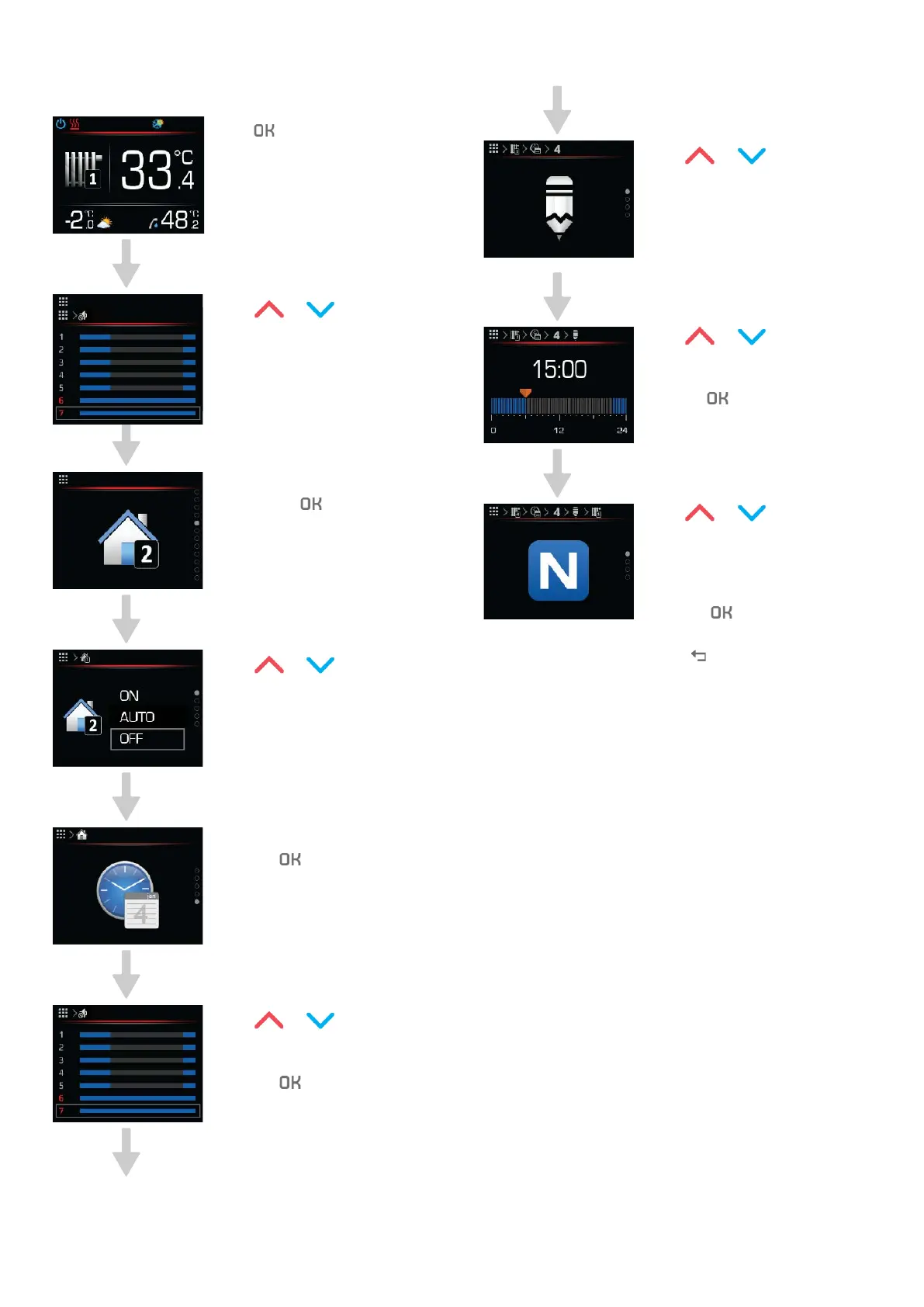
Here’s an example of setting schedules:
Press to get to the main
menu.
Press or to search for
the heating loop settings.
Choose the heating loop menu
by pressing
Press or choose the
Schedule parameter.
Confirm the settings by
pressing
Press or to choose a
day to set a schedule.
Confirm the settings by
pressing
.
Press or to choose
the Edit parameter.
Follow the instructions bellow
to copy a schedule from se-
lected day to another day
Press or to set the
schedule hour.
Confirm the settings by
pressing
.
Press or to
choose NORMAL, ECO, OFF,
or COMFORT operational
mode.
Confirm the settings by
pressing
To return to the home screen
press
Operating instructions
ADAPT, VERSI, ETERA and WPLV systems
17-19-45-6702-07


 To Next Page