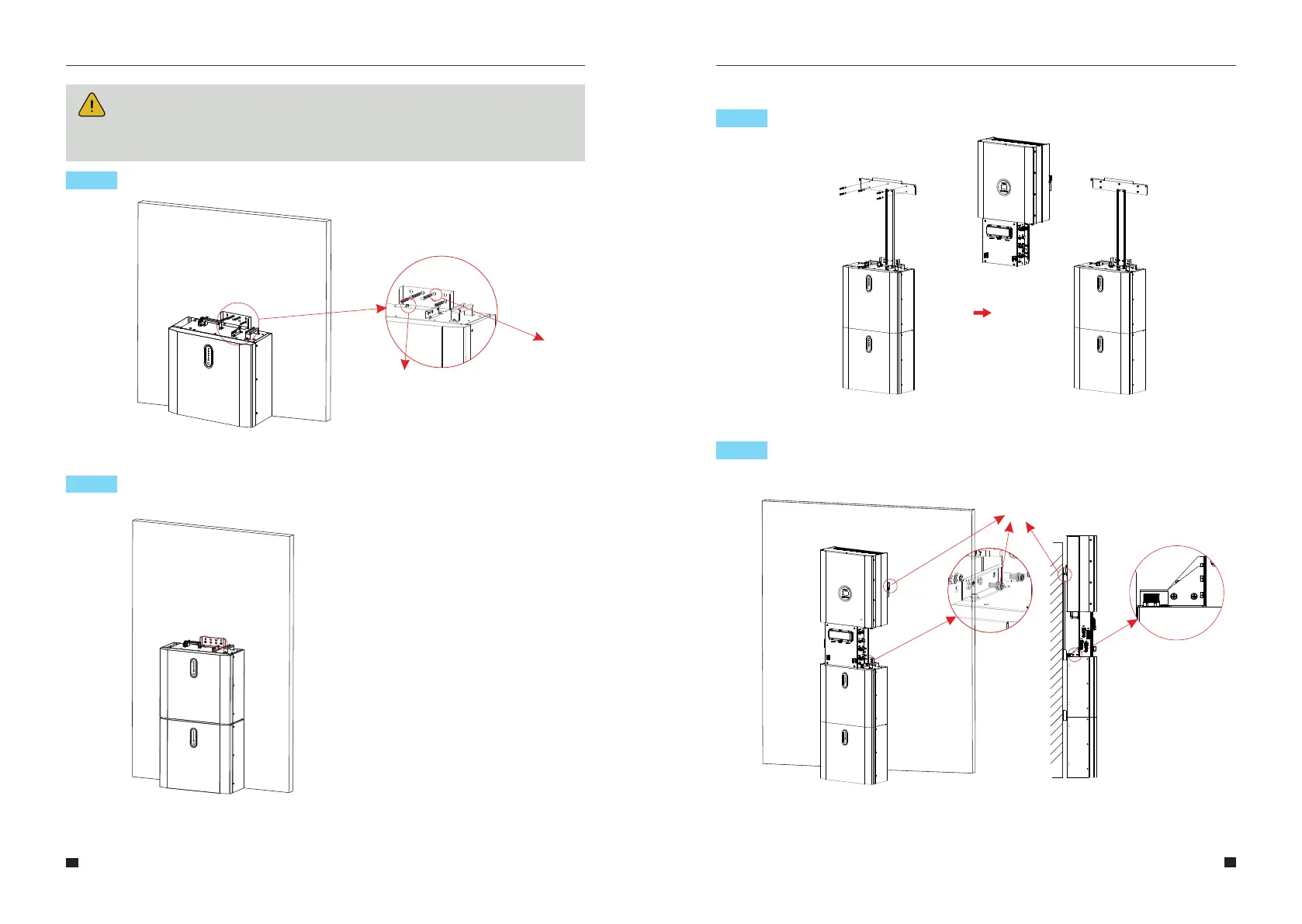
Hang the inverter onto the mounting panels, adjust the entire system andensure
that the battery and the inverter have been securely hung onto the panels andbrackets.
Step 4
Remove the debris baffle and secure the battery to the wall with screws and gaskets.
NOTE:
The type B RCD must be installed on the backup port of the system according to
local regulations .
Figure 12 Battery Installation – Mounting on the Wall
21
22
ST6.3*50
Gasket
To assemble the second (and all other) battery, repeat steps 6 and 7,respectively.
Figure 13 Battery Installation
Second Battery Installation
2.2.2 Inverter Installation
Step 7
Inverter Installation.
Figure 14 Inverter Installation
Figure 15 Inverter Installation on the Wall
Step 6
Step 5
User Manual User Manual
M5-12



 To Next Page