7 COMBINATION INSTRUMENT 64
– Press the SET button to confirm the selection.
Information can be selected in the Quick Selector 1 menu.
When the menu is closed, the Quick Selector 1 menu is opened by pressing the UP button.
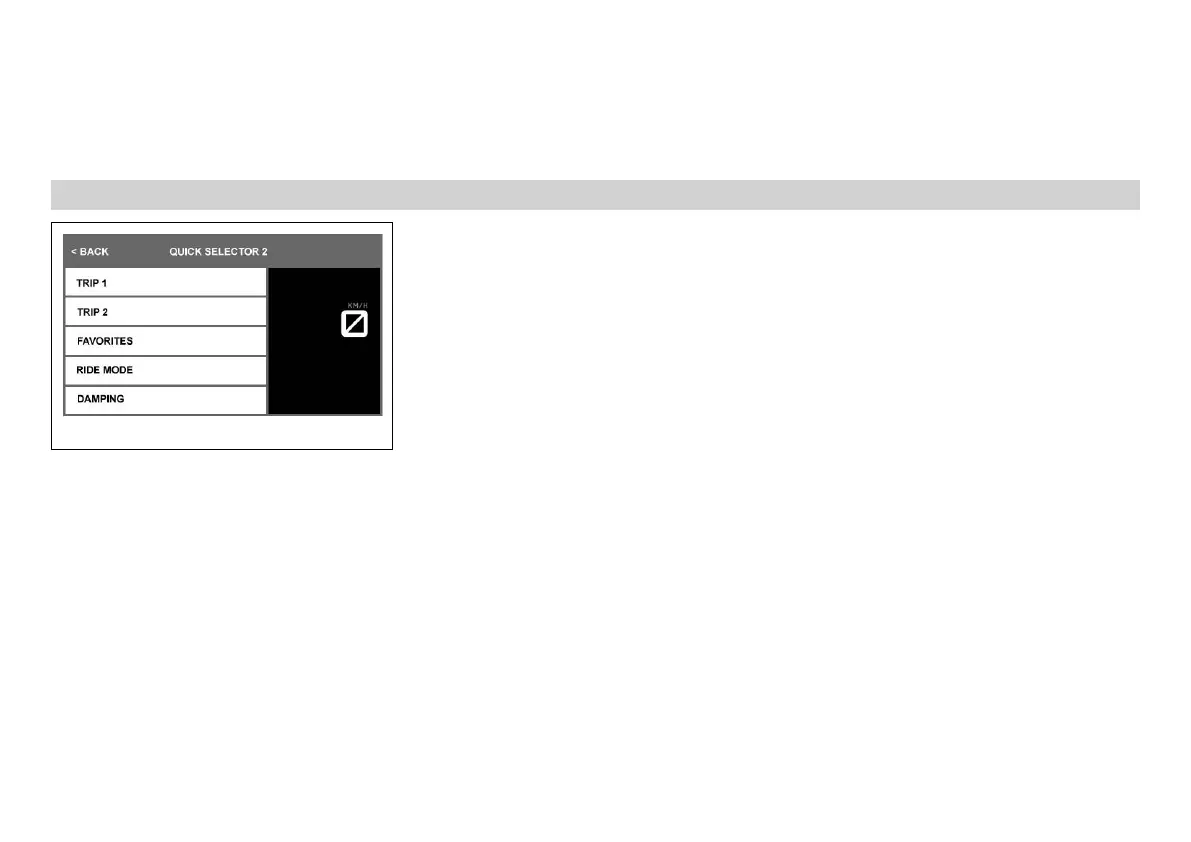
7.13.17 Quick Selector 2
K00770-01
Condition
• The drive mode TRACK (optional) is not activated.
• The vehicle is stationary.
– Press the SET button when the menu is closed.
– Press the UP or DOWN button until the Settings menu appears on the display.
– Press the SET button.
– Press the UP or DOWN button until the Quick Selector menu appears on the display.
– Press the SET button to open the menu.
– Press the UP or DOWN button until the Quick Selector 2 menu appears on the display.
– Press the SET button to open the menu.
– Press the UP or DOWN button until the required parameter is marked.
– Press the SET button to confirm the selection.
Information can be selected in the Quick Selector 2 menu.
When the menu is closed, the Quick Selector 2 menu is opened by pressing the DOWN but-
ton.



 To Next Page
 Loading...