NVT-E
Operating/Assembly instructions
Please observe protection
note ISO 16016.
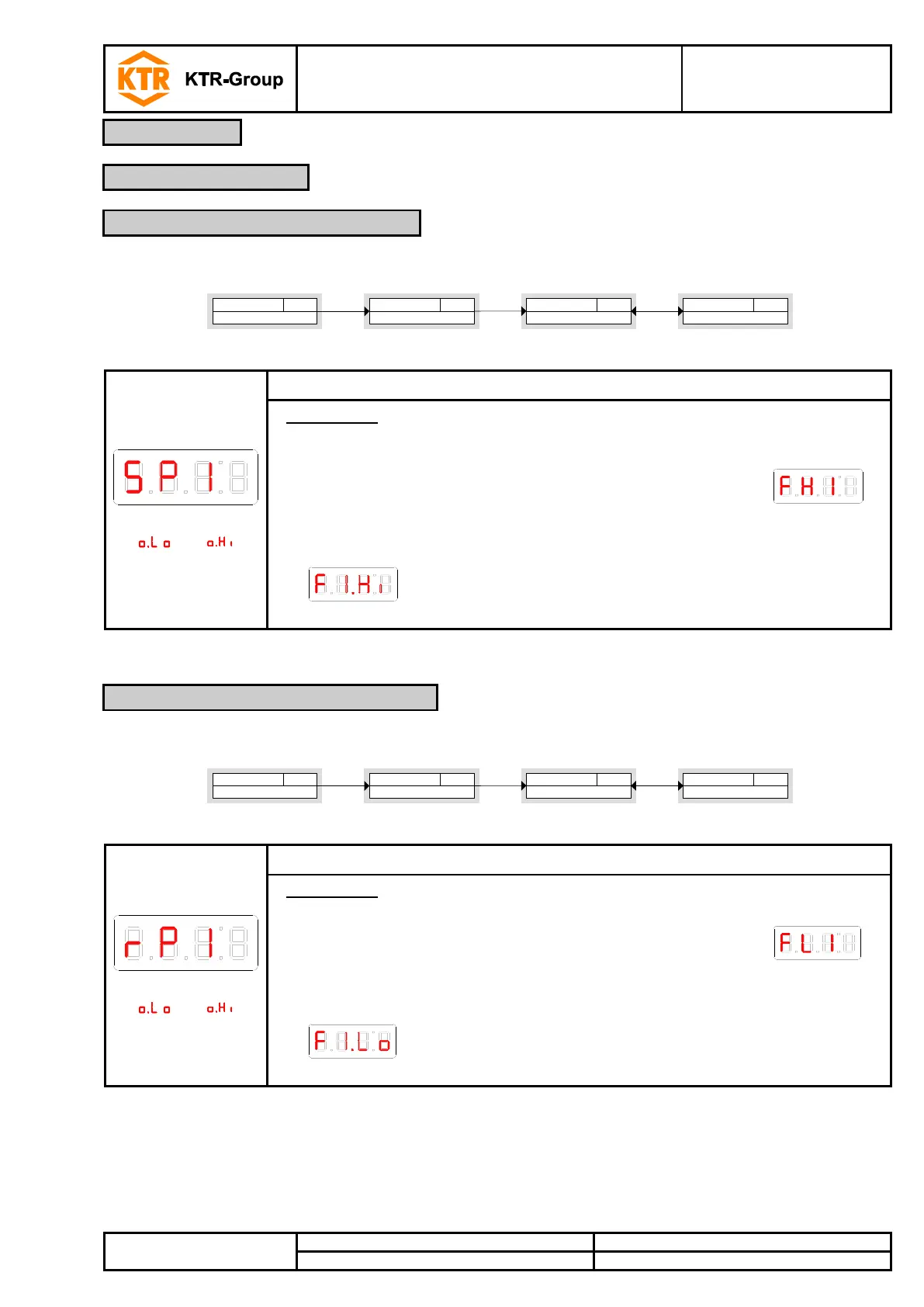
The upper switching limit for switching output OUT 1 is set in the following submenu:
Set point X
SP1 FH1 F1)Hi
____
Settings OUTX
Out X
out _
[ o)Lo - o)Hi ]
Parameter
____
►
►
Main menu meas. value
Meas. value
____
►
Setting range:
[ ] …. [ ]
Switching point for OUT x
Please note:
The switching point must be set within the measuring range (see menu Basic
settings extended functions).
• If the function window was assigned to the switching output OUT 1,
is displayed.
The value set corresponds to the upper window limit.
• If the function frequency output was assigned to the switching output OUT 1,
is displayed.
The value set corresponds to the frequency 100 Hz.
The lower switching limit for switching output OUT 1 is set in the following submenu:
Restet point X
r P1 FL1 F1)Lo
____
[ o)Lo - o)Hi ]
Parameter
____
Settings OUTX
Out X
out _
► ►
Main menu meas. value
Meas. value
____
►
Setting range:
[ ] …. [ ]
Please note:
The reset point must be set within the measuring range.
• If the function window was assigned to the switching output OUT 1,
is displayed.
The value set corresponds to the upper window limit.
• If the function frequency output was assigned to the switching output OUT 1,
is displayed.
The value set corresponds to the frequency 1 Hz.
4.7.2 Upper switching limit (set point)
4.7.3 Lower switching limit (reset point)


 To Next Page