NVT-E
Operating/Assembly instructions
Please observe protection
note ISO 16016.
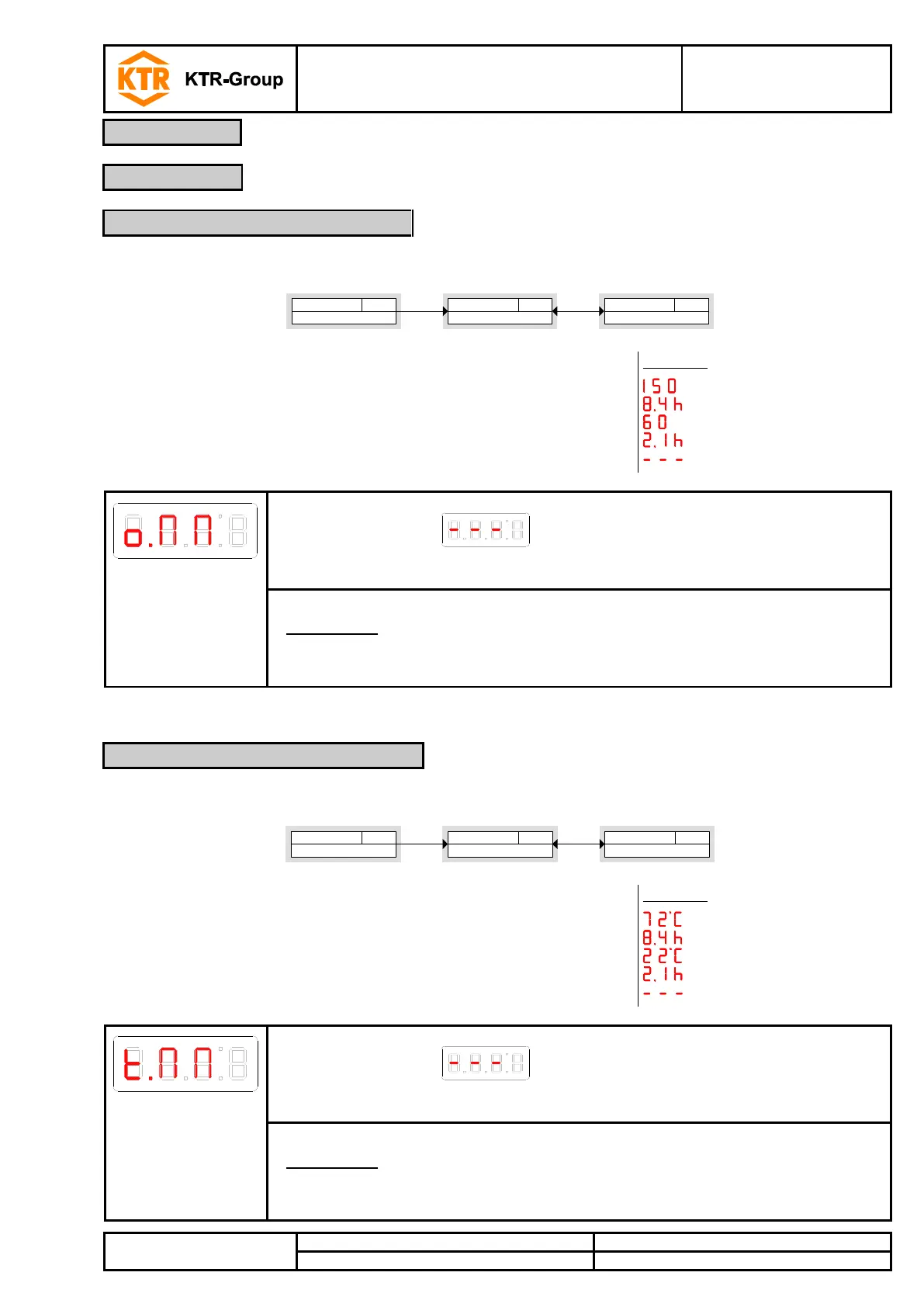
In this menu the maximum and minimum filling level saved is displayed or deleted.
Max/Min Level
o)MM
Max-/Min memory
Parameter
____
___;_ - - - -
►►
Diagnostics menu
Diagnostic
di A
The values are displayed as follows:
• Maximum value of filling level,
• reached x hours/days ago,
• minimum value of filling level,
• reached x hours/days ago,
• delete function.
, Button
, Button ,
, Button ,
, Button , p
, Button ; = delete
Menu order:
Max. value,
time
Min. value,
time
delete
Accepting the display via the button deletes the journal and returns to
the submenu.
Please note:
• The data stored are overwritten after 6 months.
In this menu the maximum and minimum temperature saved is displayed or deleted.
Max/Min Temp
t )MM
Max-/Min memory
Parameter
____
___;_ - - - -
►►
Diagnostics menu
Diagnostic
di A
The values are displayed as follows:
• Maximum value of temperature,
• reached x hours/days ago,
• minimum value of temperature,
• reached x hours/days ago,
• delete function.
, Button
, Button ,
, Button ,
, Button ,
, Button ; = delete
Menu order:
Max. value,
time
Min. value,
time
delete
Accepting the display via the button deletes the journal and returns to
the submenu.
Please note:
• The data stored are overwritten after 6 months.
4.9.2 Maximum/minimum filling level
4.9.3 Maximum/minimum temperature


 To Next Page