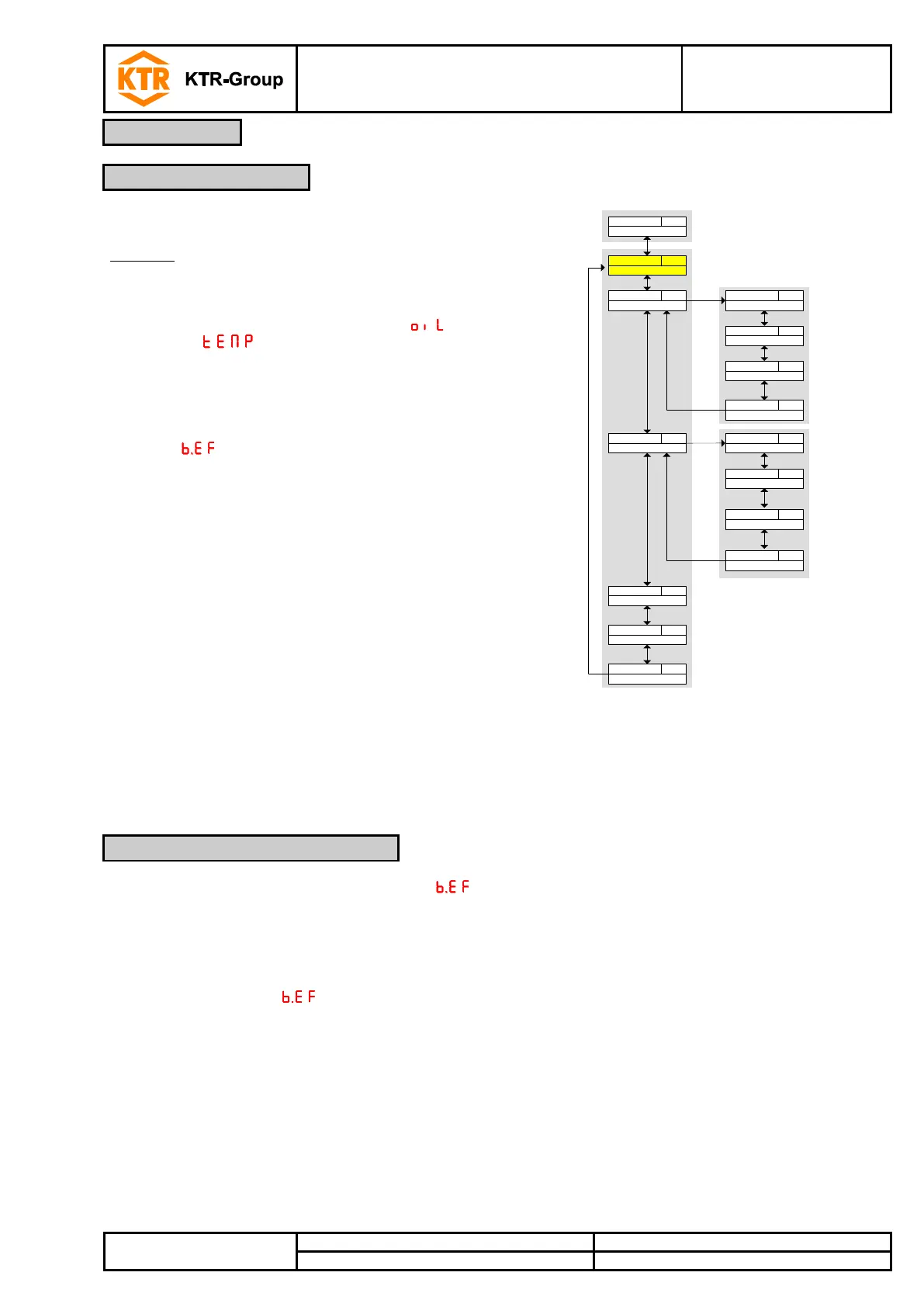
The different menu items are not displayed if the option is
not available.
Example: With a=0 the menu items for setting the
analogue output are not available. In this case
you may skip the description of these items.
The structure of the main menu filling level ( ) and
temperature ( ) are identical. These menus include
all settings for the switching outputs or the analogue outputs
(if available).
The basic settings of the device may be changed. General
settings are made in the menu Basic settings extended
functions ( ). These settings should be made first, since
they affect displays and settings in the different menus.
General settings are, for example, the units used and the
assignment of the switching outputs for measurement of
filling level and temperature. The assignment of the
analogue outputs cannot be changed.
In addition the menu Diagnostics provides options of
diagnostics.
A detailed explanation of the overall menu structure is shown at the end of these
operating/assembly instructions.
In the menu Basic settings extended functions ( ) general basic settings are made. These settings affect the
display of values in the measuring display as well as the options of settings in the menus filling level and
temperature. It is possible to change the assignment of switching outputs for measurement of filling level and
temperature (if available) in this menu, too.
• Press the button to open the main menu.
• Select the menu item via the buttons and and open the menu via the button .


 To Next Page