9-9
Troubleshooting > Troubleshooting
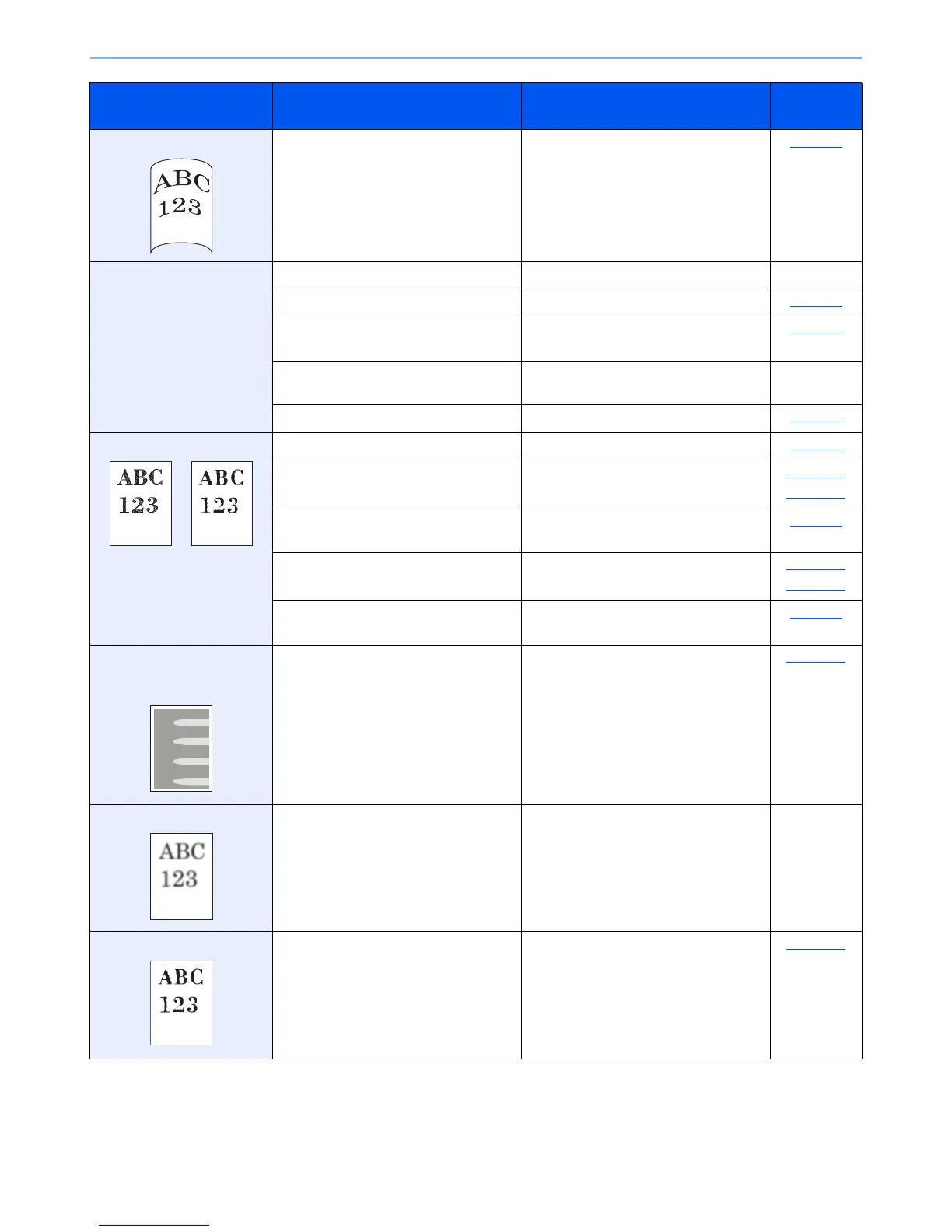
Printouts are curled. Is the paper damp? Replace the paper with new paper. page 3-5
Cannot print. Is the machine plugged in? Plug the power cord into an AC outlet. ―
Is the machine powered on? Turn on the power switch. page 2-8
Is the printer cable connected? Connect the correct printer cable
securely.
page 2-6
Is the machine used as a shared
printer?
Start up the Host PC. ―
Is the print job paused? Resume printing. page 6-7
Printouts are totally too light. Is the paper damp? Replace the paper with new paper. page 3-5
Have you changed the density? Select appropriate density level. page 5-14
page 7-15
Is the toner distributed evenly within the
toner container?
Shake the toner container from side to
side several times.
page 9-3
Is EcoPrint mode enabled? Disable EcoPrint mode. page 5-21
page 7-13
― Make sure the paper type setting is
correct for the paper being used.
page 7-7
Part of the image is
periodically faint or shows
white lines.
― Run [Drum Refresh]. page 7-15
Printouts are fuzzy. Is the machine being used in conditions
of very humid, or humidity or
temperature rapidly changes?
Use in an environment that has suitable
humidity.
―
Texts are not clearly printed. Did you choose appropriate image
quality for the original?
Select appropriate image quality. page 5-14
Symptom Checkpoints Corrective Actions
Reference
Page












 To Next Page