―
27
―
9.3Deletethestoreddata
Storeddatacanbedeletedaccordingtofollowingsequence.
(1)PressMEMORYMODESWITCH("MEMMODE"SWITCH)on
stand-by(at"LoV"isdisplayed).
TheninstrumentbecomesMEMORYMODE,and"MEM "mark
appearsontheLCD.Theactionofeachswitchchangesasshown
undereachswitch.
(2)PressMEMORYRECALLSWITCH("RCL"SWITCH).
(3)SelecttheDatayouwanttodeletewithMEMORYSELECT
SWITCH("MEM▼▲"SWITCH).
Select"ALL"whenyoudeletealldata.
(4)PressMEMORYCLEARSWITCH("CLR"SWITCH).
The"clr"isdisplayedwithblinkingonLCD.
(5)PressENTER SWITCH ("ENT"SWITCH) and delete theselected
data.
●BypressingMEMORYMODEEXITSWITCH("EXIT"SWITCH)
duringanoperation,canundothelastaction.
● Whenmakingameasurement,pressMEMORYMODEEXIT
SWITCH("EXIT"SWITCH)andreleasetheMEMORYMODE.
MeasurementcannotbeperformedwhenTestbuttonispressed
while" MEM"markisbeingdisplayedontheLCD.
9.4TransferthestoreddatatoPC
Thestoreddata can be transferredto PC via OpticalAdapterModel
8212(Option).
● Howtotransferthedata:
(1)FirmlyinserttheD-SUB9PinfemaleconnectorofModel8212into
thesocket(D-SUB9Pinmale)ofPC.
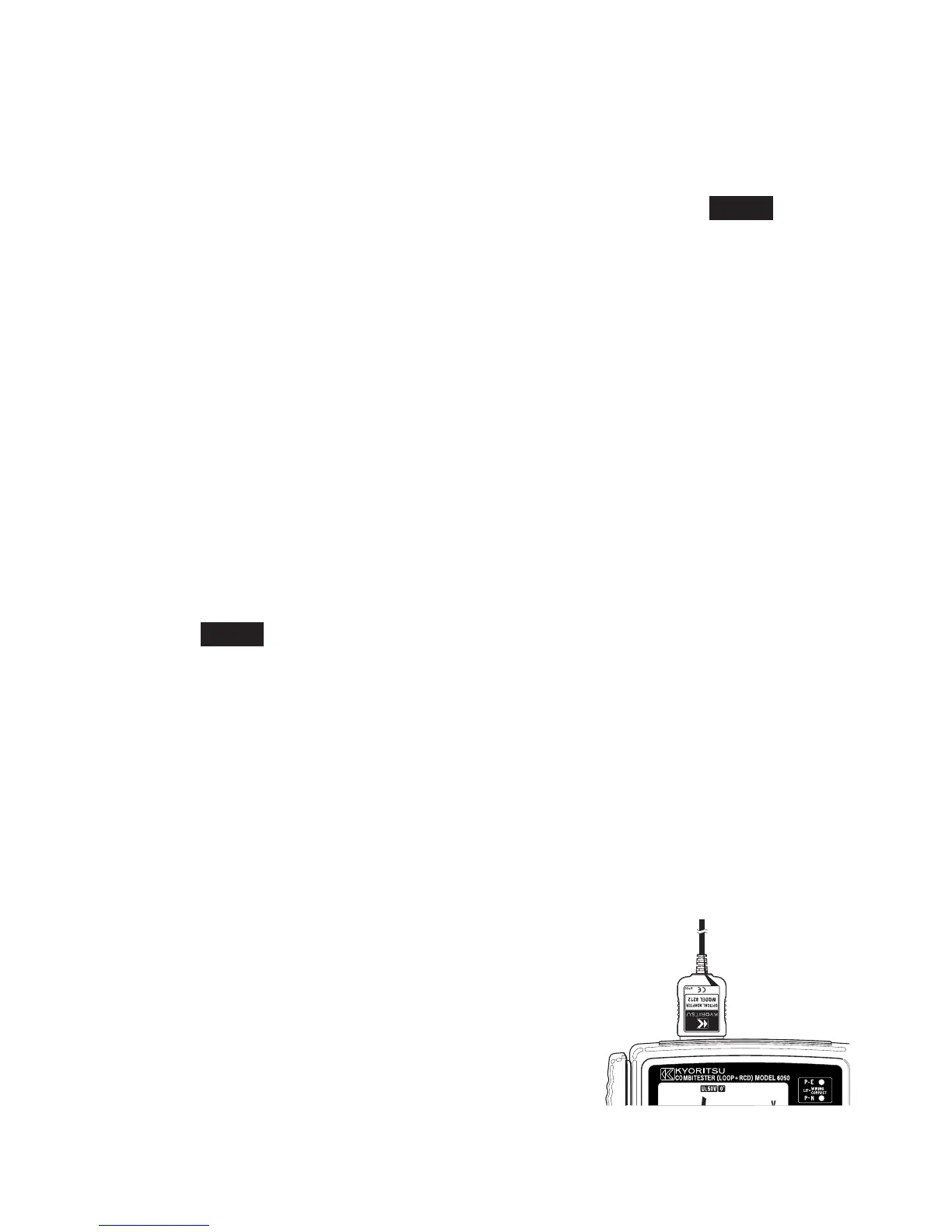
(2)InsertModel8212intoModel6050asshowninfig.18.
TestLeadsshallberemovedfromModel6050atthistime.
(3)TurnonModel6050.(AnyfunctionisOK.)
(4)Startspecialsoftware"KEWREPORT"on
yourPC and set thecommunication port.
Thenclick"Download"command,andthe
datainModel6050willbetransferredto
yourPC.Pleaserefertotheinstruction
manualofModel8212andHELPofKEW
REPORTforfurtherdetails.
Fig.18


 To Next Page