LaCie Network Space 2 • DESIGN BY NEIL POULTON Accessing & Transferring Files
User Manual page 34
4. Administering Your LaCie Network Space 2
The LaCie Network Space 2 features an easy-to-use browser-based
tool for configuring the drive and administering users, called the
Dashboard. Access the Dashboard by simply typing in your drive’s
IP address or machine name into your browser or using the LaCie
Network Assistant.
When you log in for the first time, you will see the Setup Wizard (see
section 2.4. STEP 4: Completing the Setup Wizard). Subsequent
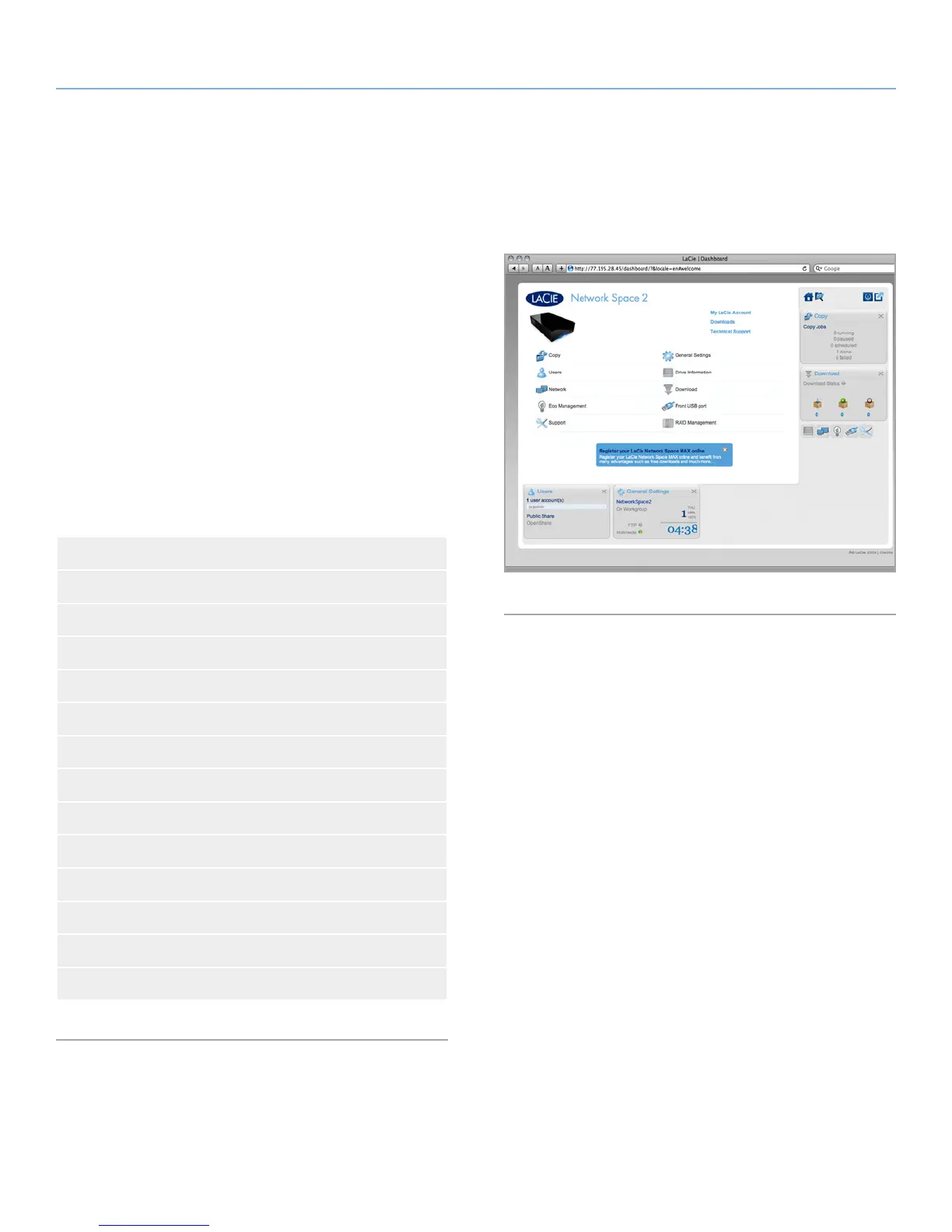
logins will take you directly to the Dashboard Home (Fig. 46). When
you log in as a registered user, you will be able to administer your
own account and manager the files located in the shares to which
you have access.
This chapter consists of the following sections to help you navigate
the Dashboard and configure your Network Space 2:
4.1. Dashboard: Accessing
4.2. Dashboard: Welcome Page
4.3. Dashboard: Navigation
4.4. Dashboard: Logging Out
4.5. Dashboard: Restart/Shutdown
4.6. Dashboard: General Settings
4.7. Dashboard: Users
4.8. Dashboard: Network
4.9. Dashboard: Drive Information
4.10. Dashboard: Eco Management
4.11. Dashboard: Support
4.12. Dashboard: Download
4.13. Dashboard: Copy
4.14. Dashboard: Front USB Port
Fig. 46














 To Next Page