LaCie Network Space 2 • DESIGN BY NEIL POULTON Administering Your LaCie Network Space 2
User Manual page 39
4.7.2. Deleting a User
Deleting a user will also remove the associated share, the files it
contains, and related backup jobs. Note that you cannot delete
OpenShare.
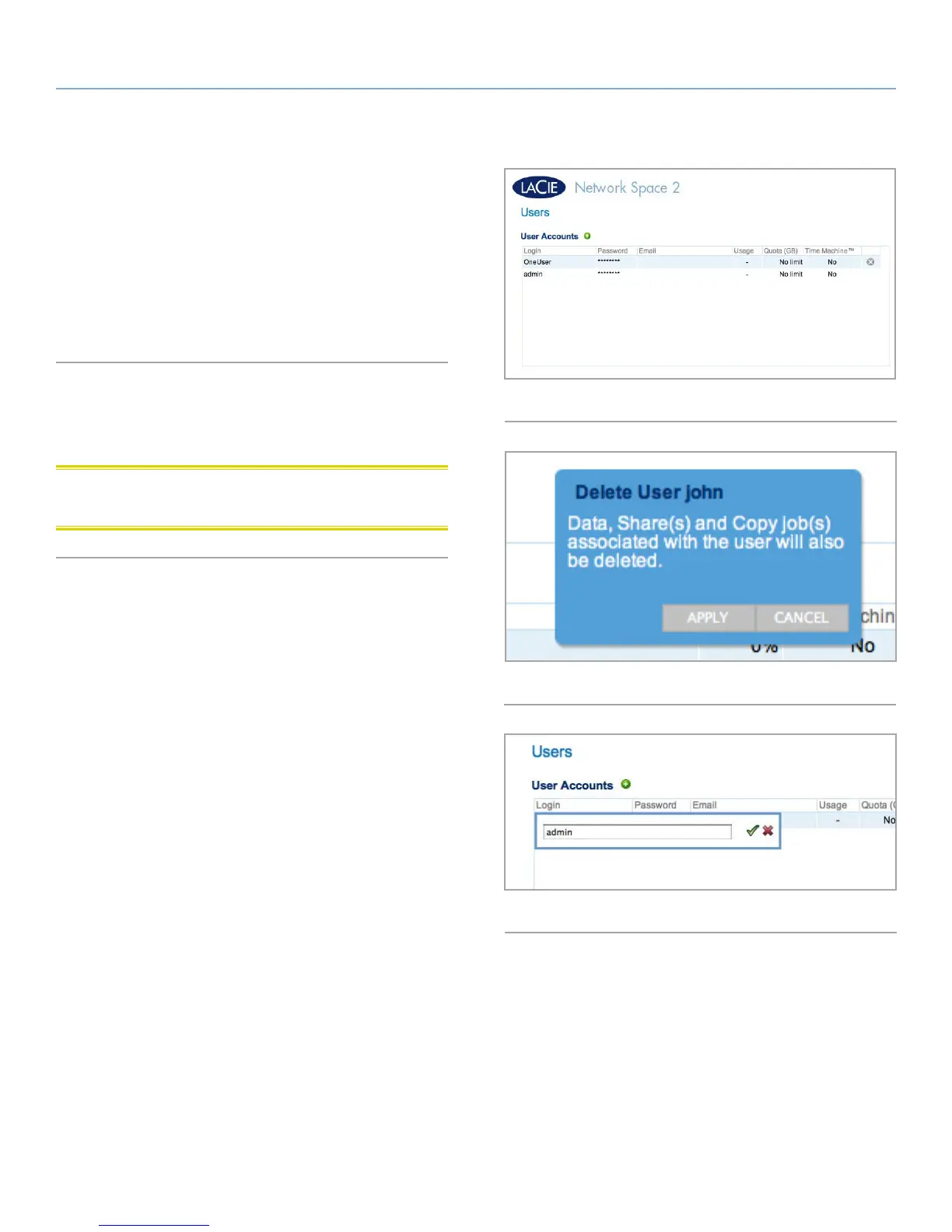
1. Click the gray “x” to the right of the user listing in the table (Fig.
56.
2. In the confirmation box, click Delete (Fig. 57).
4.7.3. Editing a User
1. Click on the text in any field in the user table to modify a value
(Fig. 58).
CAUTION: Decreasing the capacity of a quota can cause data to
be deleted.
Fig. 56
Fig. 58
Fig. 57














 To Next Page