LaCie Network Space 2 • DESIGN BY NEIL POULTON Administering Your LaCie Network Space 2
User Manual page 37
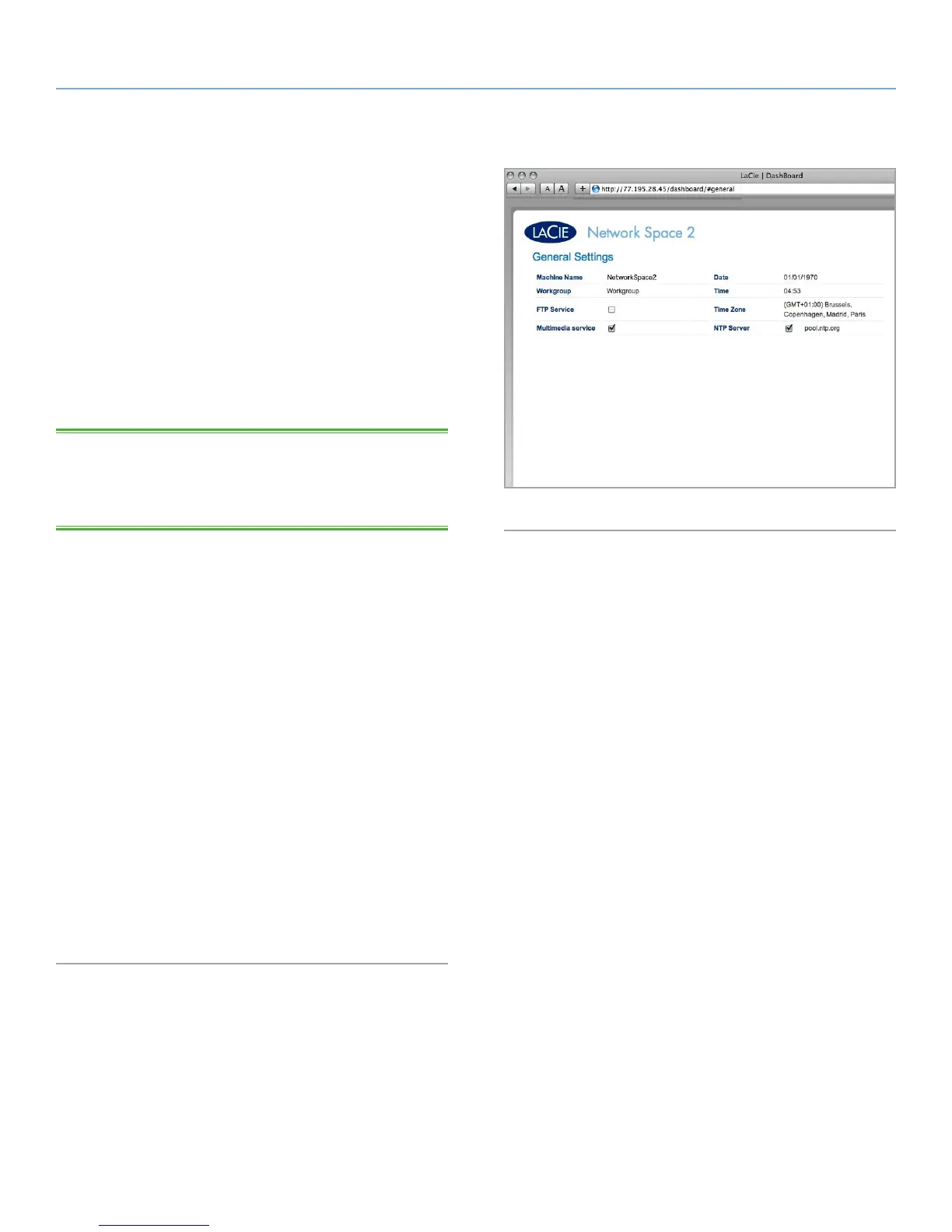
4.6. Dashboard: General Settings
This page allows the administrator to modify some of your Network
Space 2’s general parameters.
Machine Name: Modify the machine name. The machine name
identifies your Network Space 2 in LaCie Network Assistant and on
the local network. The machine name is limited to 15 characters.
Please use alphanumeric characters without spaces or symbols.
Date (mm/dd/yy): Change the date.
Workgroup: Modify the Windows workgroup name to set your Net-
work Space 2 to belong to a certain workgroup.
TECHNICAL NOTE: Mac users connected to a network with Win-
dows com puters can also access shares this way by selecting in the
Finder Network > [Workgroup] > NetworkSpace2 where “Work-
group” is the name of the Windows workgroup.
Time: Change the time.
FTP Service: Toggle this feature on/off to allow your Network Space
2 to be accessible via File Transfer Protocol (FTP).
Time zone: Change the time zone.
Multimedia Service: This feature allows your Network Space 2 to act
as a UPnP multimedia server. Files (stored on OpenShare only) will
be available to play on UPnP-enabled players (such as cell phones,
computers, and game consoles). For information on using your
Network Space 2 to stream files to your UPnP devices, see 3.7. Mul-
timedia Server. For information on using the Network Space 2 as
an iTunes music server, see section 5.6.2. iTunes. Note that if you’ve
just added new content to the Network Space 2, it could take a few
minutes before they are available to UPnP/DLNA-certified players/
adapters.
NTP Server: Click the box, then click the field to the right and type
the address of a Network Time Protocol server to provide the time
for the Network Space 2 automatically. While NTP is selected, you
can’t modify the time and date settings.
Fig. 53














 To Next Page