9. PARAMETERS MENU
The PARAMETERS menu is used to configure the following functions:
A. LANGUAGE:
Available languages: English/German/Spanish/Flemish/French/Italian/Polish/Portuguese/Czech
B. REMOTE CONTROL SETTINGS:
STANDBY REMOTE CONTROL: to adjust the screen timeout time
SCREEN BACKLIGHTING: to adjust the screen brightness
PROGRAMMING DELAY FOR SCAN: to set the maximum duration permitted to scan the different PTLs in an infrared
system
ADD REMOTE CONTROL: to add a remote control to a current system
C. PTL SETTINGS:
The PTL SETTINGS menu makes it possible to deactivate the following features:
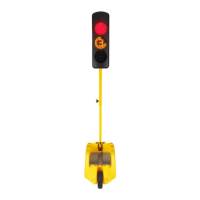
ACCELEROMETER: the accelerometer detects PTL that have fallen or moved. Alerts are automatically reported to the
remote control 15 minutes after the end of a programming, enabling operators to deploy PTLs on the ground. 15 minutes
after programming, if a PTL has fallen or moved, the PTLs switch to safety mode; a MOVED PTL alarm is reported to the
remote control within 30 seconds. When a PTL is repositioned, the alarm is raised after 35 seconds, and the PTLs resume
their cycle after All Red.
RADIO: to create a system of PTLs and communicate between the PTLs and the remote.
RADAR: to automatically regulate traffic (only available on Smart Millenium – Traffic Regulation).
INTERNAL COUNTDOWN TIMER: can be deactivated when an external countdown time is used; the internal countdown
timer behaves like a classic orange light.
ADD PTL: to replace a damaged or faulty PTL or add a PTL to a paired system.
D. INFORMATION:
BATTERY CHARGE: estimated real-time battery charge level of system’s PTLs
HISTORY OF RECEIVED ALARMS: history of alerts or faults collated by the PTL system
PTL ID: to display the A, B, C, D ID of the PTL on the central lens
SERIAL NUMBER: to display the serial number of PTLs in a system
E. MAINTENANCE:
OPTICAL TEST: used to activate the different lenses to check how they are working (function not available when PTLs
are in operation)
F. RESET:
SYSTEM: resets the remote control
PASSWORD: resets the password allowing access to SMART MILLENIUM features


 To Next Page