30 31
SETUP
SETUP
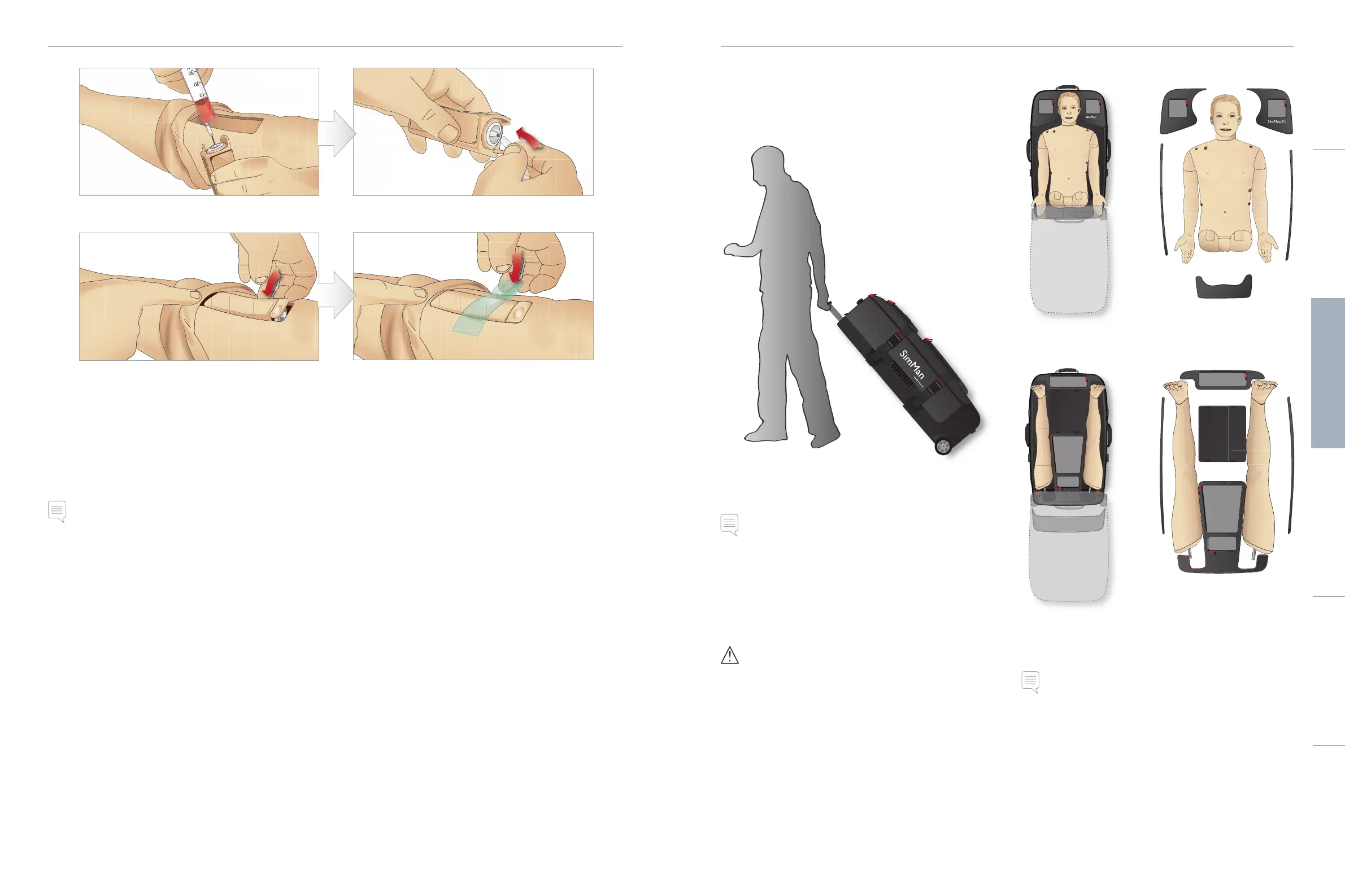
9 Fill the Tibial IO unit with 30 - 35ml of blood, ensure the
Tibial Pad is completely full.
10 Connect the Tibial tube to the Tibial IO unit.
11 Replace the Tibial IO Pad and chassis, into the leg cavity. 12 Affix the tape to keep the module in place.
Roll the leg skin up over the Tibial module. The Tibial IO is now ready for simulation.
The following devices have been tested and are approved for use with the simulator:
– BIG Automatic Intraosseous Device
– EZ-IO-G3, 15G x 1”, 1.8mm x 25mm
– Jamshidi ® Illinois Bone Marrow Aspiration/Intraosseous Infusion Needle. 18 Ga. 9/16” (14mm)-1 ½” (38mm).
Note: in some cases, there will be no blood backflow when using the BIG Automatic Intraosseous Device
Transporting SimMan 3G
The SimMan 3G Simulation System consists of two cases for easy
transport and storage; one for the Patient Simulator legs and one for
the torso.
Each case has an extendable handle and may be stacked onto the
integrated wheel frame for increased mobility.
Note: The SimMan 3G System exceeds the weight allowance on
most commercial airlines. Some parts may have to be transported
separately. For more information on weight restrictions contact the
relevant airline.
Disassemble the legs from the torso and pack them into their
respective cases before transportation or storage.
For instructions on how to disassemble the legs, see section:
Attaching the Left and Attaching the Right Leg.
Warning: The suitcases are heavy. Always ensure that they are
firmly secured during transportation and storage so as not to
cause personal injury or damage to the product.
Please be aware that both cases appear identical. Each case contains
compartments for all accessories.
Torso Case with Foam Inserts
Leg Case with Foam Inserts
For more information on SimMan 3G accessories, see section
Spare Parts & Accessories.
Note: Do not store or ship the simulator with Isopropanol or liquid
in any of the fluid/liquid systems.
Unpacking the Patient Simulator
Unpack the Patient Simulator torso and legs following the
instructions in reverse order of packing.
Cautions and WarningsFeaturesSetupMaintenanceSpare Parts Troubleshooting














 To Next Page