14
5 Operating Control and Displays
5 Operating Control and Displays
5.1 UI300 User Interface
Display
The display shows in pictograms:
• the menu structure
• operating status
• parameters
• error messages
Back key
Cursor keys
ENTER keys
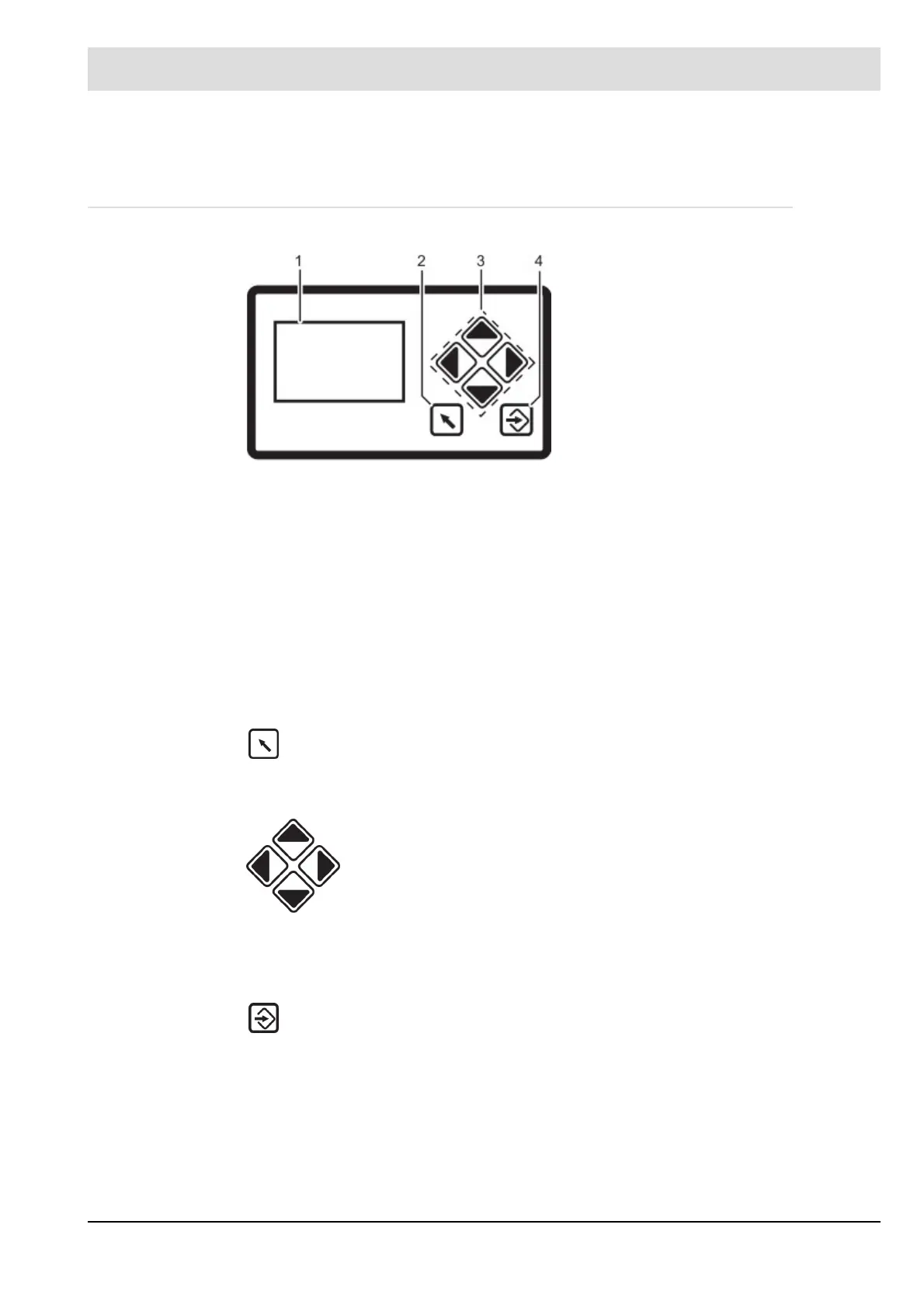
Fig. 5-1 User Interface
1 Display
2 BACK key
3 Cursor keys
4 ENTER key
Jump to previous window.
You navigate in the menu using cursor keys.
You use "left'' and ''right'' keys to move step by step in a selected row. At
the end of the selected row the cursor jumps down to the next row, if possi-
ble.
In a multiline menu use "up" and "down" keys to switch to other rows.
To display parameters, switch between various fields.
Press ENTER to call up a menu on the start screen. Select a sub-menu in the menu
window. Transfer setting values by pressing ENTER key in a parameter window.



 To Next Page