19
5 Operating Control and Displays
5.4.4 Display of Check Sums
Display check sum
1. Use cursor keys to select menu and press ENTER to confirm.
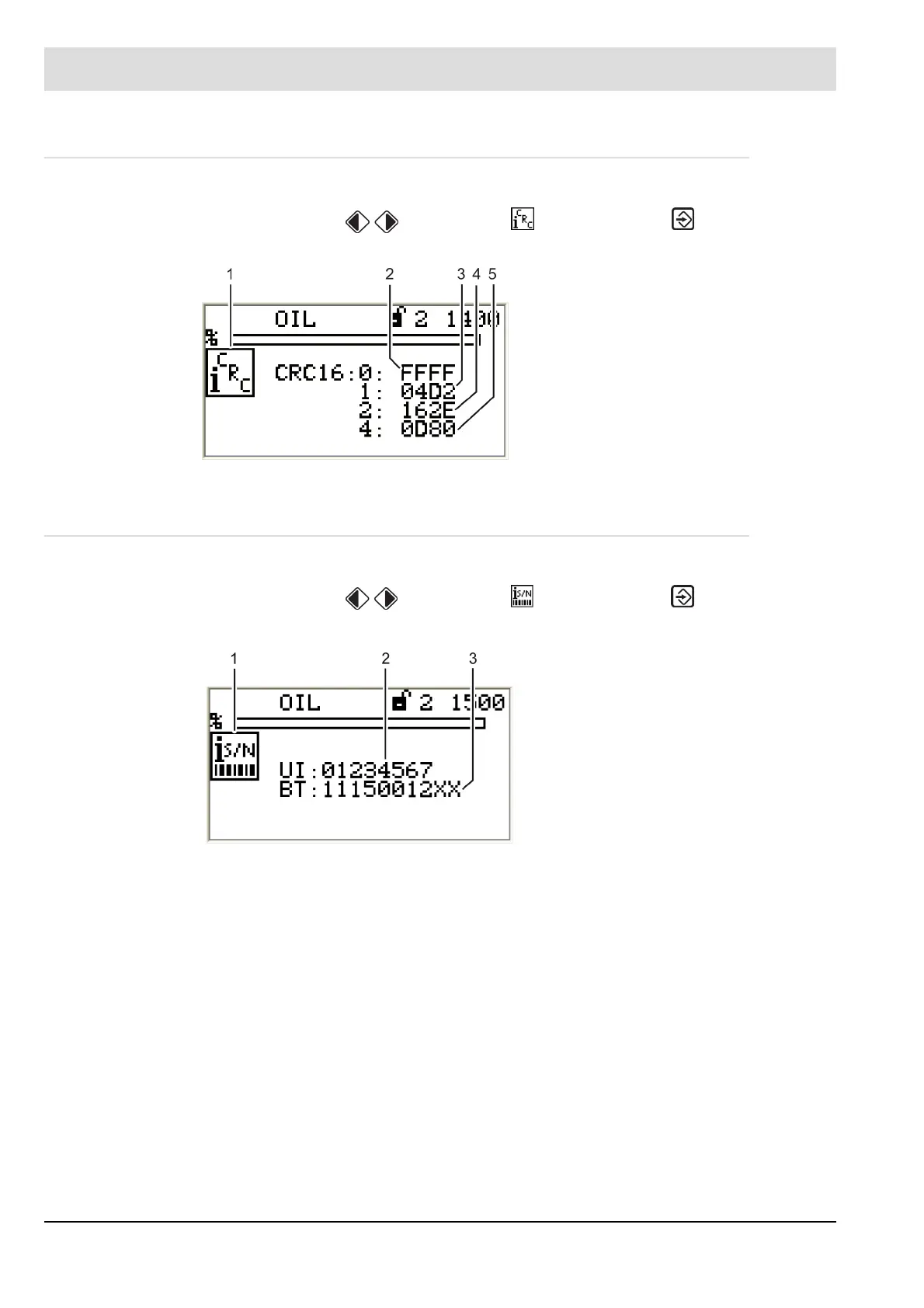
The display shows "CRC16 check sums" menu.
5.4.5 Serial Number
Display serial number
1. Use cursor keys to select menu and press ENTER to confirm.
The display shows the "Serial number" menu.
Fig. 5-10 CRC16 check sums menu
1 Check sums pictogram
2 Check sum, access level 0
3 Check sum, access level 1
4 Check sum, access level 2
5 Check sum, access level 4
Fig. 5-11 Serial number menu
1 Serial number pictogram
2 User Interface serial number
3 BurnerTronic serial number



 To Next Page