17
5 Operating Control and Displays
2. Use keys to select menu and press ENTER to confirm.
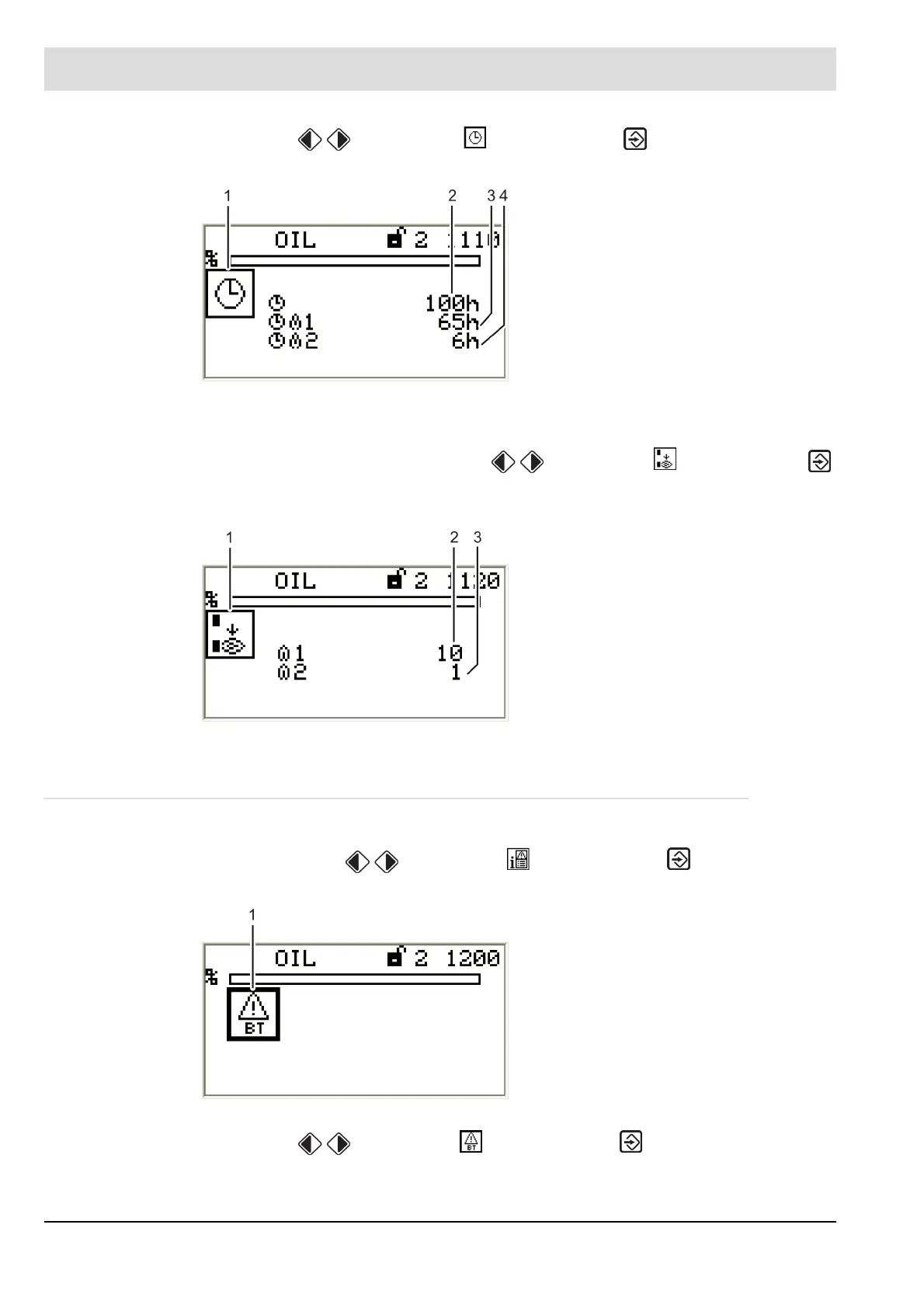
The display shows the "Display operating hours" menu window.
Display burner start-ups
1. Use keys in System Information menu to select menu and press ENTER
to confirm.
The display shows the "Start-up counter" menu window.
5.4.2 Recall Fault History
Display burner faults
1. Use cursor keys to select menu and press ENTER to confirm.
The display shows "Fault history selection" menu.
2. Use keys to select menu and press ENTER to confirm.
The display shows "Fault history" menu.
Fig. 5-5 Display "Operating hours"
1 Pictogram operating hours
2 Total number of operating hours
(device connected to mains voltage)
3 No. of operating hours, oil operation
4 No. of operating hours, gas operation
Fig. 5-6 Display "Start-up counter"
1 Pictogram burner start-up
2 No. of burner start-ups, oil operation
3 No. of burner start-ups, gas operation
Fig. 5-7 Fault history selection menu
1 Burner fault pictogram [selected]



 To Next Page