25
5 Operating Control and Displays
5.6 Settings Menu Path
Display SETTINGS menu
1. Use cursor keys to select menu and press ENTER to confirm.
The display shows the menu overview.
5.6.1 Enter Password
Display menu password entry
1. Use cursor keys to select menu and press ENTER to confirm.
The display shows the password entry menu.
2. Use the cursor keys to select password field you wish to change.
3. Change the number with cursor keys .
4. Confirm password with ENTER .
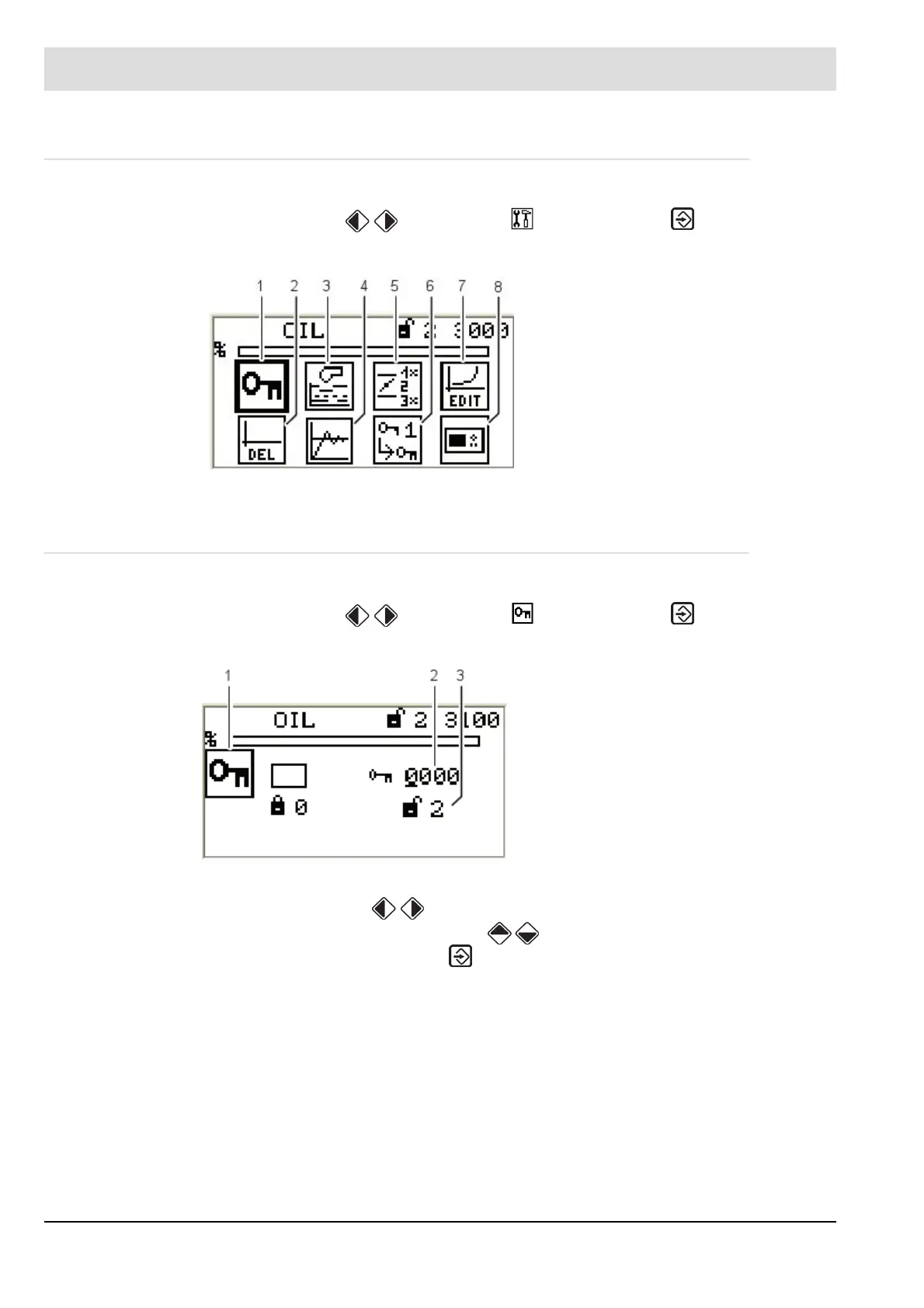
Fig. 5-23 Menu overview
1 Password pictogram (selected)
2 Delete curves
3 Display program settings
4 Firing-rate controller settings
5 Configuration of read-out
actuator outputs
6 Password settings
7 Curve settings
8 Display settings
Fig. 5-24 Enter password menu
1 Password pictogram (selected)
2 Enter password
3 Access level 2 displayed with access au-
thorisation



 To Next Page