27
5 Operating Control and Displays
NOTICE!
Apply value only if the values for UI300 and BT300 are identical!
The parameter value must be confirmed by pressing ENTER within the countdown (8 s)!
5. Accept or discard the entry.
NOTICE!
The following sequence of events for confirming or discarding the entry is exactly the same
for all parameter entries. Therefore this process is not illustrated again in following explana-
tions of parameter settings.
You will simply find this text: "Accept or discard the entry!"
a) Press ENTER in time to confirm.
The value is accepted.
The display shows the following page:
The parameter change is transferred to the burner control system!
CAUTION!
If both values are identical you apply the value by pressing ENTER. In case of a discrepancy
of values terminate the storage process.
b) Cancel parameter changes.
Select the Back key .
The change made to the parameter is not accepted.
The following page appears:
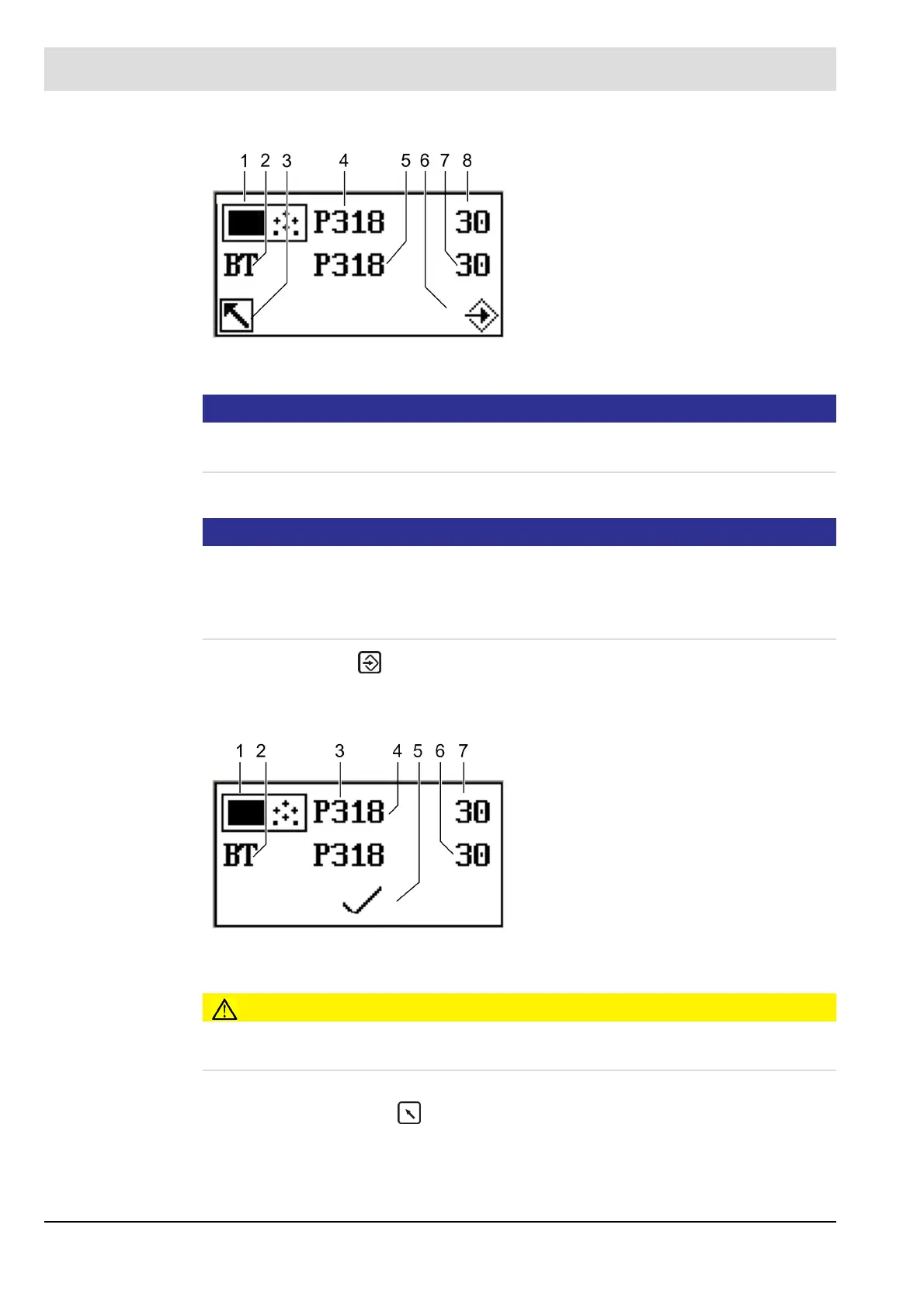
Fig. 5-27 Secure data transfer
1 UI300 pictogram
2 BT300 pictogram
3 Cancel (backwards)
4 Parameter number UI300
5 Parameter number UI300
6 Transfer by pressing ENTER (flashing)
7 Value for UI300
8 Value for BT300
Fig. 5-28 Display after successful data transfer
1 Pictogram UI300
2 Pictogram BT300
3 Parameter number UI300
4 Parameter number BT300
5 Pictogram discard parameters
6 Value BT300
7 Value UI300



 To Next Page