33
8 Service and Maintenance
8 Service and Maintenance
To perform a liquid purification note the following:
Only perform a liquid purification, if the probe is dismounted.Performing the liquid purification
without dismounting the probe will damage the probe. The probe will not function properly after
that.
NOTICE
Always dismount the probe before liquid purification. Liquid purification without dismounting
the probe will damage the probe.
8.1 Checking the O
2
Probe
8.1.1 Checking the Air Voltage
NOTICE
If probe voltage is outside the permissible range, the warning ’Offset calibration to air invalid’
is indicated.
• Read out probe voltage at LT2 either by
– the display and operating unit (option)
– the service and diagnostic software (option)
– measure probe voltage with a multimeter;
Connect a digital voltmeter in parallel to the probe at terminal 33 (-) and 34 (+).
Compare the measured voltage with the displayed voltage (US).
• Valid range: 5 mV … -30 mV
• If the probe’s voltage is above/below this range → replace probe
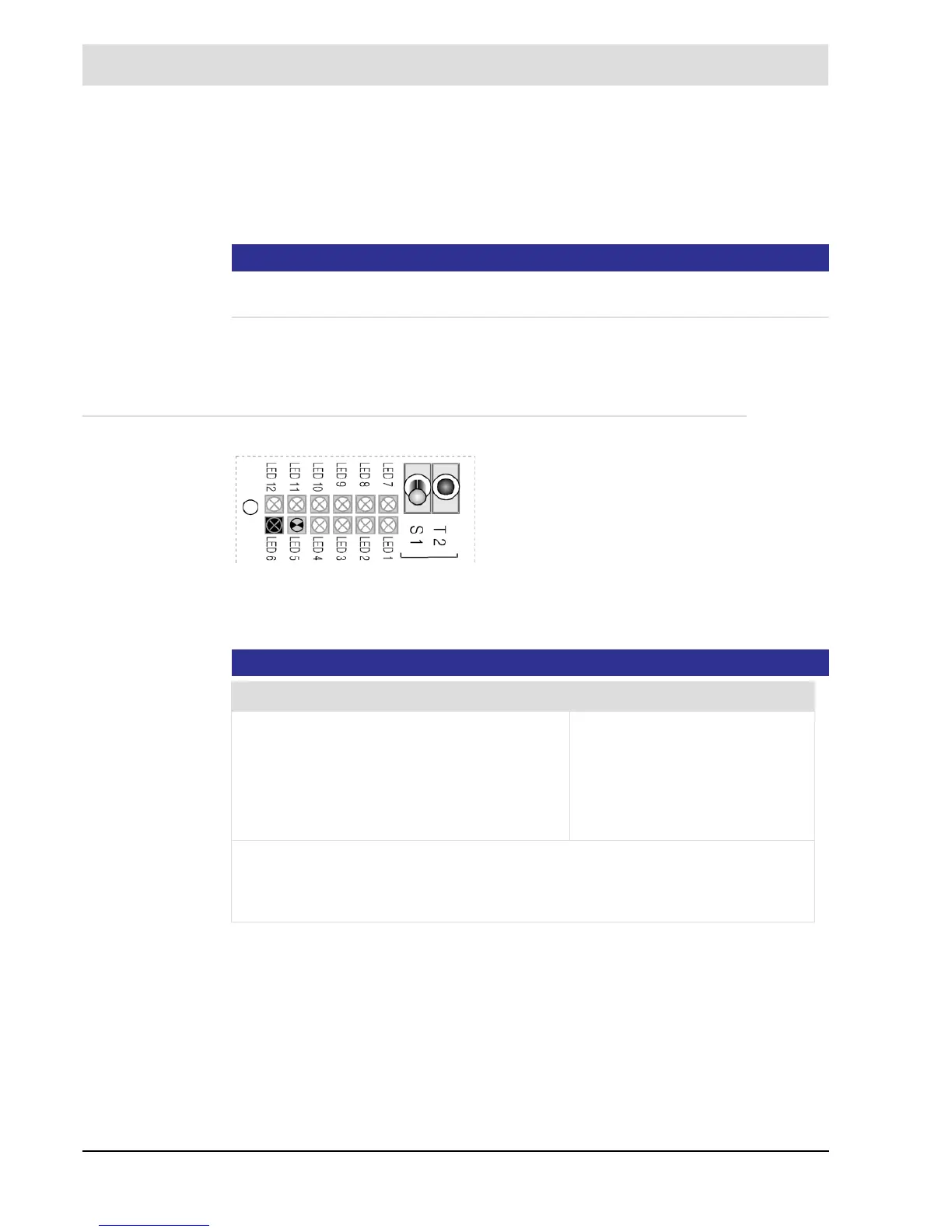
Fig. 8-1 T2 multifunction key
• Switch off the facility
• Pre purge, until no more flue gas is present at the
measurement site (approx. 1 minute).
• Turn off the pre purge.
• Carry out offset calibration either by
• the (optional) display and operating unit in
[cal] - menu-driven
• the (optional) service and diagnostic software
• T2 multifunction key
Functions Handling of the Keys
Toggle the displayed warning/fault
Reset the displayed warning/fault
Quick start of the measuring gas pump - abort of
the cold start
Trigger an offset calibration
Press shortly
Press for longer than 3 sec.*
Press for longer than 3sec.**
Press key for longer than 3 sec.
during measurement **
* Some warnings and faults cannot be reset if the error is still present or the routine is
still running.
** If at least one warning or fault is still present, the key must be pressed for longer than
6 seconds.


 To Next Page