39
9 Faults/Warnings
9.3 Resetting Faults/Warnings
• by (optional) display and operating unit, in [diag], menu-driven
• by service and diagnostic software in [status], menu-driven
• by digital inputs – input 1
• by pressing the T2 multifunction key (for longer than 3 seconds per fault).
If several faults are present simultaneously, press the multifunction key several times.
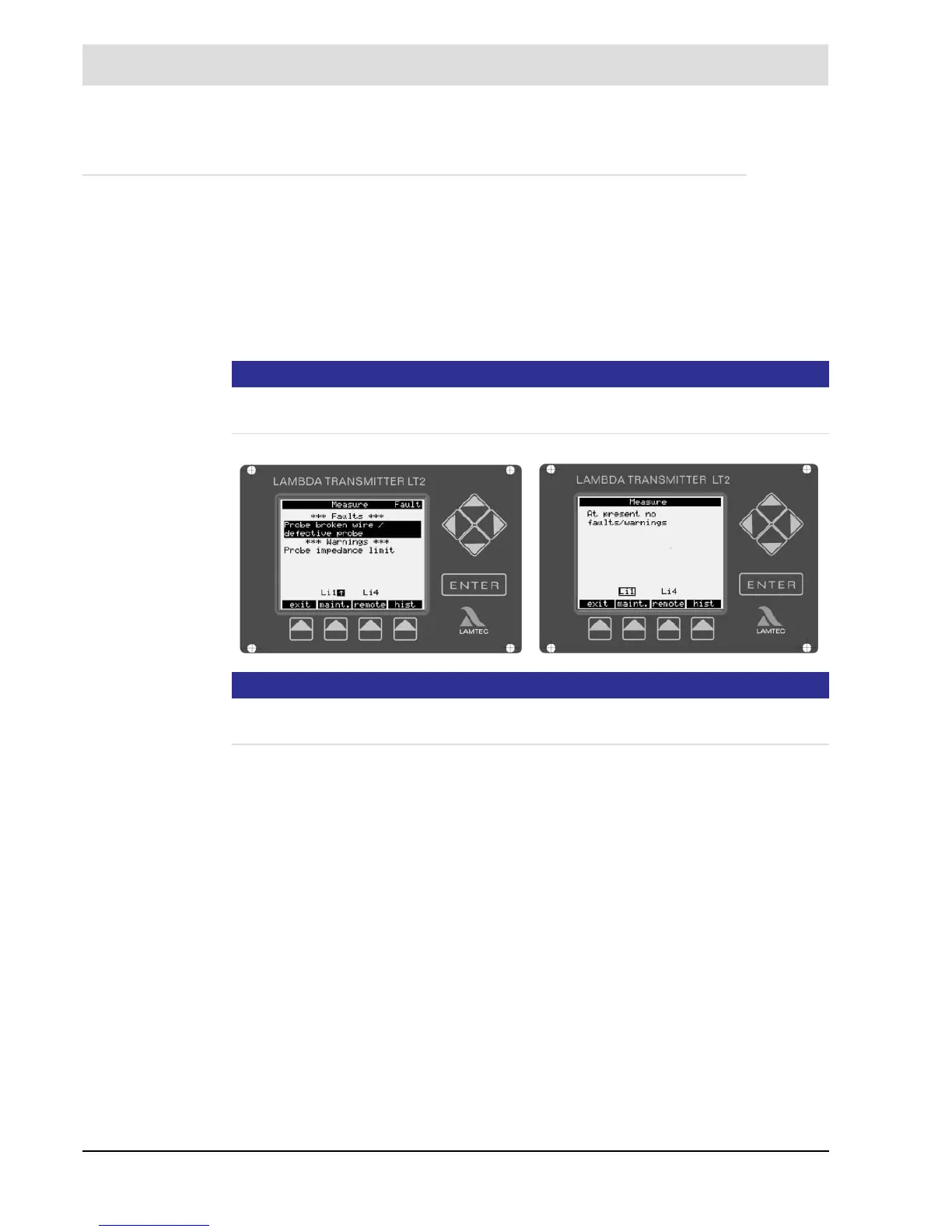
Press the key [diag] to switch to warnings and faults. Select the single warnings, faults or limit
values with the cursor keys (up/down).
NOTICE
Limit values are displayed only if they are activated in parameters 930/940/950/960 (access
level ’Service’).
NOTICE
Reset all warnings or faults by quitting them. If necessary eliminate the cause of the warning/
fault.
See chapter 6.1.1 The LT2 Lambda Transmitter's Display and Operating Elements.


 To Next Page