NCA-4020 User Manual
123
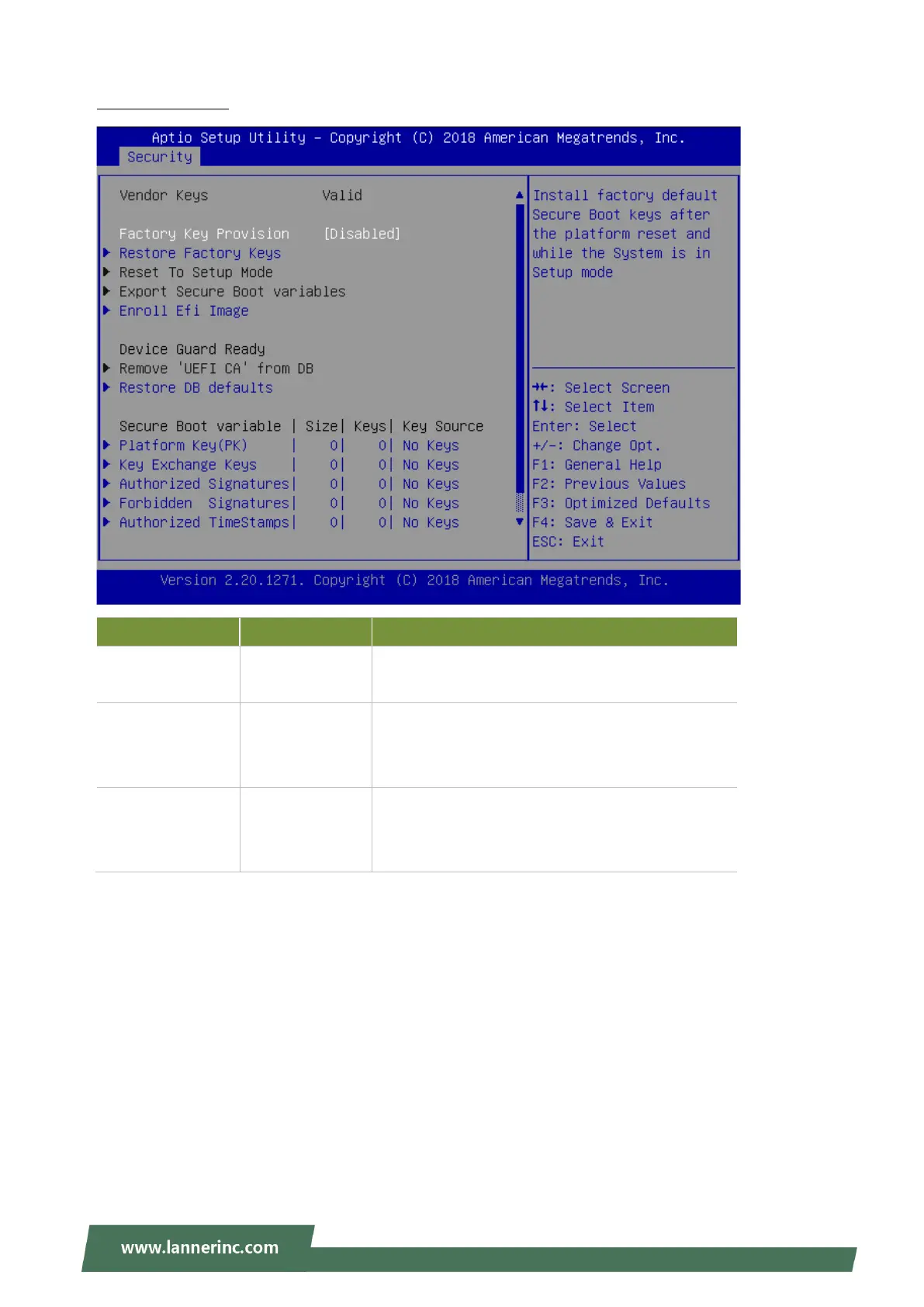
Key Management
Feature Options Description
Factory Key
Provision
Disabled
Enabled
Provision factory default keys on next re-boot only
when System in Setup Mode.
Restore Factory
keys
None
Force System to User Mode. Configure NVRAM to
contain OEM-defined factory default Secure Boot
keys.
Enroll Efi Image None
Allows the image to run in Secure Boot mode.
Enroll SHA256 hash of the binary into Authorized
Signature Database (db)



 To Next Page