NCA-4020 User Manual
53
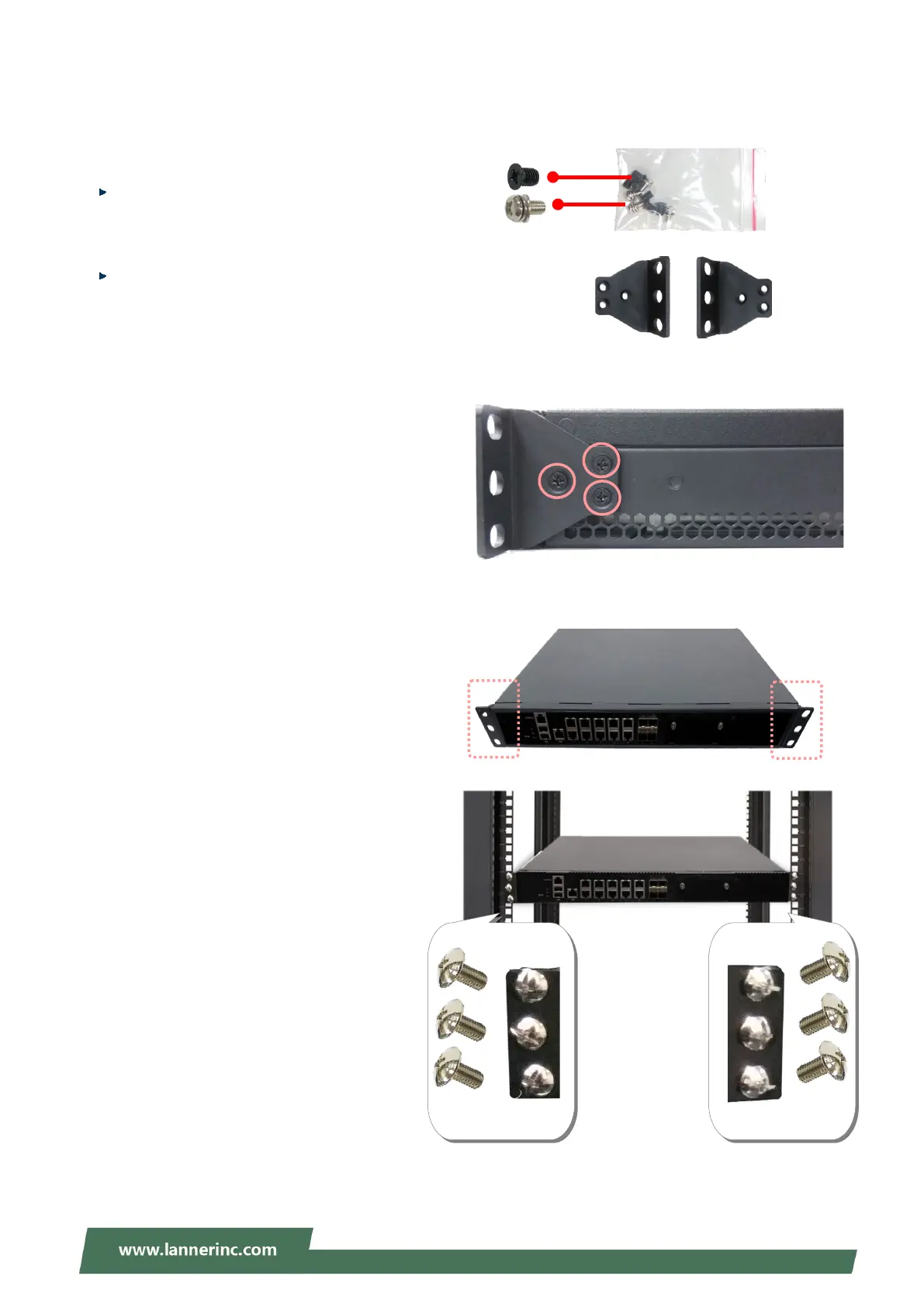
Installing the System Using Mounting Ear Brackets Only
1. Check the accessory pack for
items:
1x Screw Pack
2x Ear Brackets
2. Align the bracket to the side of the chassis and
make sure the screw-holes are matched
then secure the bracket onto the chassis with
three provided screws.
3. Repeat Step 2 to attach the bracket to the other
side of the chassis.
4. Install the chassis into the rack with the brackets
fixed onto the posts using the provided screws.
The actual approach you adopt and the needed
parts for assembly will depend on the
supporting accessory (shelf or rail kit) you use.
.
z



 To Next Page