54
Installing the System Using the Slide Rail Kit (with Mounting Ear Brackets)
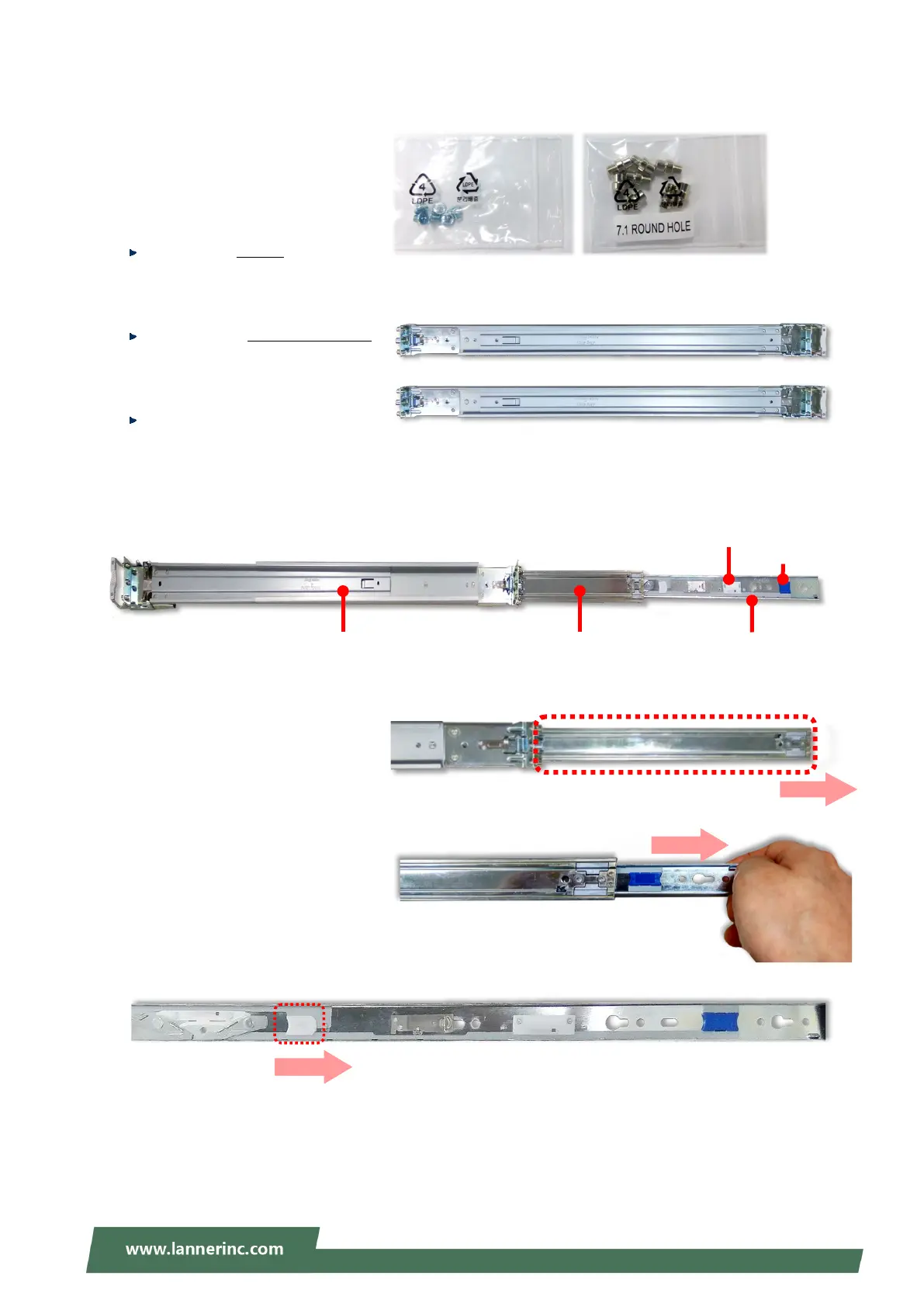
1. Check the package contents of the
Slide Rail Kit
the following items:
1x pack of M4X4L screws (for
securing the Rail Brackets on the
system)
1x pack of 7.1 Round Hole
screws (for securing the system on
the rail posts)
2x Slide Rails
A rail consists of the following parts:
2. Unpack a slide rail and s
Inner Rail all the way to the end.
3. Stretch the bracket to the fullest.
4. Remove the bracket from the Inner
Rail by pushing the Release Tab on
the bracket outwards while sliding
it out.
Outer Rail Inner Rail
Release Tab
Rail Lock
Release Tab



 To Next Page