56
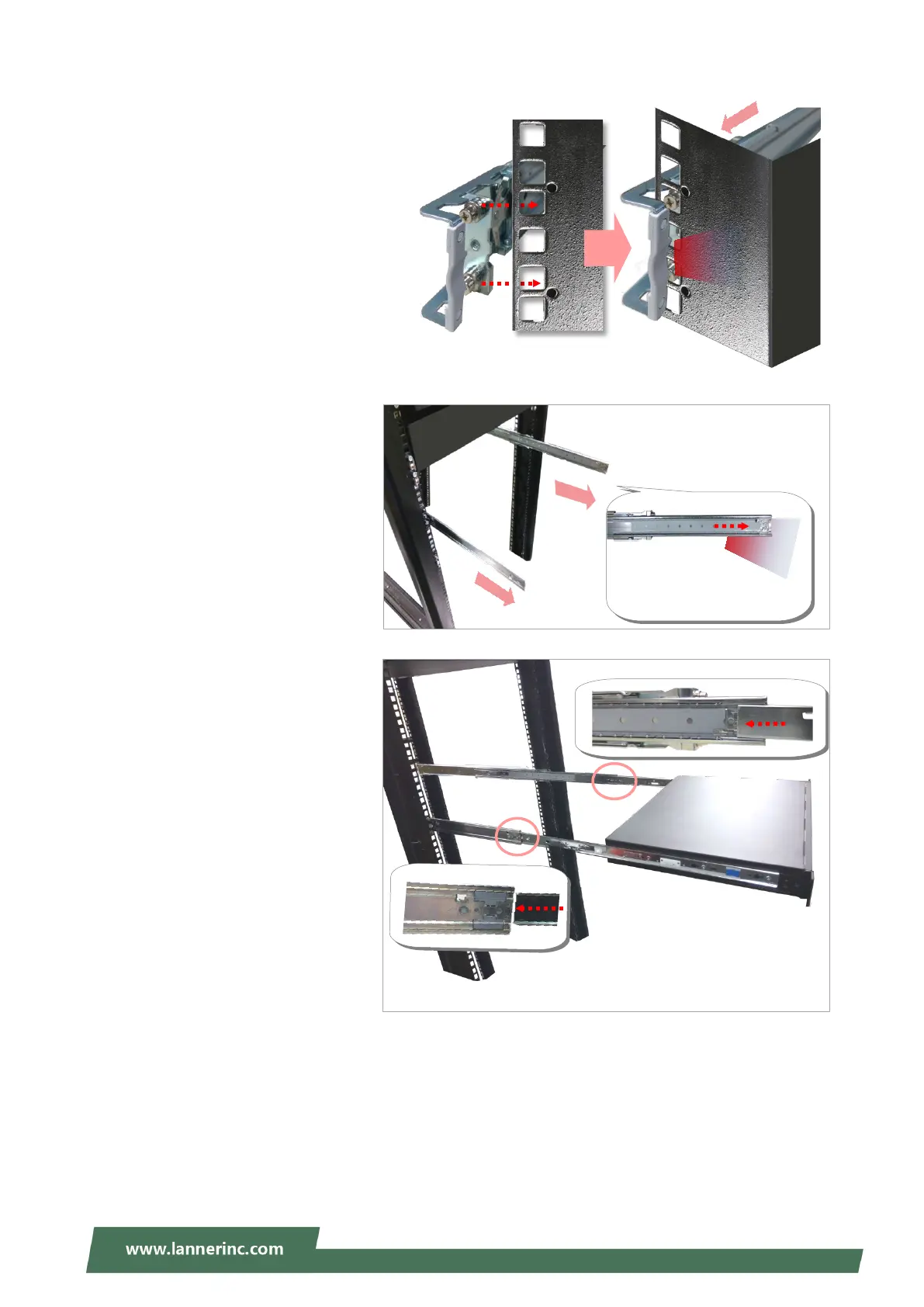
9. For the rear rack installation, slide
the rail to aim and engage the bolts
on the rail’s rear end with the two
available holes on the post, and the
rail assembly will click into place.
10. Stretch both of the Inner Rails out
to their
hear a click sound when they are
fully stretched and locked.
11. Hold the system
facing you, lift
gently engage the brackets on
the system while aligning them
with the Inner Rails as shown in
the image
system into the cabinet.
The Inner Rail will click
when it is fully stretched.
Click



 To Next Page