NMS045 Reference Manual Preparing Cellular Service for the RV50X 2-5
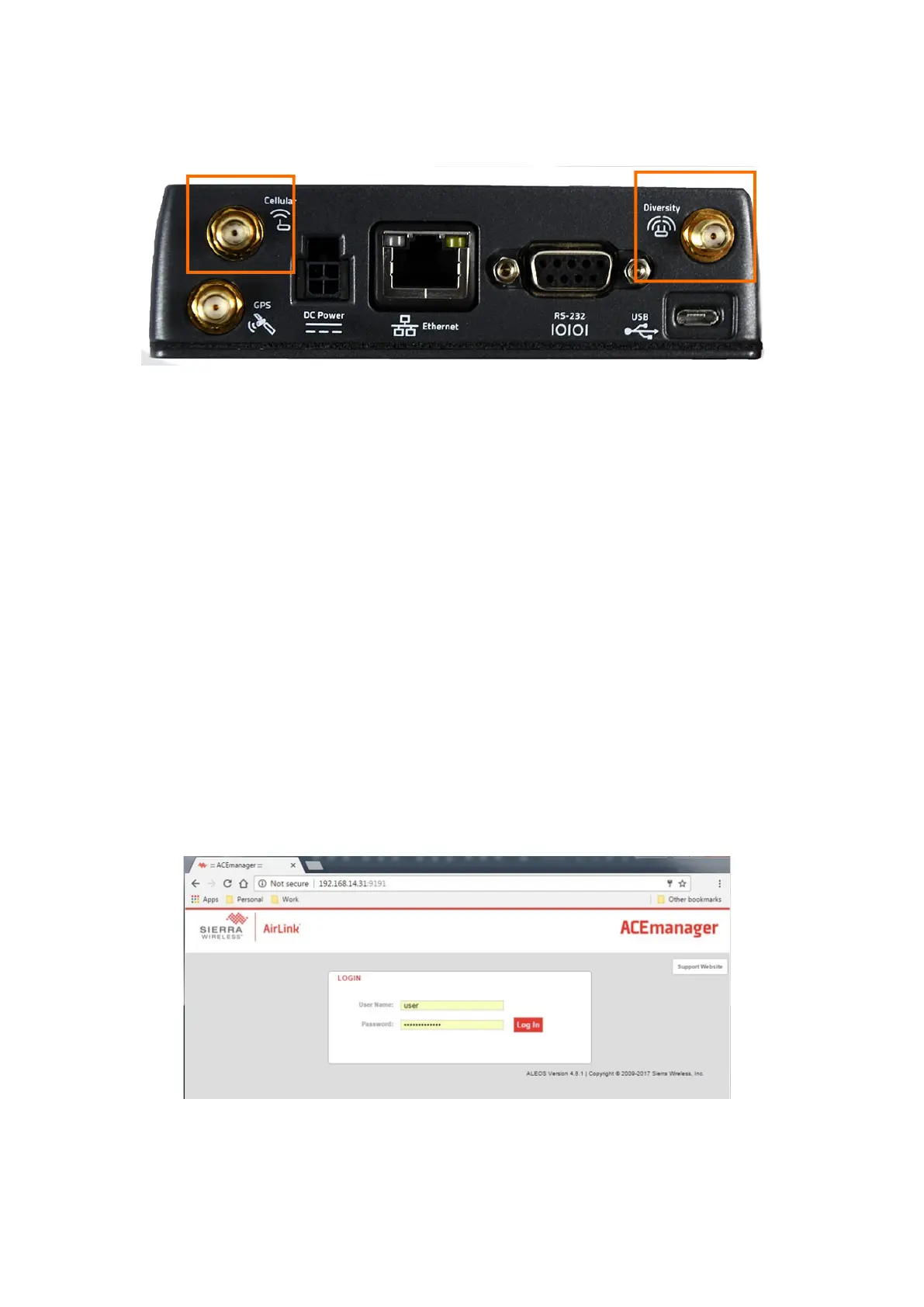
Step 1 Ensure the gateway is connected to the antennas. They are
connected to the ports marked Diversity and Cellular.
FIGURE 2-5 RV50X Peripherals
Step 2 Connect the system to a power source. Choose one of the
following options:
• Connect a 12 V battery to the power block on the
connection line marked Power Block using the CBL231.
• Disconnect the DC Power cable on the RV50X and
connect to a power outlet using the PSA041.
Step 3 Using CBL218 USB to mini cable, connect the gateway
directly to a PC with Internet access.
Step 4 Open a web browser on the connected PC.
Step 5 In the address bar, enter http://192.168.14.31:9191.
Step 6 Log in as “user” with the password “LD_NMSystem16”.
TAKE NOTE If the login doesn’t work, verify that the LD settings are loaded as shown in “Configuring
LD Settings for the RV50X” on page A-11.
FIGURE 2-6 User Login
Step 7 Navigate to WAN/Cellular SIM Slot 1 Configuration and
expand the Network Credentials menu by pressing the +
icon.



 To Next Page