NMS045 Reference Manual Preparing Cellular Service for the RV50X 2-4
SIM with a dynamic IP address.) Check with the cellular
provider to assure that incoming connection requests are
allowed.
• If the plan does not have a public IP address you will not
be able to access and control the system. However, you
can still upload files to SFTP or Dropbox using a static IP
address or alternative dynamic IP with Dynamic Domain
Name Service (DDNS) as an alternative.
Step 3 Request the APN from your cellular provider. You will need
this to configure your system for remote use.
LEARN MORE To learn more about the RV50X gateway, refer to www.SierraWireless.com.
2.5.1 Installing the SIM Card
If the SIM was provided by the factory it will ship already installed. In
this case, move ahead to section 2.5.3 "Configuring the Intrusion
Detection".
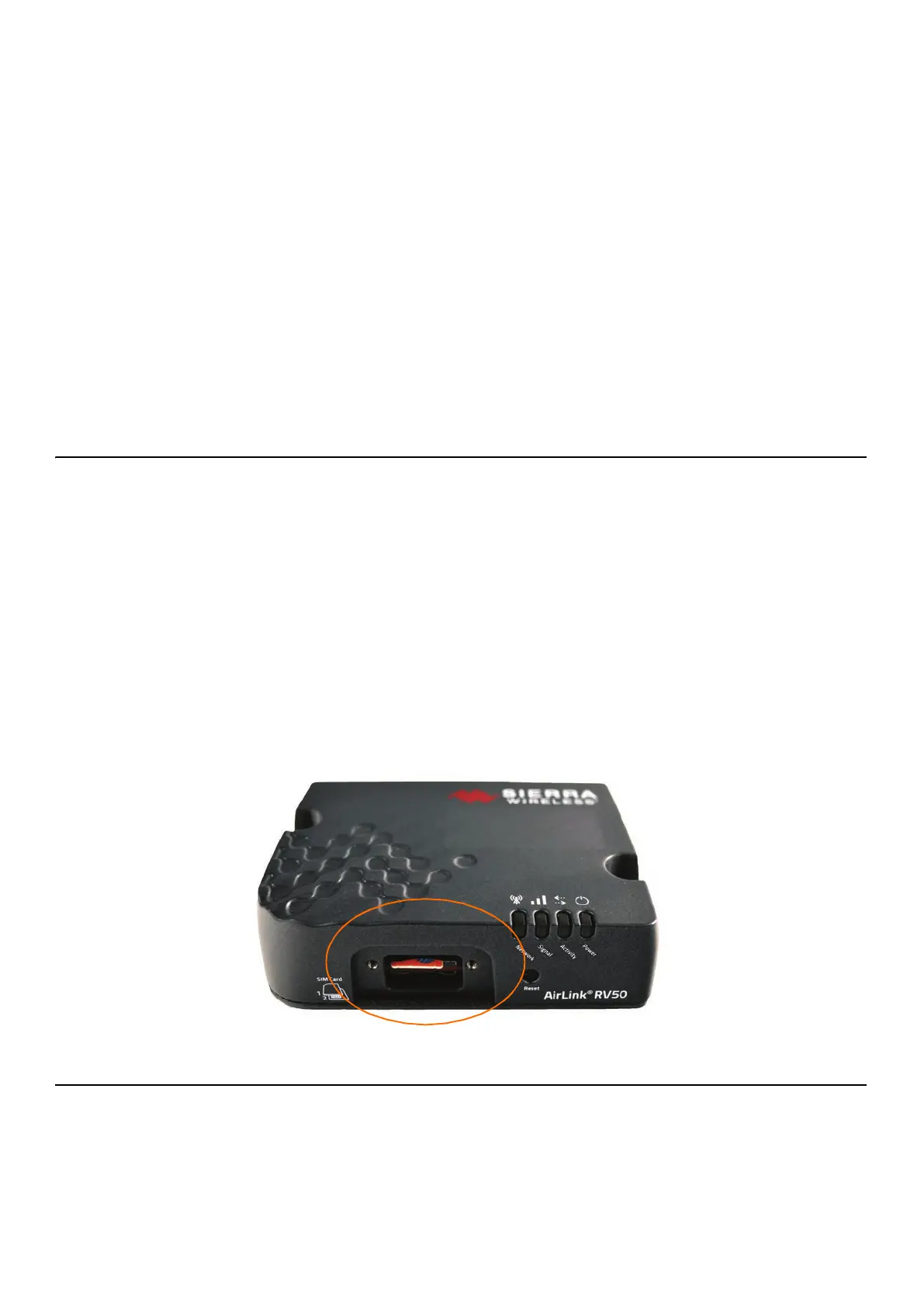
With system powered off, install the SIM card by following these steps:
TRY THIS Send the SIM card to
Larson Davis and have the
system configured before
shipment.
Step 1 Using the Phillips #0 screwdriver, unscrew the two screws
holding the front SIM card door closed.
Step 2 Insert your card into to RV50X Sim Slot 1 (the top slot).
Press in to slot until it clicks.
Step 3 Screw the door closed.
FIGURE 2-4 RV50X Sim Card Slot
2.5.2 Configuring for Remote Communication
You will need to configure your gateway for remote communication
before it can be used in two-way communication. Configuring for
remote use can only be done with the gateway attached to the
antennas and a power source (either the battery or the PSA041), as
shown in this section.



 To Next Page